
WHAT’S NEW ON THE SHOPPING LIST
Here’s everything we’ve added to or removed from the shopping list in the last 90 days, newest first.
Basically, all of the links on this page are affiliate links. I receive a commission (at no extra cost to you) if you make a purchase after clicking one of the affiliate links below. Read our Affiliate Link Policy for more information.
October 20, 2026
Show product
Ascent HD Goggles
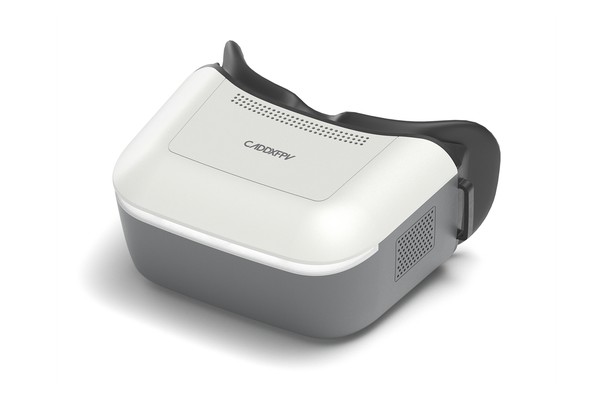
These are box goggles with a built-in Ascent receiver. When Caddx first launched Ascent, these were the only way to fly it. Now that the vRX and vRX Pro exist, you can fly Ascent with any goggles that have an HDMI input, so we’d only buy these if you’re starting from scratch and don’t own goggles yet.
Caddx has promised to release new Ascent goggles that can display 120fps feed and play audio from the vTX. They don’t exist yet, and we never make buying decisions based on promises of future products. For now, this is the only goggle you can buy with built-in Ascent receiver.
Caddx
RaceDayQuads
NewBeeDrone
Show product
Ascent vRX Pro
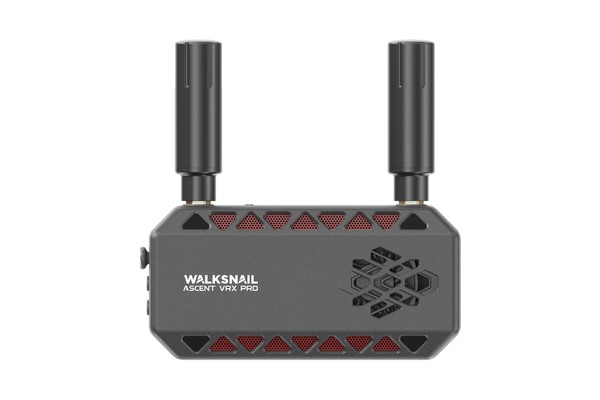
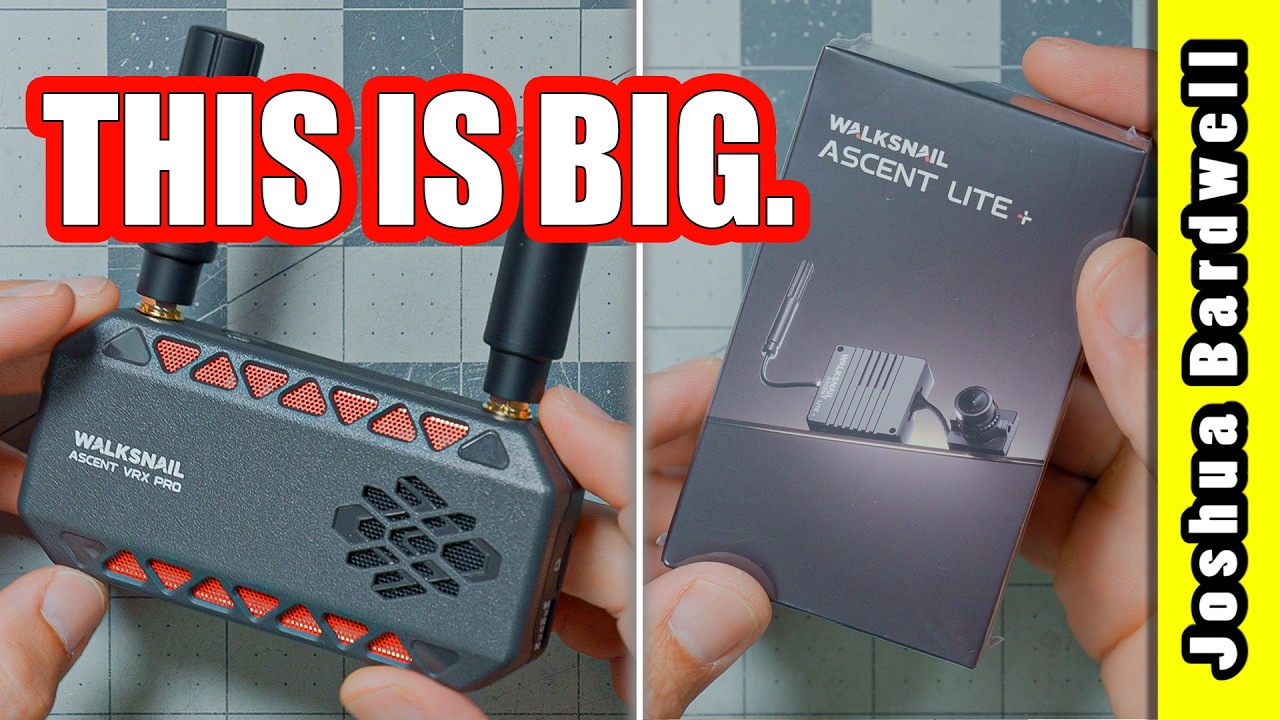
The vRX Pro is a standalone receiver for the Ascent system. Its job is to let you fly Ascent with goggles you already own. It works with any goggles that have an HDMI input — or any other display or screen.
The vRX Pro supports up to 720p and 1080p up to 120 fps. No FPV goggle can display 120 fps today, so most people will be flying at 60 or 100 fps, but Caddx has promised a new goggle that will work with the 120fps feed. Or you can use a gaming monitor that supports 120fps.
There’s a 1/4-20 thread on the bottom for mounting it on a tripod, but more likely you’ll find a way to attach it to your goggles (double-sided tape, a 3D print, whatever works). The DVR records to an SD card, and there’s a USB port for firmware updates and offloading footage.
My one gripe is the HDMI cable. The vRX has a full-size HDMI port, which is what you’d expect. But the cable it comes with is short and full-size on both ends. I can’t think of an FPV goggle with a full-size HDMI port, so that cable is basically useless without a mini adapter. Plan on buying a full-to-mini HDMI cable.
Caddx
Show product
Ascent vRX
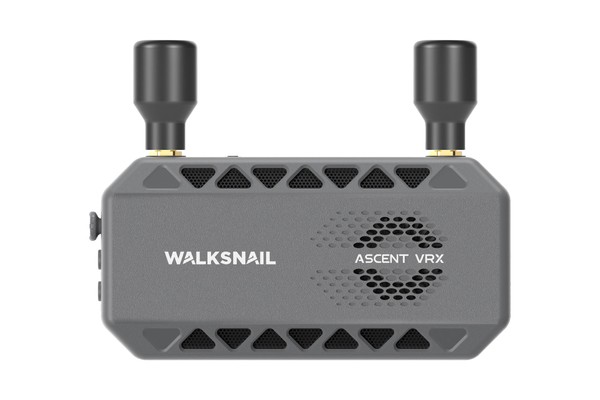
This is the standard version of the Ascent standalone receiver. Like the vRX Pro, its job is to let you fly Ascent with goggles you already own — anything with an HDMI input. The main difference between the standard vRX and the vRX Pro is that the vRX Pro supports up to 1080p120 fps while the standard vRX is capped at 1080p60fps. But the standard vRX can output 720p up to 120fps so the distinction really doesn’t seem to be that significant. Maybe more distinctions will appear in the future but for now, the Standard vRX seems like the value play.
Caddx
Show product
Ascent HD Lite+ Kit
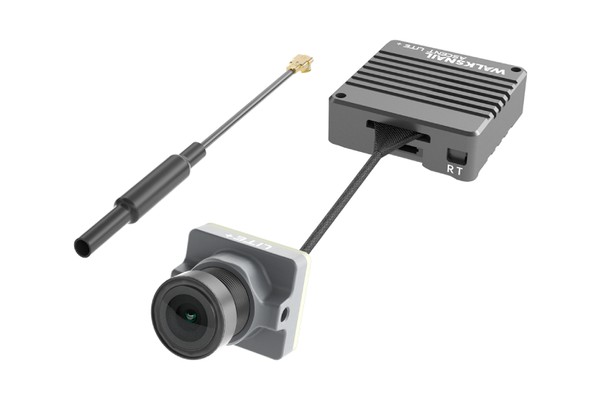
The Ascent Lite+ kit is the lightweight vTX and camera for Walksnail’s Ascent video system. It’s tiny! The vTX and camera together weigh 10.2 grams — light enough to use on a 75mm Whoop, or even a 65mm if you’re willing to compromise handling and flight time a bit.
The Lite+ puts out up to 500 mW. (The original Ascent Lite only does 100 mW and is only about $5 cheaper, so we don’t see a point in buying the original Lite at this point).
Audio! The vTX records audio to the DVR, which a lot of people have been asking digital systems for, but it doesn’t transmit audio to the pilot. However, the as-yet-nonexistent new goggle is promised to have audio transmission to the pilot.
Range and penetration are impressive for 500 mW. It held in behind my house and barn better than I expected. I’d give the image quality somewhere around a 6 to 8 out of 10, where DJI is an 11.
Caddx
NewBeeDrone
Show product
Ascent GT Pro 4W
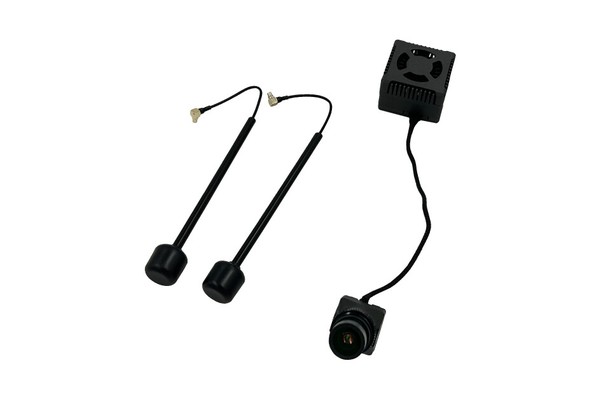
This is what makes Caddx Ascent stand out — even compared to “big brother” systems like Avatar and DJI. 4 WATTS OF POWER! Want the most range and penetration you can get from a digital system? I can’t say for sure the GT Pro will beat a DJI O4, but with this much raw power, it seems like it might.
It’s the same Ascent video link as the Lite+, so it works with the Ascent receivers and goggles above. And it’s got the same issue with latency. But if you’re doing long-range, you probably don’t care about that. And even if you’re doing bando-freestyle, it’s hard to argue with the kind of penetration this much power will give you.
For a Whoop or a small quad, get the Lite+. Choose the GT Pro only if you need the range, and you have the room and the battery to run a 4W vTX.
Amazon
AliExpress
Show product
BetaFPV VR04 HD Goggles
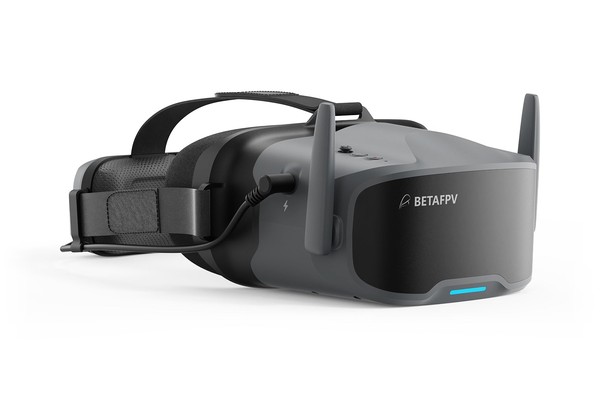
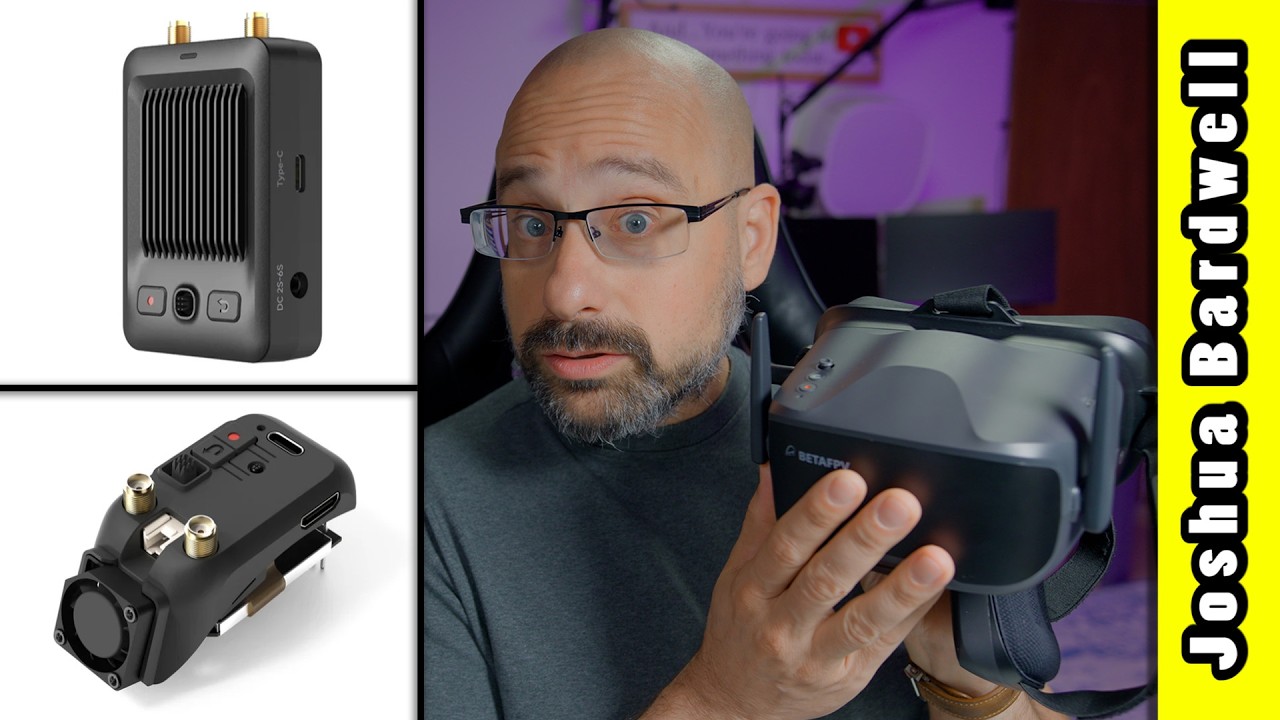
These are BetaFPV’s standalone goggles for the P1 system, with the receiver built in. They’re box goggles. That means there’s one big screen sitting in front of your eyes. As box goggles go, they’re not bad, but box goggles usually don’t fit the face as well as binocular-style.
If you already own goggles with an HDMI input, you don’t need these. The P1 HD vRX will send the P1 signal into the goggles you have.
You should choose these if you’re looking to get into digital FPV as cheaply as possible, and you’ve settled on the P1 system over the Caddx Ascent system.
BetaFPV -
VR04 HD / VR04 HD Pro
RaceDayQuads -
VR04 HD Pro
Show product
BetaFPV P1 HD vRX
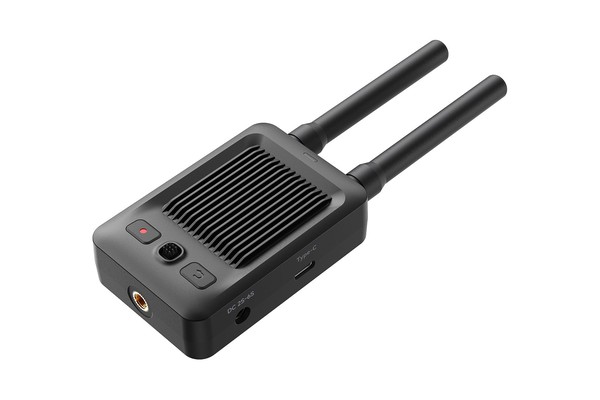
This is the standalone receiver for BetaFPV’s P1 system. Its job is to let you fly P1 with goggles you already own. It works with any goggles that have an HDMI input. It runs on 2S to 6S, and there’s a 1/4-20 thread for a tripod. This is the receiver I flew in my P1 review, and range and penetration were surprisingly good.
If you want to get into the P1 video system and you have an existing set of goggles with HDMI input, I would choose this vRX over the VR04 goggles. The latency may be slightly higher, but the ergonomics of your existing goggles are probably a lot better than the VR04.
BetaFPV
Show product
BetaFPV P1 Air Unit
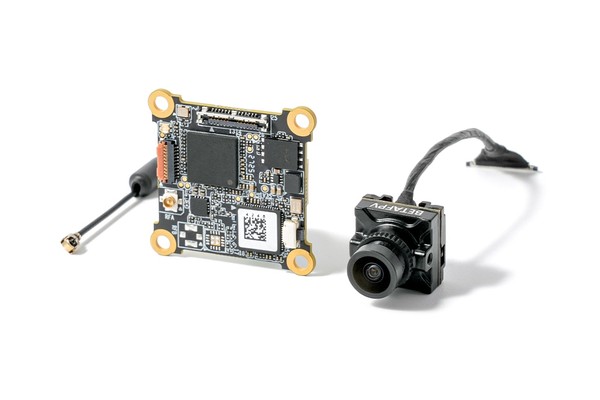
The P1 is the lightweight vTX and camera for BetaFPV’s P1 digital system. It’s sized for Whoops and other micros.
The image looks good. Maybe not quite DJI good, but for the price, I was impressed. Range and penetration were shockingly good — it held in behind the building where my signal usually breaks up, on an omni antenna. As the signal gets weaker, the image gets blocky (like other digital FPV systems) but the framerate held stable until the signal was almost gone, so it remained fairly flyable.
The big limitation is power. This is a low-power vTX, so it’s for micros and cruising, not for pushing range. (In theory, ArtLynk lets you use a higher-powered vTX from HGLRC with the same goggles, but read the section intro above before you count on that.)
BetaFPV
RaceDayQuads
Show product
BetaFPV P1 Monitor
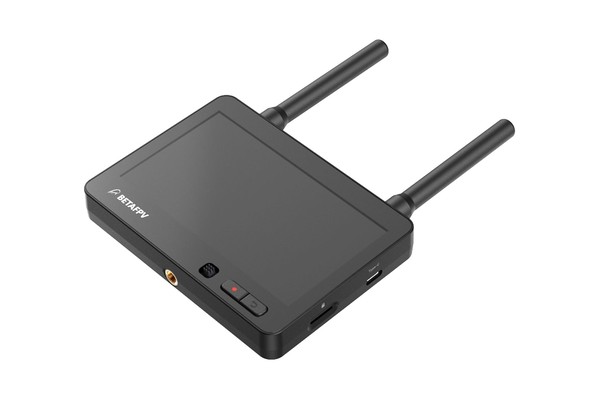
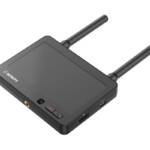
A 4.5-inch screen with a P1 receiver built in. It’s bright (1000 nits), it has a DVR, and it runs on 2S to 6S through an XT30 or a DC plug, so you can power it from a flight battery.
The catch: it has no HDMI output, and the P1 system has no spectator mode. So you can’t use it as a second screen for a friend while you fly off your goggles. You can’t even use it as a temporary screen while you’re working on your drone on the bench unless you re-bind your drone to it — which defeats the whole purpose of a bench screen for taking a quick look without putting on your goggles.
The only thing it’s good for is flying off it as your main screen, and most people won’t want to do that. So basically, you probably don’t want to buy it.
If you already own goggles with an HDMI input, get the P1 HD vRX instead.
BetaFPV
Show product
HGLRC Draco Air Unit
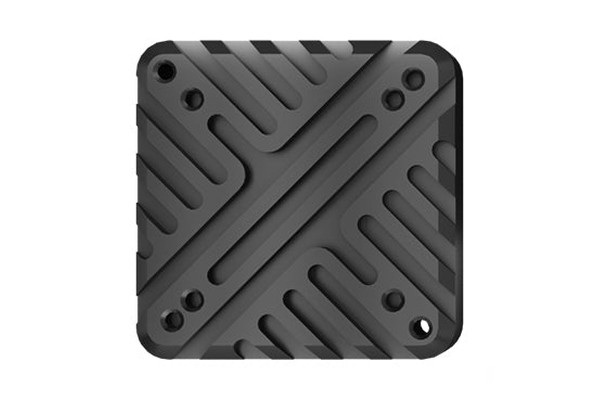
In theory, this is the “big boy vTX” for people who’ve bought into the ArtLynk ecosystem. In reality, it just shows how far behind ArtLynk is compared to Caddx Ascent. The Draco only puts out 1W, compared to 4W for the Ascent GT Pro. And the firmware that’s supposed to guarantee cross-compatibility between ArtLynk vendors (BetaFPV goggles binding to HGLRC vTX) is riddled with issues.
If you want a higher-power vTX on a low-cost system, we’d look at Ascent first. Choose the Draco only if you’re already committed to ArtLynk.
The air unit and the receiver must run matching firmware, and the original V1.0 firmware doesn’t work with other ArtLynk gear. Make sure yours is on V2.0 or newer.
HGLRC -
A1 Lite+ / A1 Pro / A2 Pro
RaceDayQuads -
A1 Pro / A2 Night Vision
Show product
HGLRC Draco Ground Unit
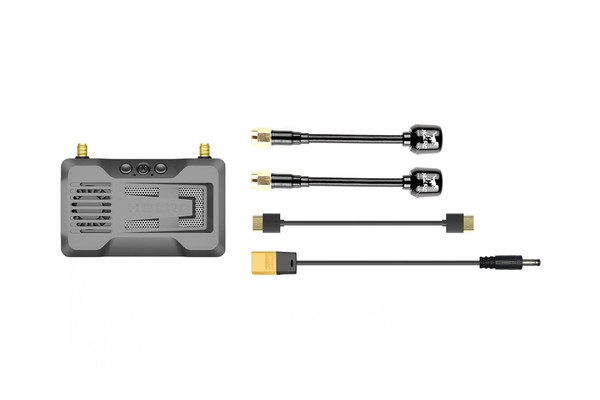
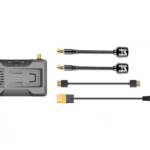
This is HGLRC’s standalone vRX for the ArtLynk system. Like the P1 HD vRX, it sends the picture to any goggles or screen with an HDMI input. It runs on 2S to 8S and records DVR to a microSD card. If you’re going to buy the Draco air unit, you might as well buy the Draco ground station, since it maximizes the chances that they’ll be compatible. But expect to run into issues binding to BetaFPV P1 air units on micro drones.
HGLRC
RaceDayQuads
Show product
Divimath Dual-Band 4W
Divimath 5.8 & 3.3 GHz Analog VTX
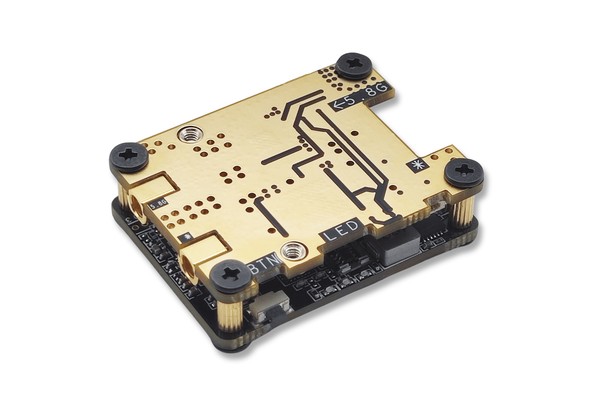
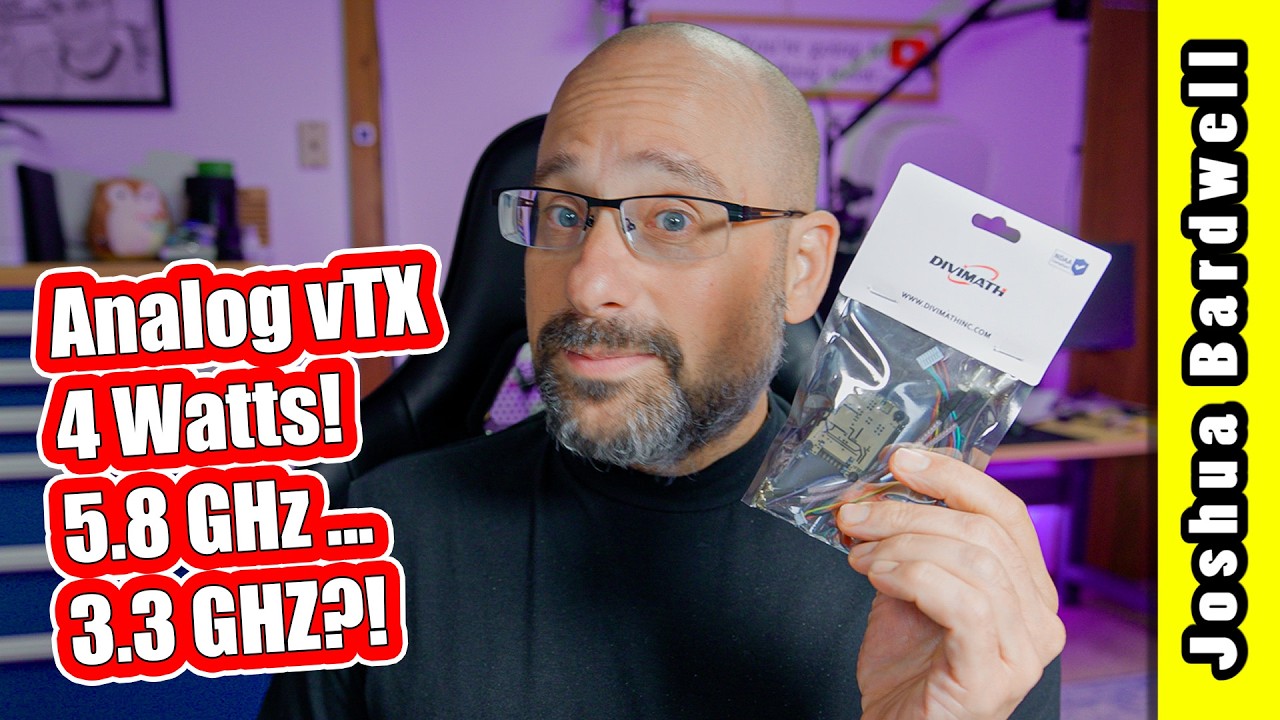
This is an analog vTX from Divimath, HDZero’s sister company. (It’s analog — it doesn’t work with the HDZero digital system.) It puts out up to 4 watts, and it has two outputs: one for 5.8 GHz and one for 3.3 GHz. Yes, 3.3 GHz is legal to use in the USA (for now), but even if you don’t intend to use it, this is still a very reasonably priced 5.8 GHz with a tremendously high output power in a tiny package.
In my testing, it had one of the cleanest and most stable signals I’ve seen.
How can such a powerful vTX be so reasonably priced? Basically every 5.8 GHz analog vTX uses the same RichWave chip, and the price of that chip recently went up about 5x. The days of the $15 analog vTX are gone. The Divimath vTX doesn’t use that chip at all. It uses custom silicon developed by Divimath.
Bonus: you can type in any frequency from about 4900 to 6030 MHz — not just standard ones–and it supports both SmartAudio and Tramp, so it just works with Betaflight.
Divimath -
VTX / Cooling Kit
Show product
LongXL Goggle Power Cable
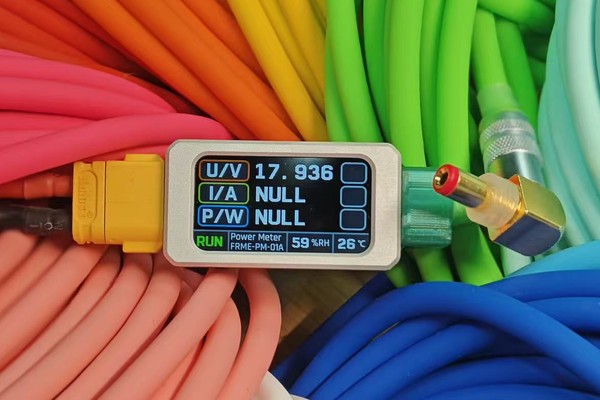
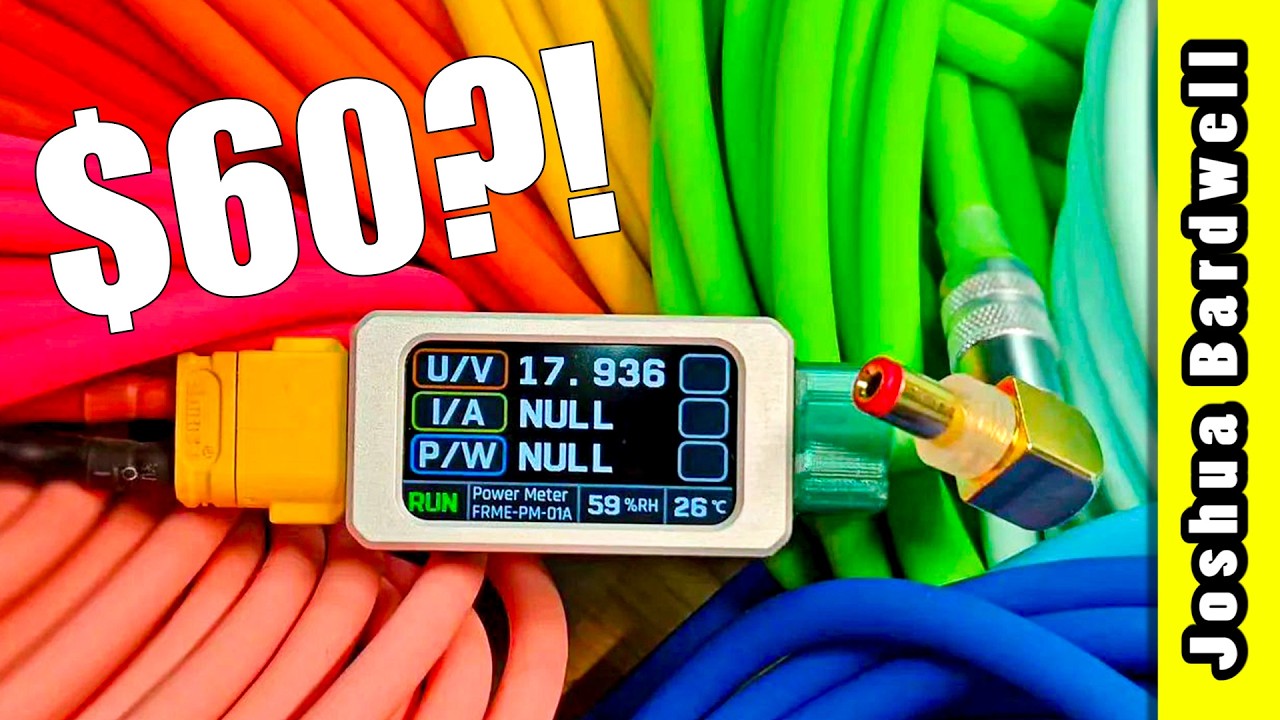
Every time this cable shows up in one of my videos, people ask where I got it. It’s a power cable for your goggles (or anything with this kind of barrel jack), with a little display that shows your battery voltage and how many amps and watts your goggles are pulling. You’ll never plug in a dead battery without noticing.
It’s legitimately well made: a nice metal case, epoxied (not hot-glued!) strain relief, and a braided or smooth silicone wrap in a ton of colors. There’s no voltage regulator inside — it passes battery voltage straight through — so it won’t help if your goggles can’t take your native battery voltage.
The catch is the price: about $60, depending on options, at the time of writing. I bought two. Is it worth it, or is that stupid? You decide.
LongXL
Show product
ULTIMATE TRAVEL IRON
Alientek T90B
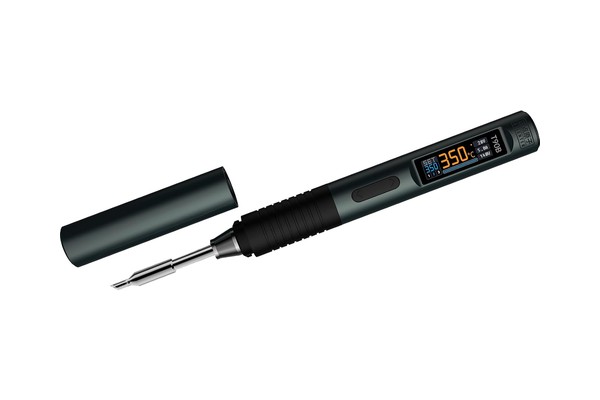
This is my ultimate travel iron. It takes standard JBC C245 tips, which have amazing heat performance, and it runs them at full power (about 140 W) off USB-PD or DC through its USB-C port. I run mine off a 6S LiPo with a USB-C to XT60 cable, and it heats up crazy fast. It’s beautifully built, too.
Two things to know. If you run it off a LiPo, go into the settings and set Work Vol to max — on Auto, mine limited itself to about 68 W. From the wall, you’ll need a 140 W USB-PD charger for full power (but it will still work great on lower-power USB-PD adapters). And the tips my kit came with are tiny, so pick up some beefier C245 tips if you’re going to work on larger wires and pads.
My kit didn’t come with a USB-C to XT60 cable, and I couldn’t easily find one to buy. So I bought a bare-wire USB-C cable and soldered my own XT60 to it. It’s linked below.
Amazon -
T90B Iron / USB-C cable
Show product
BEST VALUE
Sugon T21
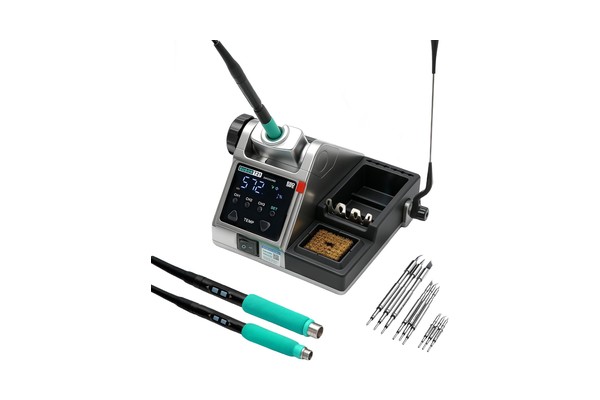
JBC makes some of the best soldering irons you can buy. What makes them so special is their tip design. The heater and temperature sensor are built right into the tip, and the heat delivery is incredible. It wakes from sleep and is back at temperature in about three seconds, and it tins a 12-gauge wire at just 325°C.
Problem is, JBC irons are $600+. But there are a bunch of Chinese irons that use the same tip design — or even authentic JBC tips — and have nearly-equal performance! The Sugon T21 runs about $100 (if you buy it from AliExpress; it’s more on Amazon). Honestly, it made me better at soldering. It’s my new daily driver.
If you work on anything but micro drones, make sure your kit comes with the C245 handle. It has higher wattage and uses larger tips. The tips that came with my T21 kit were too small for my use, so I bought some aftermarket C245 tips. You can spend $50 on authentic JBC tips if you want to. They’ll probably last longer, but oof the price.
The links below are to several irons, not just the T21. They all use JBC-style tips and have equal performance. The T21 is my daily driver, but I don’t like that its brass bristle is permanently affixed to the base. If I were buying today, I’d look hard at the Sugon A9, which is a much more faithful copy of the JBC base design — but I haven’t personally used it.
Show product
TS101
PORTABLE ROCK STAR
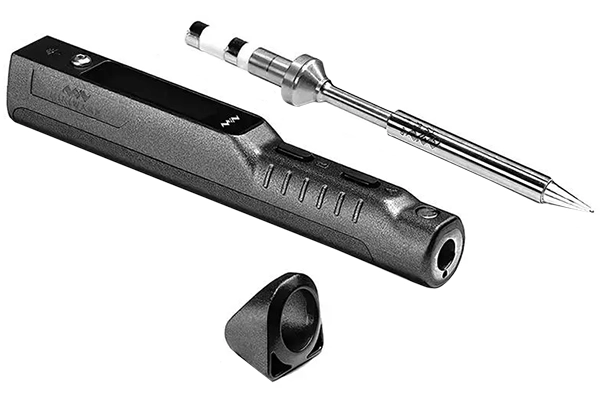
If this iron were just a little easier to hold, it’d be my choice for the best iron overall. But if it were easier to hold, it’d be bigger, and then it wouldn’t be so awesomely portable. There simply isn’t anything better for field repairs.
If you want to run this off a LiPo, you’ll need a 2.5mm to XT60 cable. You can make your own, or buy one at GetFPV.
RaceDayQuads
GetFPV
Rotor Riot
Amazon
Show product
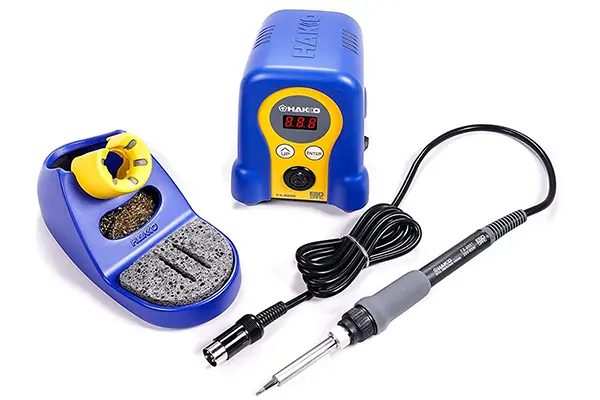
Hakko FX-888D
TOP OF THE LINE
This is widely considered to be the best soldering iron a hobbyist can choose. The 888D has digital push-button temperature control with five presets to quickly choose whichever temperature is right for the job. Comes with a sturdy base and sponge holder.
Amazon
Show product
Durability Above All Else
Tanq V2
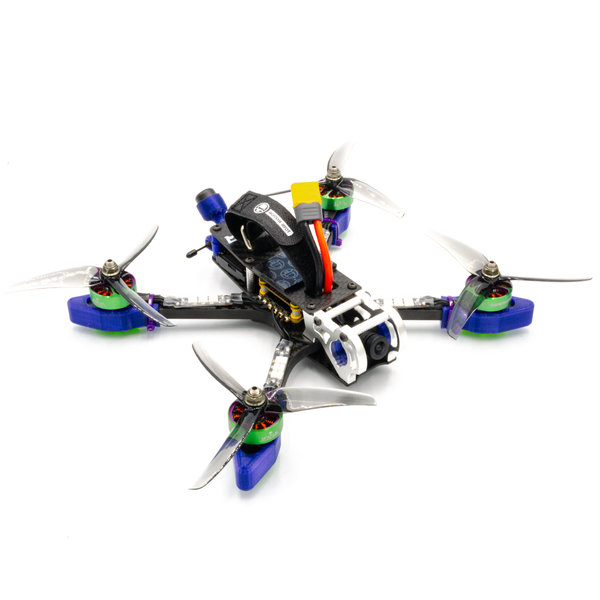
What if you designed a quadcopter for durability above everything else? You’d get the Tanq. The idea behind this quad is that you can’t fly your best if you’re worried about crashing. And you can’t fly at all if your quad is broken. 8mm thick arms promise to bounce back from the worst bashing. A massive assortment of 3D prints provide even more protection.
Is it heavy? Yup. Frankly, my first impression was that it’s too heavy to really be fun. And I passed it over. But people argued that this is the perfect frame for beginners, who benefit more from its durability than they lose in terms of its lack of agility. So let’s not say it flies “worse”. Let’s say it flies “different” than a lighter quad. The Tanq is significantly less nimble than its more delicate brethren. It’s ideal for more smooth, flowy, exploratory freestyle. If you prefer fast, flippy-floppy style with lots of tricks, this may not be the build for you. But if you want to be able to crash without fear and (almost always) bring home the same number of working quads that you showed up with, the Tanq should be near the top of your list.
Rotor Riot Pro-Spec builds are made to your exact specificiations, hand-built in Orlando, USA, and with a custom tune made exactly to a pro pilot’s requirements. Like all Rotor Riot Pro-Spec builds, you should contact Rotor Riot customer service if you have questions or want to customize your build.
Rotor Riot
31 products
- Crux3
- 2S Nano Baby 20
- Tiny Ape 2S 2.5″ ELRS
- FPV Cycle TP3
- AOS TP3
- Flywoo Nin V2 1203 Pro 11500KV
- RCinPower GTS 1204 8000KV
- FPV Cycle Light 13mm 1S Motor
- FPV Cycle Light 13mm 2S Motor
- X12 AIO
- Flywoo Goku GN413S 12A 2-4S AIO
- Eachine Nano V3
- Caddx Ant Lite Nano
- TBS Unify Pro32 Nano 5G8 V1.1
- HDZero Whoop Lite Bundle
- Mini VTX Kit
- NewBeeDrone Beebrain V2 Camera Mount Whoop Canopy
- Crux 3 Canopy
- TrueRC Singularity 5.8GHz Ultra-Short VTX Antenna
- Foxeer Micro Lollipop VTX Antenna
- TBS Crossfire Minimortal T RX Antenna
- TBS Tracer Immortal T RX Antenna
- ImmersionRC Ghost QT RX Antenna
- HappyModel ELRS Omni-Directional RX Antenna
- HappyModel ELRS EP2 RX Antenna
- GNB 530mAh 90C 1S HV Li-Po
- RDQ 350mAh 50/100C 2S LiHV XT30
- GNB 380mAh 2S 90C XT30
- GNB 450mAh 80C 2S XT30 / RDQ 450mAh 70C 2S XT30
- Emax Avia TH1609
- Gemfan Hurricane 3016 1.5mm / 2mm Shaft
16 products
- Le Drib Skylite 3″ Built & Tuned Ducted Drone
- Foxeer Foxwhoop 25
- GEPRC Cinelog 30
- GEPRC Cinelog 35
- iFlight Bumblebee V3
- Shendrone Slammed Squirt V2
- Cinespore Frame
- 3″ Ducted Prop Guards
- T-Motor F2004 3000KV
- Glarks M2 x 10x 3.5mm Female Threaded Knurled Brass Inserts
- Tattu R-Line 1050mAh 95C 4S XT60
- GNB 850mAh 4S 80C/160C – XT30
- Shen Drones Squirt V2.13 Cinewhoop Frame
- Shen Drone Squirt V2 3D Printed TPU Duct Set
- T-Motor 2203.5 3550KV
- Tattu R-Line 4S 1300mAh 120C – XT60
42 products
- GEPRC Smart35 (3.5”)
- Emax Babyhawk II HD (3.5”)
- Ummagawd 2Fiddy HD (5”)
- Avanquads Avio 3
- Quadmula Siren F3 Split
- QAV-S Mini 3”
- GEPRC ST35 (3.5”)
- Ummagawd 2Fiddy (5”)
- AOS 3.5
- F1404 4600KV
- AF144 1404 4510KV
- TC 1404 4600KV
- T-Motor P1604 2850KV / 3800KV
- Xnova 1804 2400KV / 3100KV / 3500KV
- T-Motor Pacer P1804 2400KV / 3400KV
- Axis Flying AF204 1810 KV / 2910 KV / 3710 KV
- Ummagawd Aerolight 2004 2400KV (4S) / 1600KV (6S)
- NewBeeDrone Flow 2004 1750 KV / 2000 KV / 2450 KV / 3100 KV
- iFlight Blitz AIO F745 FC / 45A ESC
- GEPRC F411 35A ESC
- Flywoo Goku GN745 w/ 40A BLHeli32 ESC
- F722 DM Mini HD FC 35A 2-6S ESC
- Foxeer Toothless 2 Nano Starlight Analog Camera
- Foxeer T-Rex Micro Camera
- Caddx Baby Ratel 2 Nano Camera
- RDQ 4S 850mAh 75C / GNB 4S 850mAh 80C
- CNHL 4S 850 mAh 70C
- Tattu R-Line 4S 850 mAh 95C
- Tattu R-Line 1.0 4S 550 mAh 95C – XT-30
- CNHL Ministar 4S 650 mAh 70C
- GNB 4S HV 650 mAh 60C
- GNB 6S 380 mAh 90C
- GNB 6S 550 mAh 80C
- Tattu R-Line 6S 650 mAh 95C
- RDQ 6S 650 mAh 70C
- Gemfan Flash 3052-3
- DAL Cyclone
- T3X2.5X3
- Gemfan Hurricane 3520
- T3.5X2.5X3
- Emax Scimitar 3.5″
- HQ T5x3x2

Show product
Gemfan
1608 Props

These brand new Gemfan 1608 props really come to life on high kv 1002 motors with great grunt and grip. They need more stator volume than you get with 0802’s but they also need more than 20,000kv on 1s making our suggested Flywoo 1002 23,500kv motor a great match.
Banggood
Show product
Radiomaster
TX16S Mk3
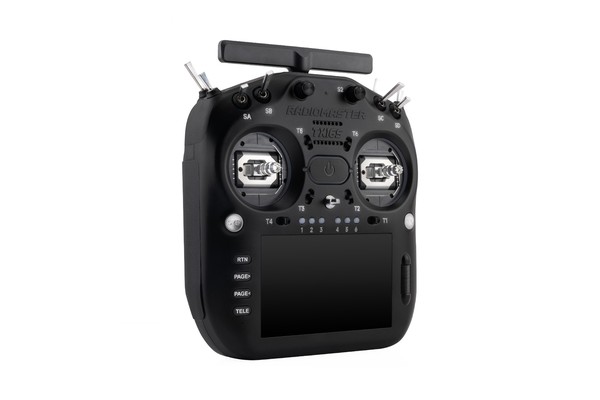
The TX16S Mk3 is RadioMaster’s flagship, and the biggest radio they make. It’s the most like a “traditional” RC controller. It has more switches, knobs, and sliders than any of RadioMaster’s other radios. If you fly planes with retracts, flaps, and lights, it has enough controls to do it. For FPV drones, it may be overkill, depending on how complicated your setup is.
The big 5″ color touchscreen makes configuring the radio faster and more convenient, and you can set up your own screens of widgets. On the flip-side, lots of people get on just fine with the smaller black and white displays on other radios. And the larger screen runs the battery down faster.
The Mk3 has a built in ExpressLRS module. For any other protocol, you’ll need to use its external module bay. Its built-in module is dual-band — 2.4 GHz and 900 MHz — with Gemini-X up to 1W. It’s also got dual cross-polarized antennas (one is in the handle!). It’ll give as much range and penetration as almost any ELRS radio made today.
The standard Mk3 has Hall effect gimbals. They’re “fine” but not “premium”. The Max upgrades to AG02 gimbals, with a CNC metal frame, so they feel weighty and have zero play at the end points. My opinion is that premium gimbals are like leather upholstery in a car. They don’t make you a better pilot, but it sure feels nice every time you interact with them. If you can’t afford them, you’ll still be able to do everything you want with the standard gimbals.
If you don’t need all those controls, we think the GX15 or the Boxer Crush will serve most pilots better, in a smaller package and at a lower price.
Show product
Radiomaster
GX12
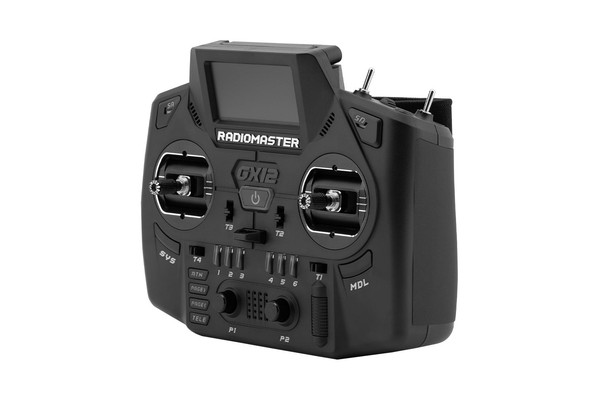
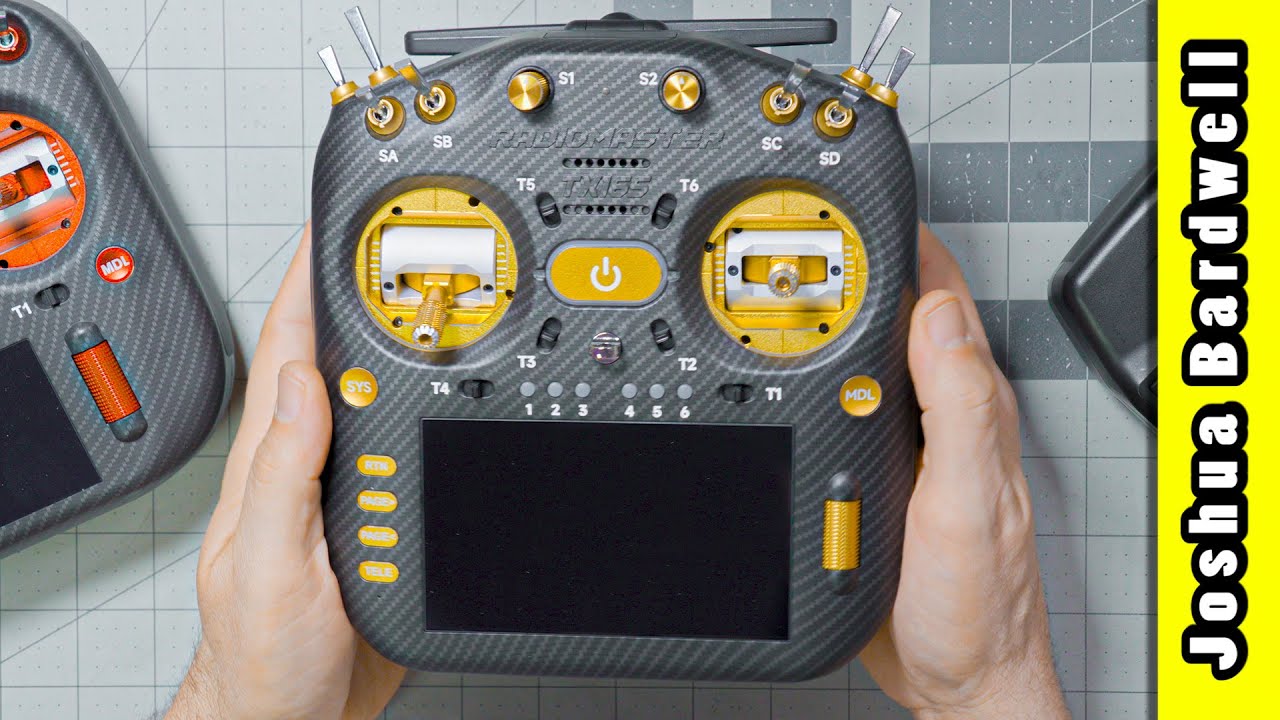
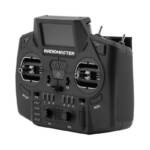
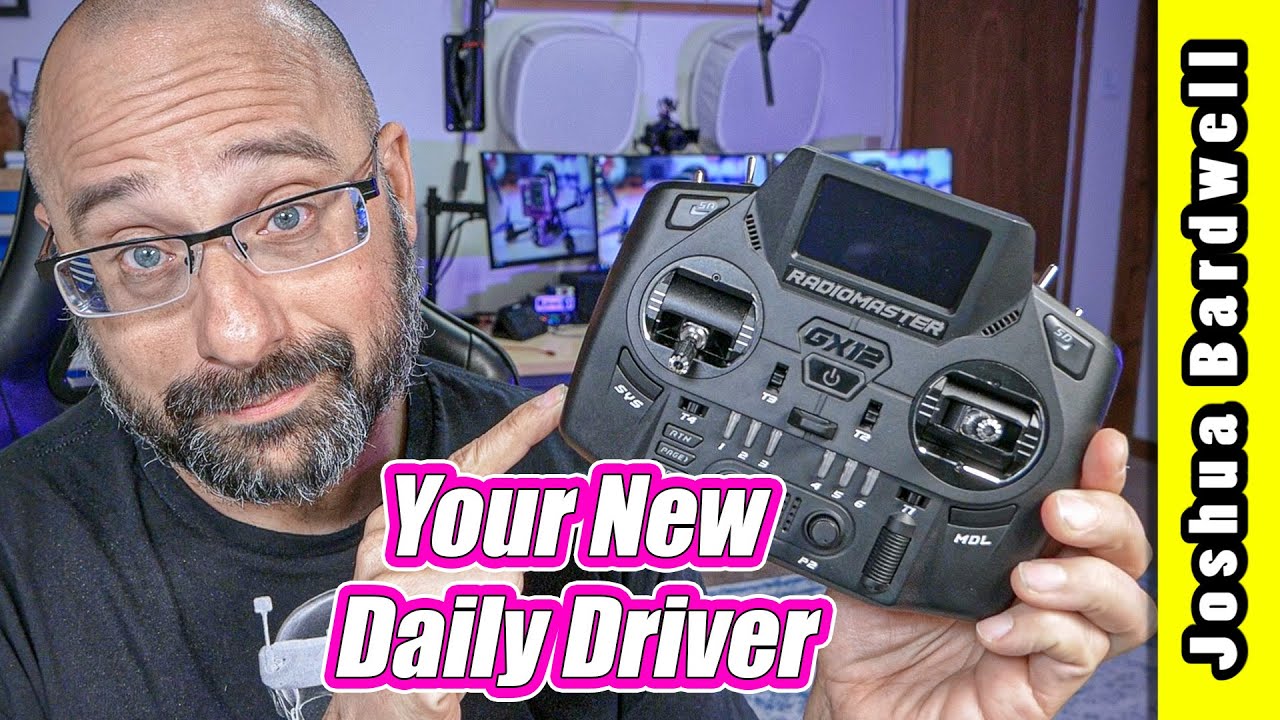
The GX12 is my daily driver. But it might not be yours. One reason I love it is its size. The gimbals and antenna fold, and it’s short enough to slide into a standard backpack without a dedicated compartment. But it doesn’t give up controls to get there. It has plenty of switches, sliders you can reach while flying, a 6-position button bank, and extra momentary switches that I use a lot. The catch: to make it compact, the switches are micro-size, and the screen is a small black and white OLED. I’m fine with these tradeoffs to clear up a bunch of space in my backpack.
The built-in ELRS module has two dual-band, 1W radios with Gemini. It can run on 900 MHz and 2.4 GHz. The built-in, foldable antennas give up performance for size, and I’ve noticed some reduction in range compared to radios with a full size antenna.
The GX12 has its own CNC metal Hall effect gimbals, and they’re okay, but you can’t get AG01 or AG02 gimbals for it.
If you want one radio that does everything and still fits in your bag, this is the one we recommend. If you want a color touchscreen, look at the TX15 or the TX16S.
RadioMaster
RaceDayQuads
GetFPV
NewBeeDrone
Five33
Rotor Riot
Show product
Radiomaster
Boxer Crush
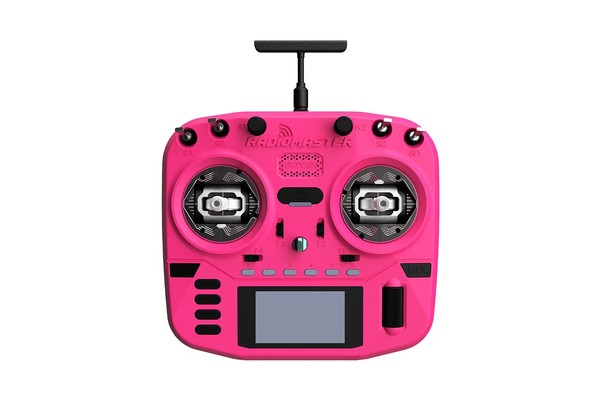
The Boxer is one of my favorite radios. It was my daily driver for about 2 years. It’s much more compact than the TX16S, while still being big enough to not feel like a “game controller” style radio in the hand. It feels solid, especially when combined with the AG01 gimbals. It has a mid-sized B&W screen–much smaller than the TX16S, but larger than the tiny screen on radios like the GX12. The battery bay is big enough to hold a 5000 mAh LiPo (sold by Radiomaster) so it lasts for a LONG time. And it can be purchased with a 1W built-in 2.4 GHz ELRS module, so you can get just about the most range you can possibly get on ELRS, without having to put an external module into your module bay.
What’s to dislike? The radio has four toggle switches on the front face, but the two shoulder switches are flat and press into the body of the controller. To me, this makes the left shoulder switch unsuitable for use as an arming switch, because to disarm, you have to push in, then release. In my opinion, arming and disarming should always be a single movement, so you can disarm as quickly as possible. On top of this, I find it difficult to press the shoulder switch without repositioning my hand off the gimbal.
Speaking of missing controls, the Boxer has no sliders that are accessible during flight. There are two potentiometer knobs on the face of the radio, but you can’t easily access them without taking your hand of the stick. So if you wanted to adjust a camera gimbal while flying you’d have a difficult time.
I’m also frustrated by the Boxer’s antenna. It comes with a very high-quality antenna that screws onto an plug on top of the radio. But the antenna eventually got damaged because every time I put the radio in my backpack, it bent over. I ended up using a 3D print to put the Pocket’s folding antenna onto my Boxer and, although I did see some reduction in range, the convenience was more than worth it.
The Boxer Crush adds AG01 gimbals and, somehow, lowers the price compared to the original Boxer. So umm. Yeah. Buy that instead. But carefully compare vs. the TX15 first!

RadioMaster
RaceDayQuads
GetFPV
NewBeeDrone
Five33
Show product
Radiomaster
TX15
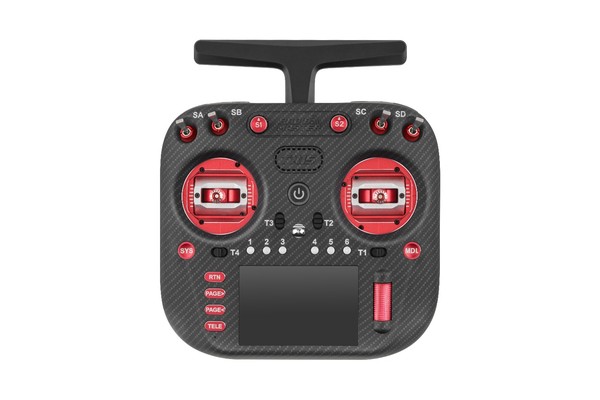
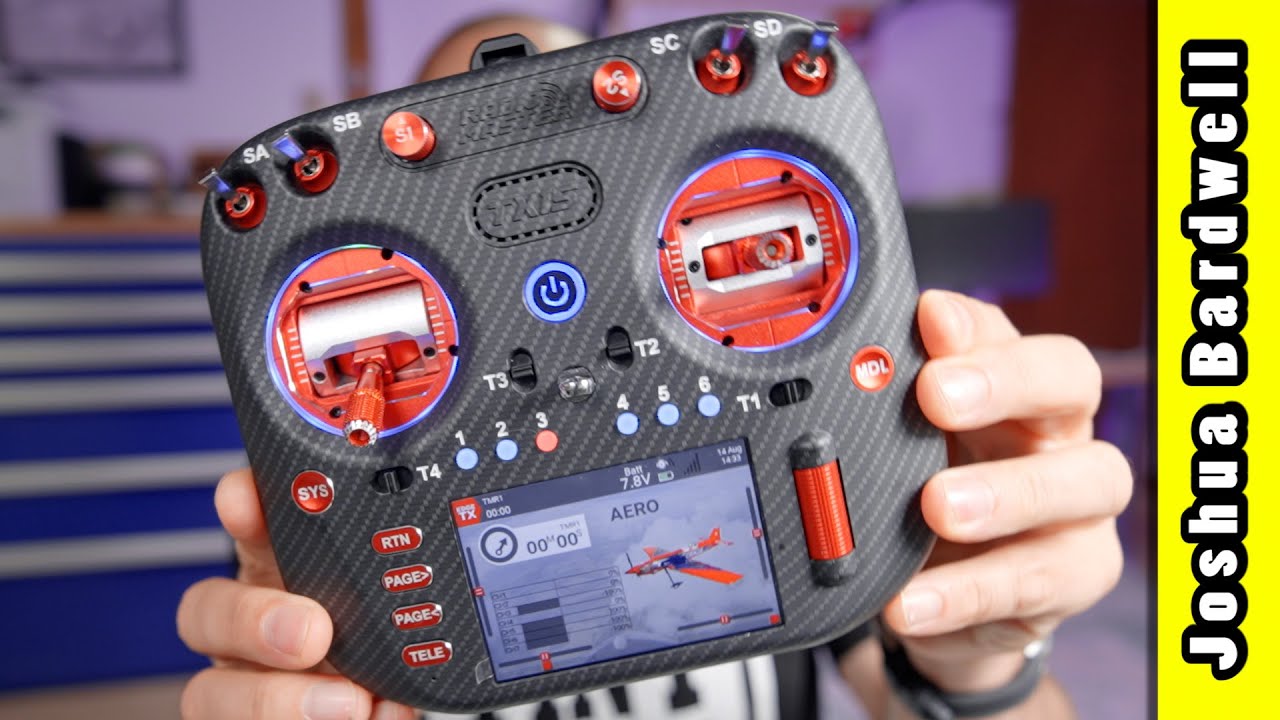
The TX15 is about the size of the Boxer Crush, but with a big color touchscreen instead of the Crush’s small black-and-white screen. The TX15’s ergonomics are damn near perfect. It’s more rounded, while the Crush is more angular. I love how the TX15 fits my hand.
The built-in ELRS module does both 2.4 GHz and 900 MHz, so it’ll bind with basically any ELRS receiver. It’s only got one radio though, so it can’t do Gemini. We don’t think that’s a big deal for most hobbyists. It has the same 1W max power as most other ELRS radios. The antenna folds, making it easier to pack.
The TX15 is missing some controls. There are no sliders and only one momentary switch, so if you run a complicated setup, you may run out. The shoulder switches are flat, like the Boxer Crush’s, but plates in the box let you swap in standard toggle switches.
Like other RadioMaster radios, the Max version adds AG02 gimbals and metal buttons. The standard version has Hall effect gimbals, which are fine, if a little less premium.
If you want a color touchscreen in a mid-size radio, this is a great choice. If you want more controls in a smaller radio, or Gemini, get the GX12. If you want everything this radio has and MORE, in a larger package, get the TX16S Mk3.
Show product
Radiomaster
GX15
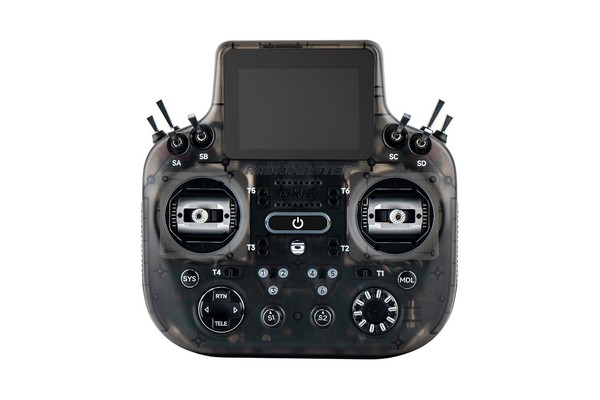
The main selling point of the GX15 is its color touchscreen, located at the top of the radio, where it’s easy to read while you fly. That matters most if you fly line of sight, and RadioMaster built this radio with traditional RC pilots in mind. The other change they made was to limit its ELRS output power to 250 mW, which means you’ll get about half the range of a typical 1W ELRS radio. And it’s 2.4 GHz only. Based on that, we don’t think this radio is ideal for FPV pilots, and it’s certainly not for long-range pilots. But it’ll be fine if you’ve decided you HAVE TO have it.
The GX15 looks like it’s the same size as the GX12, but it isn’t. When you take into account the screen on top, it’s almost the size of the TX16S Mk3. And that determines how much space it’ll take up in your pack. That extra size gets you full-size switches, a two-position switch on the left shoulder for arming, and the option of AG02 gimbals.
The Max has AG02 gimbals and metal buttons and knobs. Like leather upholstery in your car, they’re nice to have, but won’t make you a better pilot. The standard version does exactly the same things for less money.
Show product
Radiomaster
TX16S Mk2
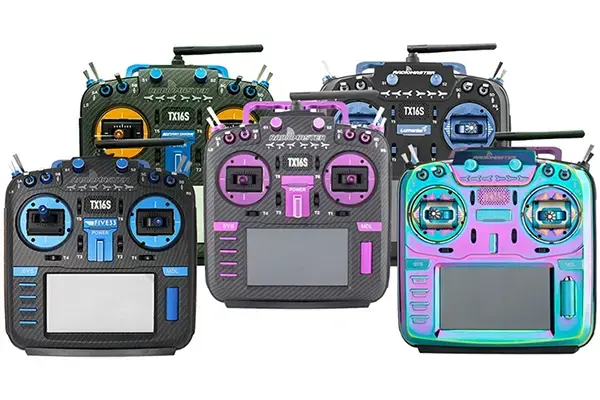
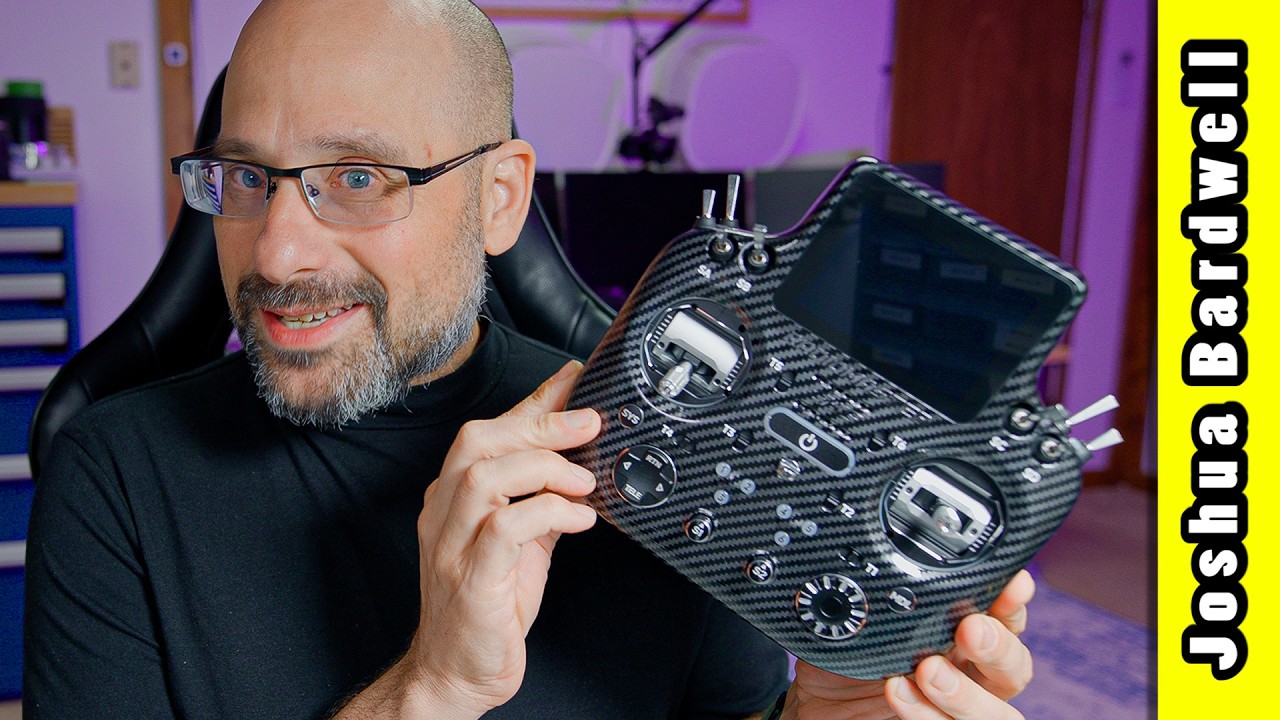
The TX16S is the oldest of RadioMaster’s designs. It’s the most like a “traditional” RC controller. It has more switches, knobs, and controls than any of Radiomaster’s other radios. If you wanted to fly a plane with lots of features like retracts, doors, dropper servo, and so forth, the TX16S has enough controls to do it. Robotics is another discipline where a large number of controls on the radio is desirable. But for FPV multirotors, the TX16S may be overkill. FPV pilots often just need 2 or 3 switches for arm/disarm, angle mode, maybe return to home, and they’re done.
The TX16S has a large color touchscreen. This makes configuring the radio faster and more convenient. The entire interface is redesigned around this touchscreen, with touchable buttons and menus. On the flip-side, there are lots of people who get on just fine with the smaller black and white displays on other radios. There’s no right or wrong answer here. Either this feature calls to you or it doesn’t.
One thing to note about the TX16S is that this radio was designed before ExpressLRS became a Thing. This means it was not designed to cool a high-powered ELRS module. If you buy the ELRS version of this radio, the internal ELRS module will only go to 250 mW. Other radios can do up to 1W, which gives about double the range. 250 mW will still give plenty of range, but maybe not as much as you’d want, esepcially if you are in an environment with a lot of obstacles, or if you want to use higher packet rates for reduced latency.
There are two variants of the TX16S. The base Mk2 has plastic buttons and regular Hall Effect gimbals. These gimbals are “fine” but not “premium”. They have ball bearings and Hall sensors, so they are adequatly precise and will last for a long time. But they also have a plastic frame, so they feel a bit lightweight and cheap. The Max versions of the radio have metal buttons and jog wheel and AG01 gimbals. AG01 gimbals have CNC metal frame, so they feel weighty and premium. They have zero flex at full deflection. My opinion is that AG01 gimbals are like leather upholstery in a car. They don’t make you a better pilot, but it sure feels nice every time you interact with them. If you can afford a radio with the AG01 gimbals, it won’t be money wasted, but if you can’t afford them, you’ll still be able to do everything you want to do with the standard Hall Effect Gimbals.
For what it’s worth, the TX16S is the most expensive of the Radiomaster product line, but it’s not the most capable or the most premium. Its price has a lot to do with its size and the big color screen. Many pilots will be better served by a less expensive radio in a more compact form factor, at a lower price. You should also know that there are some “special edition” versions of this radio, with custom colors and cases, being sold at exorbidant prices. These radios are only cosmetically different from the regular TX16S Mk2. Only buy them if you really, really want that color scheme.

RadioMaster
GetFPV
NewBeeDrone
Five33
Rotor Riot
Show product
Team Blacksheep
Tango 2
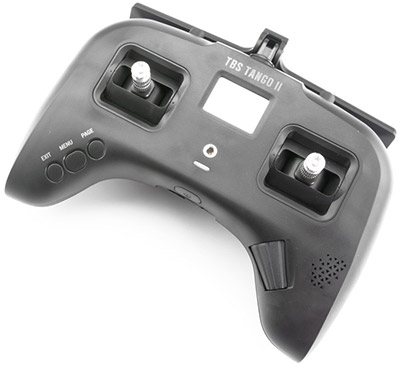
The Tango 2 is the only radio to come from the factory with a Crossfire module built in. Compared to an external Crossfire module, the Tango 2 maxes out at 500 mW, while the Micro module goes to 1W. This amounts to about 40% more range for the Micro module, but Crossfire’s range is very good. You’ll still get excellent range out of the Tango 2, unless you’re pushing really extreme distances. The Tango 2 is very compact, making storage and transportation a breeze. And it’s got great ergonomics for a small radio. A built in 5000 mAh 2S battery will easily make it through a day of flying.
If you run TBS Crossfire as your control link, you might think the Tango 2 is the obvious choice. But it comes with some drawbacks. It’s got relatively few switches (2x three-position, 2x two-position, 2x momentary) and no knobs or sliders. For airplane pilots, the Tango 2 lacks trim switches. There is a trim function but accessing it is cumbersome and difficult to do in flight. The gimbals on the Tango 2 are prone to going out of calibration. Some people seem to avoid this problem while others have to calibrate their gimbals weekly. The screen on the Tango 2 is tiny. It’s usable, but you really have to squint. If you’re older and have trouble with small text, you might want to stay away from it.
The Tango 2 runs a firmware called FreedomTX. Although this is based on the open-source EdgeTX/OpenTX firmware, it’s not compatible with any of the usual tools used to flash, back up, and configure EdgeTX/OpenTX. For example, theree is no desktop-based app for configuring the Tango 2. You have to do everything using the (tiny) screen on the radio.
The Tango 2 doesn’t come with a module bay by default, but TBS sells one that you can add to the radio. This requires opening up the radio. With the module bay, you can add aftermarket modules for ExpressLRS or other protocols.
Is the Tango 2 right for you? If Crossfire isn’t your primary control link, we think the answer is no. If Crossfire is your control link, then ask yourself if you absolutely must have the compact size of the Tango 2. If not, then we think you’ll likely be happier buying another radio with larger screen and more knobs and switches. Just get a Crossfire module to go into the radio’s module bay and you’ll be good to go.
There’s one more reason you might choose the Tango 2. If you care about NDAA compliance, an NDAA-compliant version of the Tango 2 is available. If you know, you know.
The Tango 2 comes in Pro and non-Pro version. The only difference is that the gimbals on the Pro version fold for storage.

Team BlackSheep
RaceDayQuads
GetFPV
NewBeeDrone
Show product
Radiomaster
Boxer
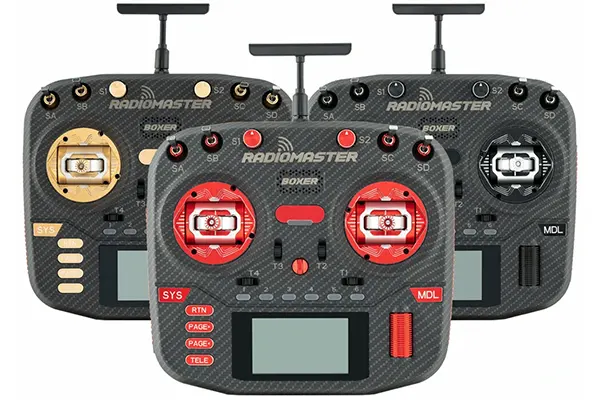
The Boxer is one of my favorite radios. It was my daily driver for about 2 years. It’s much more compact than the TX16S, while still being big enough to not feel like a “game controller” style radio in the hand. It feels solid, especially when combined with the AG01 gimbals. It has a mid-sized B&W screen–much smaller than the TX16S, but larger than the tiny screen on radios like the GX12. The battery bay is big enough to hold a 5000 mAh LiPo (sold by Radiomaster) so it lasts for a LONG time. And it can be purchased with a 1W built-in 2.4 GHz ELRS module, so you can get just about the most range you can possibly get on ELRS, without having to put an external module into your module bay.
What’s to dislike? The radio has four toggle switches on the front face, but the two shoulder switches are flat and press into the body of the controller. To me, this makes the left shoulder switch unsuitable for use as an arming switch, because to disarm, you have to push in, then release. In my opinion, arming and disarming should always be a single movement, so you can disarm as quickly as possible. On top of this, I find it difficult to press the shoulder switch without repositioning my hand off the gimbal.
Speaking of missing controls, the Boxer has no sliders that are accessible during flight. There are two potentiometer knobs on the face of the radio, but you can’t easily access them without taking your hand of the stick. So if you wanted to adjust a camera gimbal while flying you’d have a difficult time.
I’m also frustrated by the Boxer’s antenna. It comes with a very high-quality antenna that screws onto an plug on top of the radio. But the antenna eventually got damaged because every time I put the radio in my backpack, it bent over. I ended up using a 3D print to put the Pocket’s folding antenna onto my Boxer and, although I did see some reduction in range, the convenience was more than worth it.
If you’re looking for a traditional style controller, and you are okay with the selection of switches on the Boxer, I think it’s a better choice for many people than the TX16S. It has a more powerful ELRS module. And it’s way easier to store, transport, and handle than the TX16S.
The Boxer comes in several varients. The standard Boxer comes with plastic buttons and Hall Effect gimbals. Read the TX16S description for details about this. The Boxer Max has metal buttons and knobs and AG01 gimbals. The Boxer Crush has custom-colored casess and AG01 gimbals.