Basically, all of the links on this page are affiliate links. I receive a commission (at no extra cost to you) if you make a purchase after clicking one of the affiliate links below. Read our Affiliate Link Policy for more information.
Why do you have to pay so much for a digital FPV system? The BetaFPV P1 digital FPV system is, no kidding, a digital system at the same price as analog. The digital goggles are 200 bucks. The video transmitter and camera that goes on a Whoop is 40 bucks. The same price as analog.
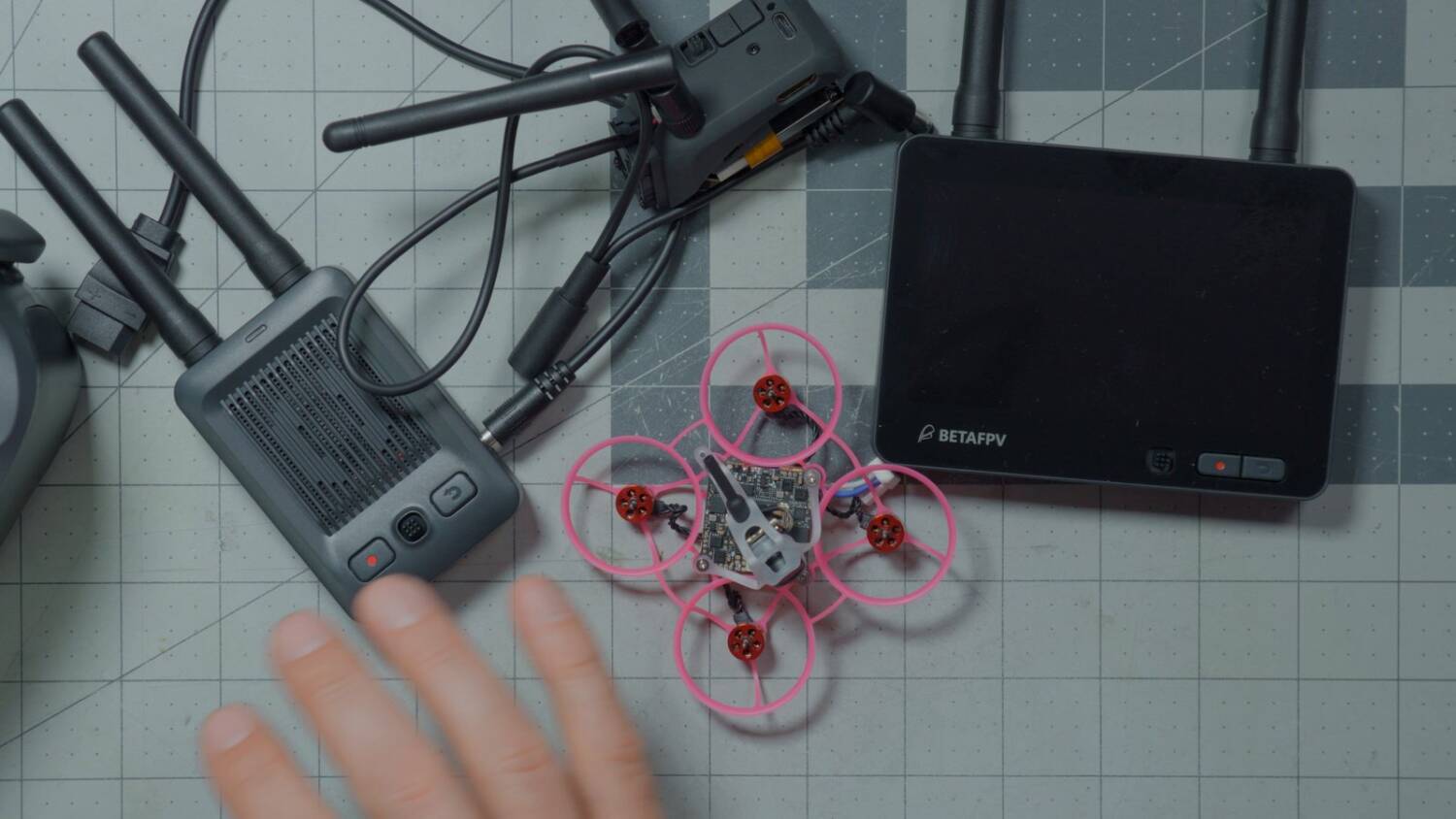
This is brand-new hardware that BetaFPV is releasing, and I wanted to see how it performs. What does it do, and how is the ecosystem evolving?
“This is beta hardware”
I’d love to tell you this is a super deep, in-depth review of all this stuff. But number one, it’s too much stuff. Each of these things deserves its own video. And number two, here’s why I’m not making a dedicated video for each one.
BetaFPV has said, from the moment the very first rumors hit the internet, that this is beta: beta hardware, beta firmware. They keep reiterating that to me, in all the marketing materials they’ve given me and sometimes in private messages. The vibe I get is that they know it’s not as good as they believe they can make it.
So we’re going to look at this stuff and do some performance testing. But however it performs, big bold disclaimer: it’s only beta, and it’s going to get better. Maybe it will, maybe it won’t. But we have to take that as a given.
P1 HD vRX Nano module
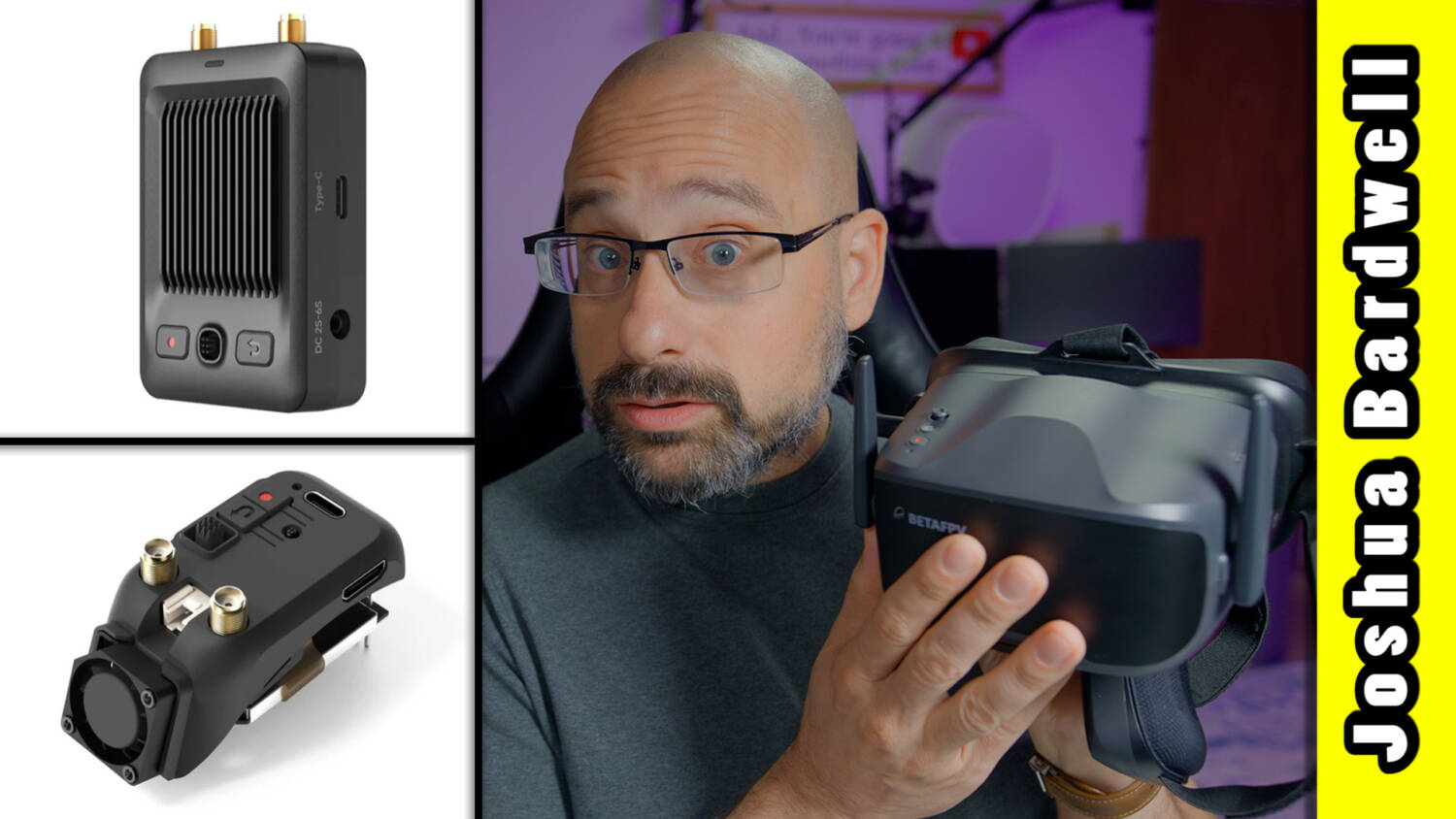
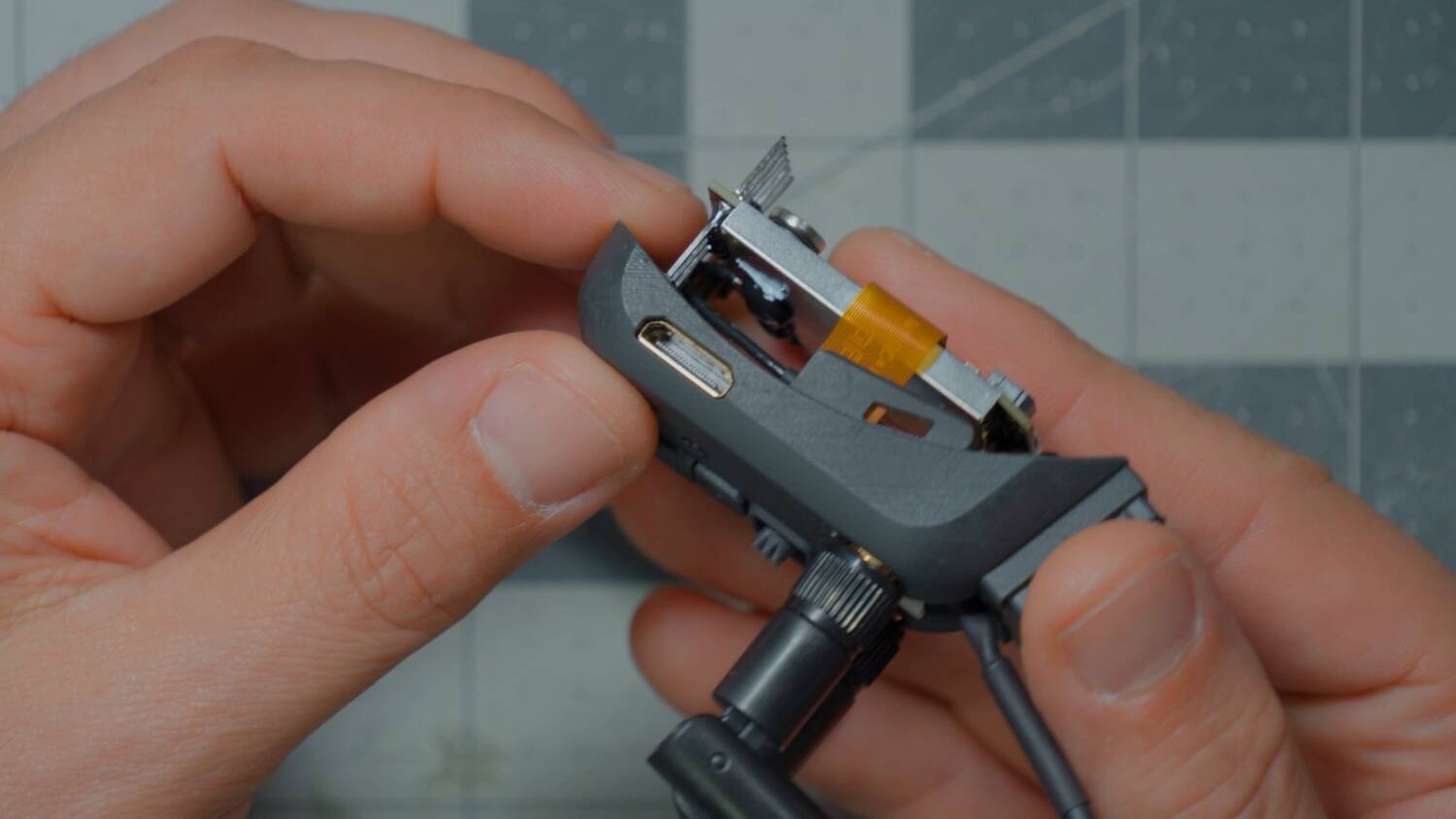
The first thing is the Nano module. This one is made to go in Skyzone goggles, and there’s another one made to go in Fat Shark goggles. By “made to go in,” all I really mean is the shape of the outer case. But the shape of the case matters, because a whole lot of this module hangs outside the goggle. Almost none of it is actually inside.
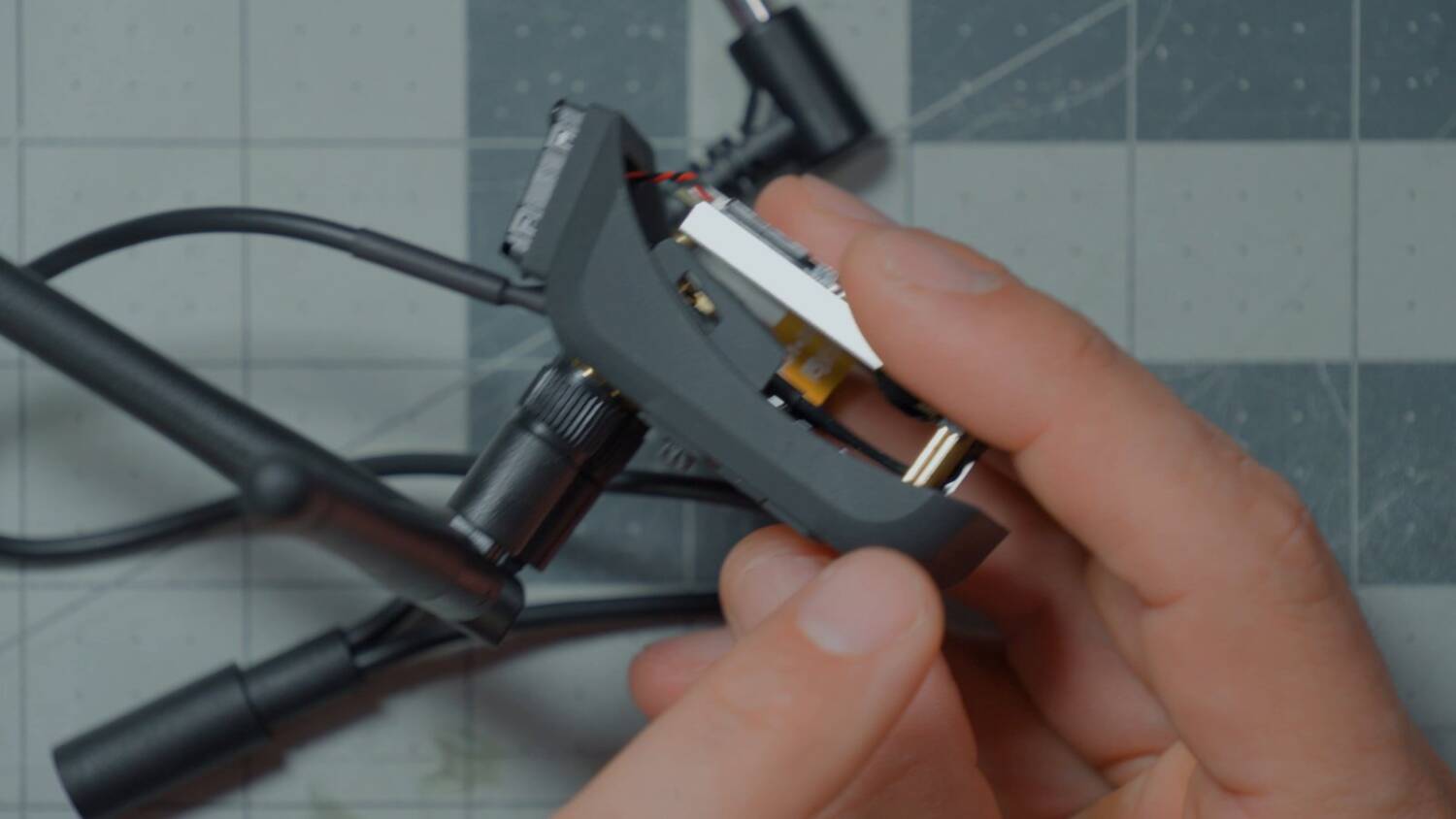
In fact, the module bay pins don’t actually do anything. As far as I can tell, all they do is hold the module in the goggles. The module doesn’t get power from the pins, because the goggles don’t have a big enough voltage regulator to power a high-powered digital module like this. Instead, it gets power from an external plug: a cable plugs into the module, into whatever you use to power your goggles, and into your goggles, and passes the power through. They give you a little plastic clip to route the cable, and there are instructions right now for an internal power mod that requires you to physically modify the goggles.
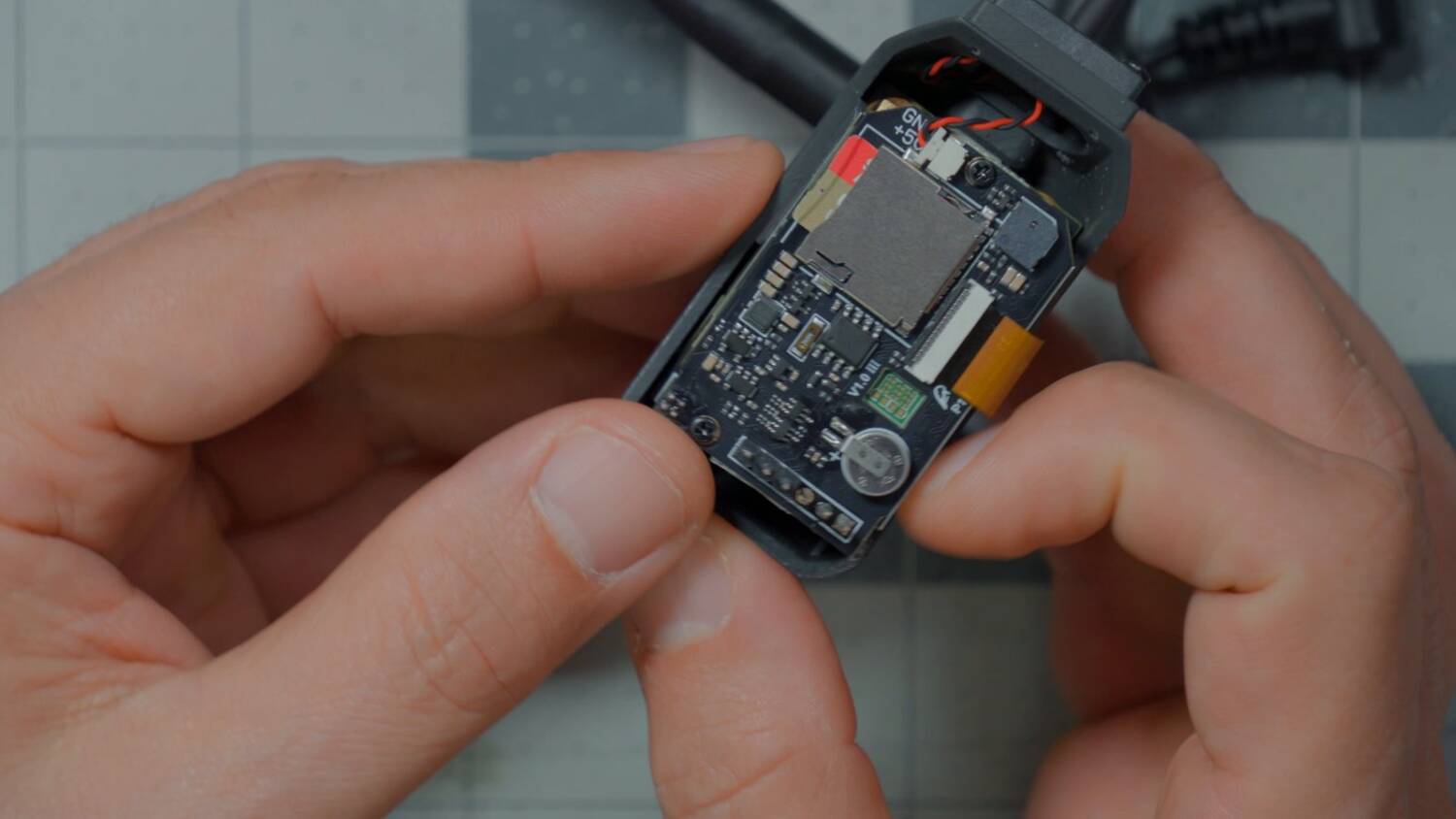
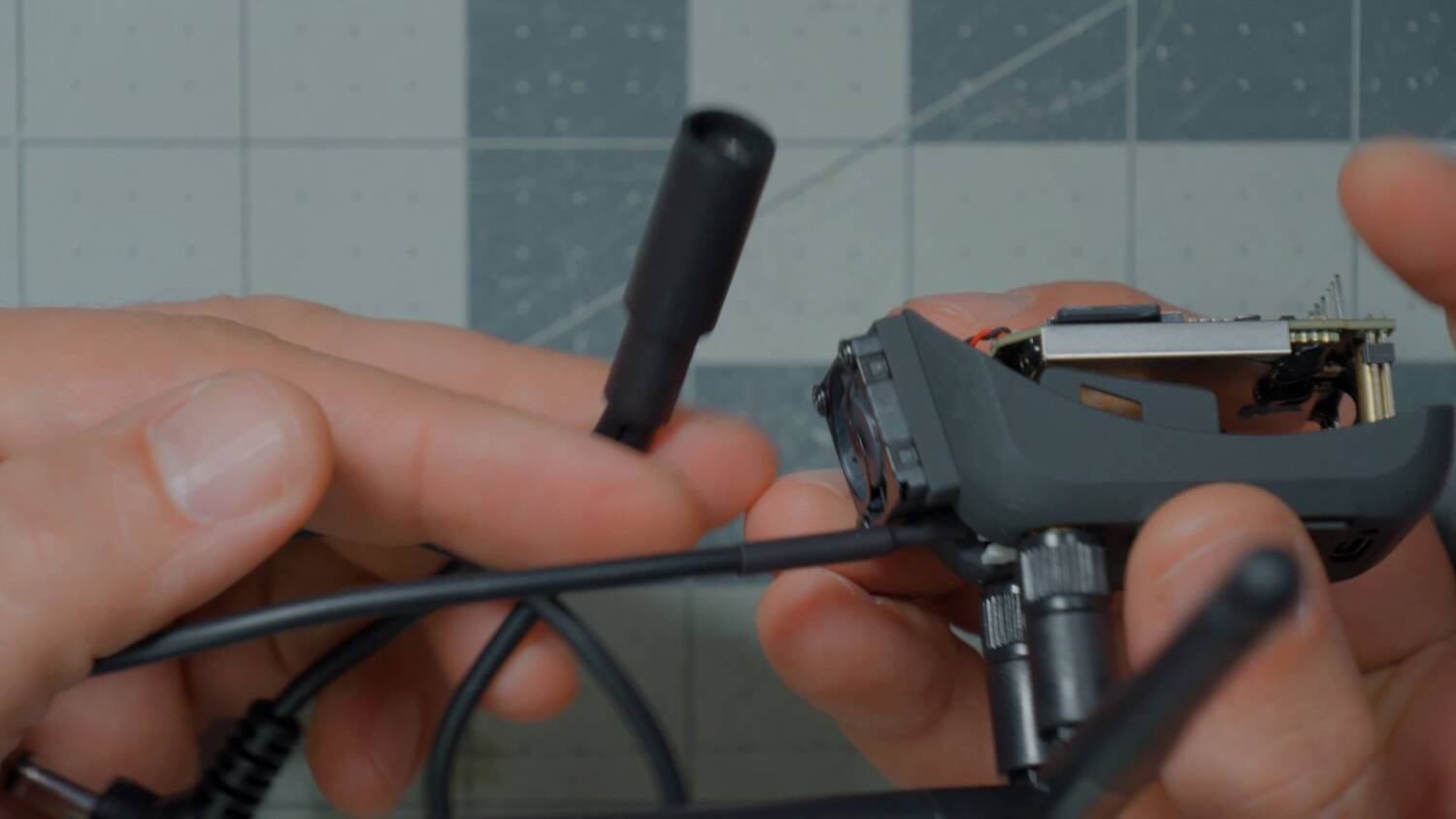
BetaFPV says the final version of the module will have internal power, and you won’t need an external power cable. What I always say about that kind of promise is: I’ll believe it when I see it. Never make buying decisions based on promises of future things. Sometimes they happen, sometimes they don’t, and you want to be happy with what you’re buying today. Today, this has an external power cable.
How does it get the signal into the goggles? When I first saw it, I thought it did it through those pins. Then I was like, wait, no, that’s an analog input. The answer is that it has a mini HDMI port, so you run an HDMI cable over to the HDMI input on your goggles. It’s a bit of a mess in terms of cabling, but it’s nicer than having to set up a standalone vRX on a tripod.
P1 HD vRX (ground station)
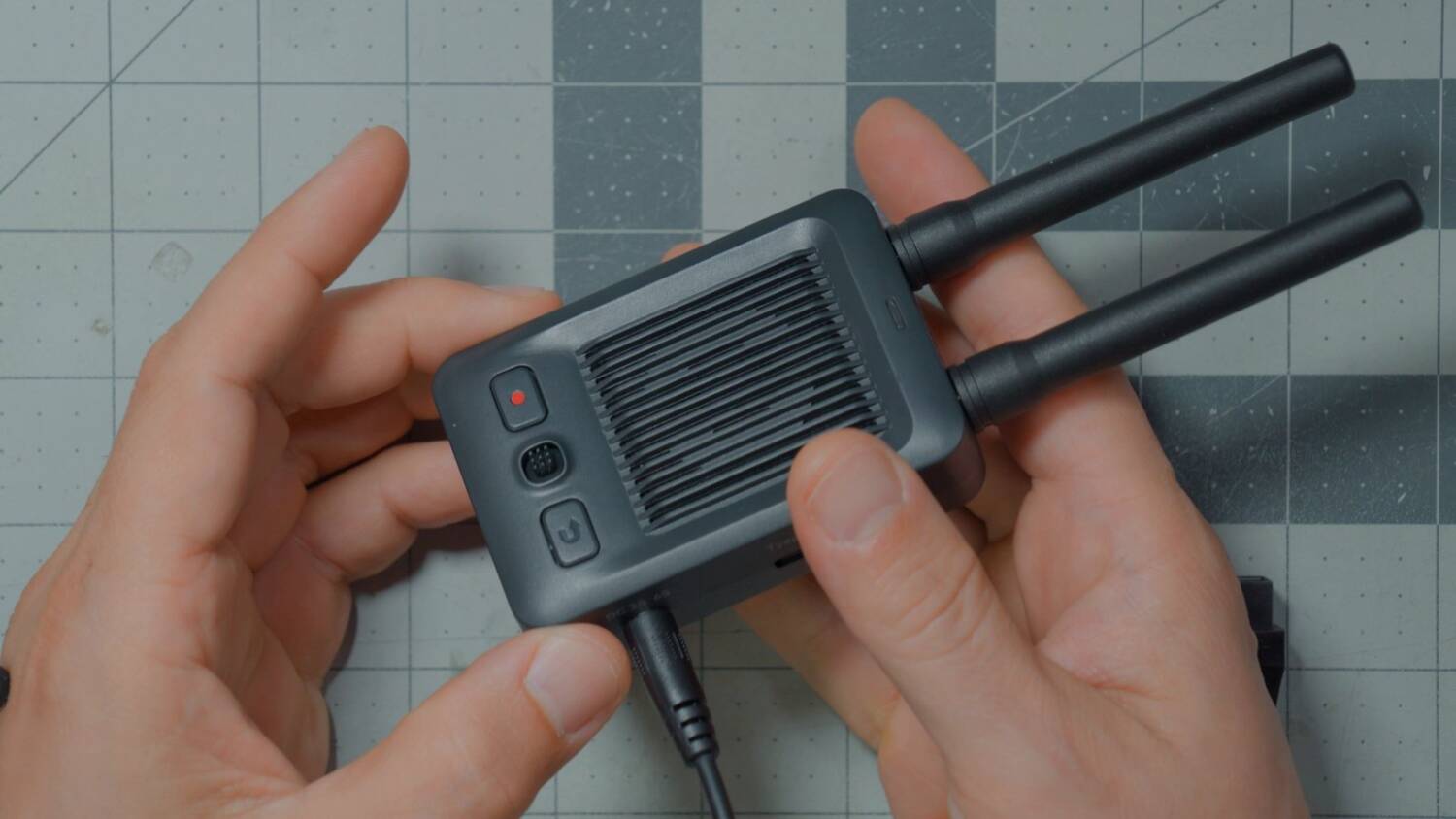
Or is it? Maybe you’d prefer a standalone vRX on a tripod, with bigger antennas. Maybe you don’t want to mount the antennas on your head. That’s what the P1 HD vRX is: a standalone vRX that mounts on a tripod with a quarter-20 thread. It has a DC input for 2 to 6S, a Type-C connector and a mini HDMI output. Other than that, it’s the same thing.
P1 standalone monitor
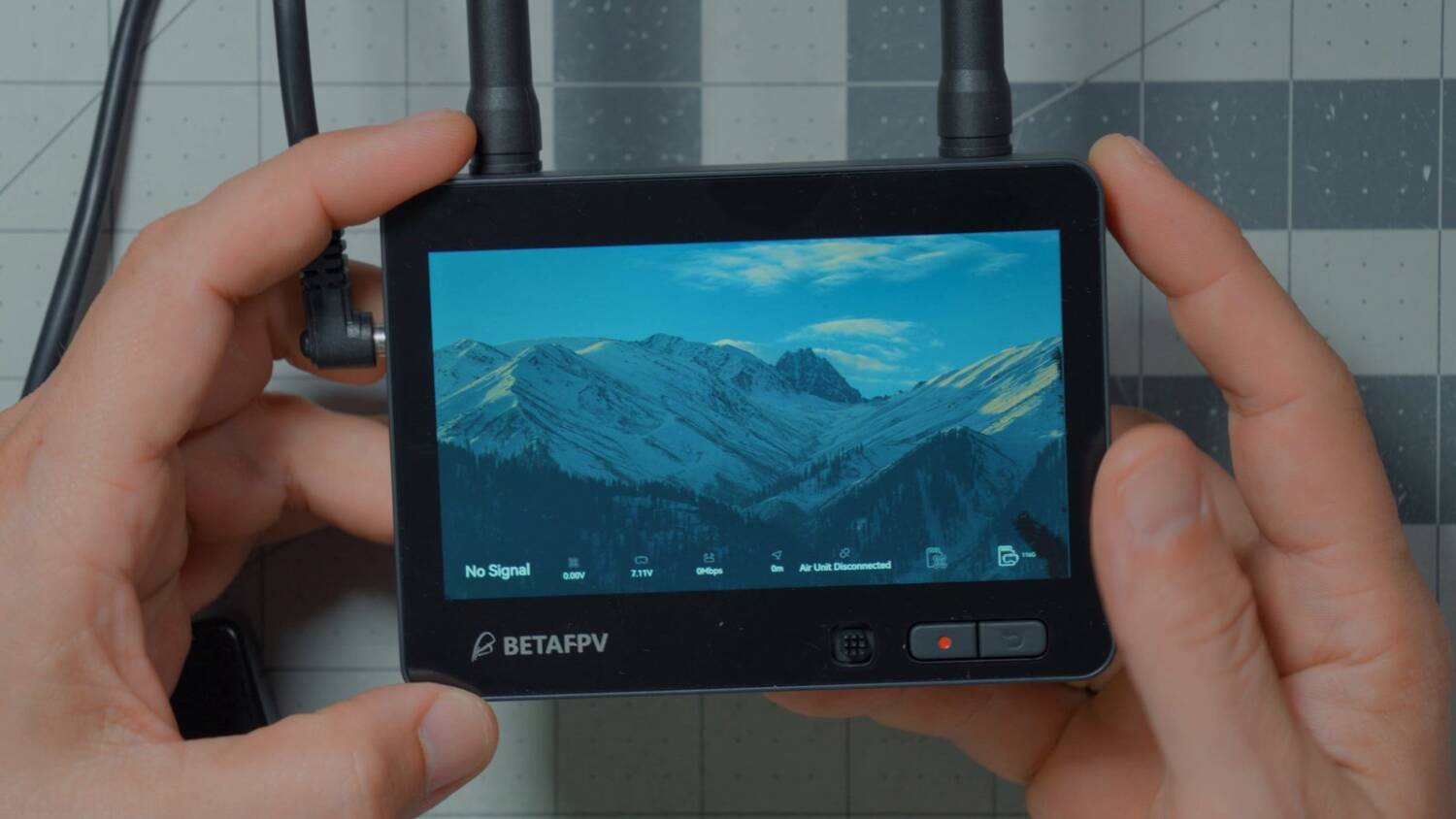
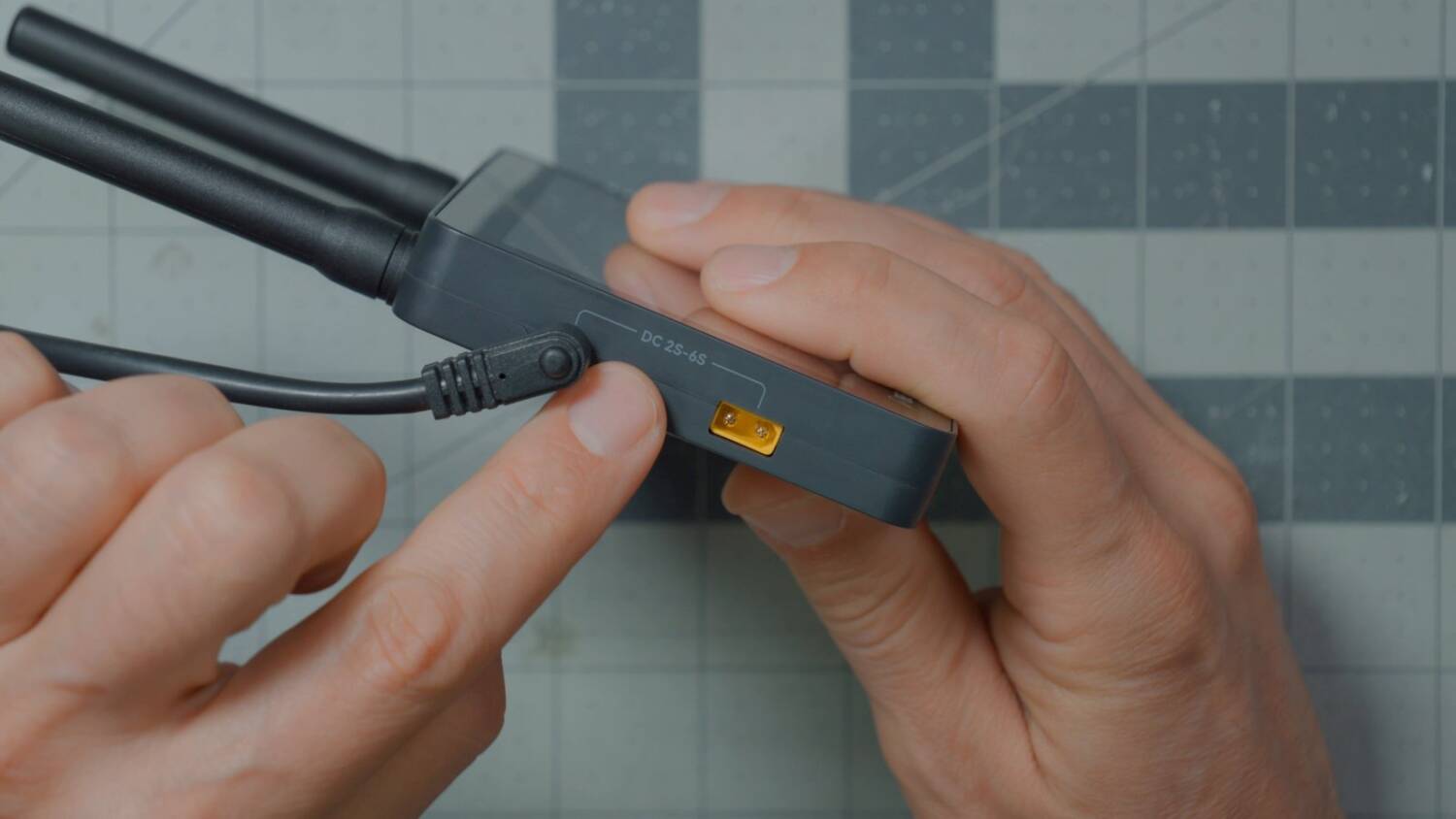
Finally, the monitor, which has a screen. It takes 2 to 6S input, either through an XT30 or DC, and it’s a standalone receiver just like the others. So we basically have the same thing three ways: a standalone receiver for the BetaFPV P1 system. Just pick your form factor.
P1 Matrix FC
The last thing is the new Matrix all-in-one flight controller. It’s a Whoop-class flight controller with a built-in 2.4GHz ExpressLRS receiver and a P1 video transmitter.
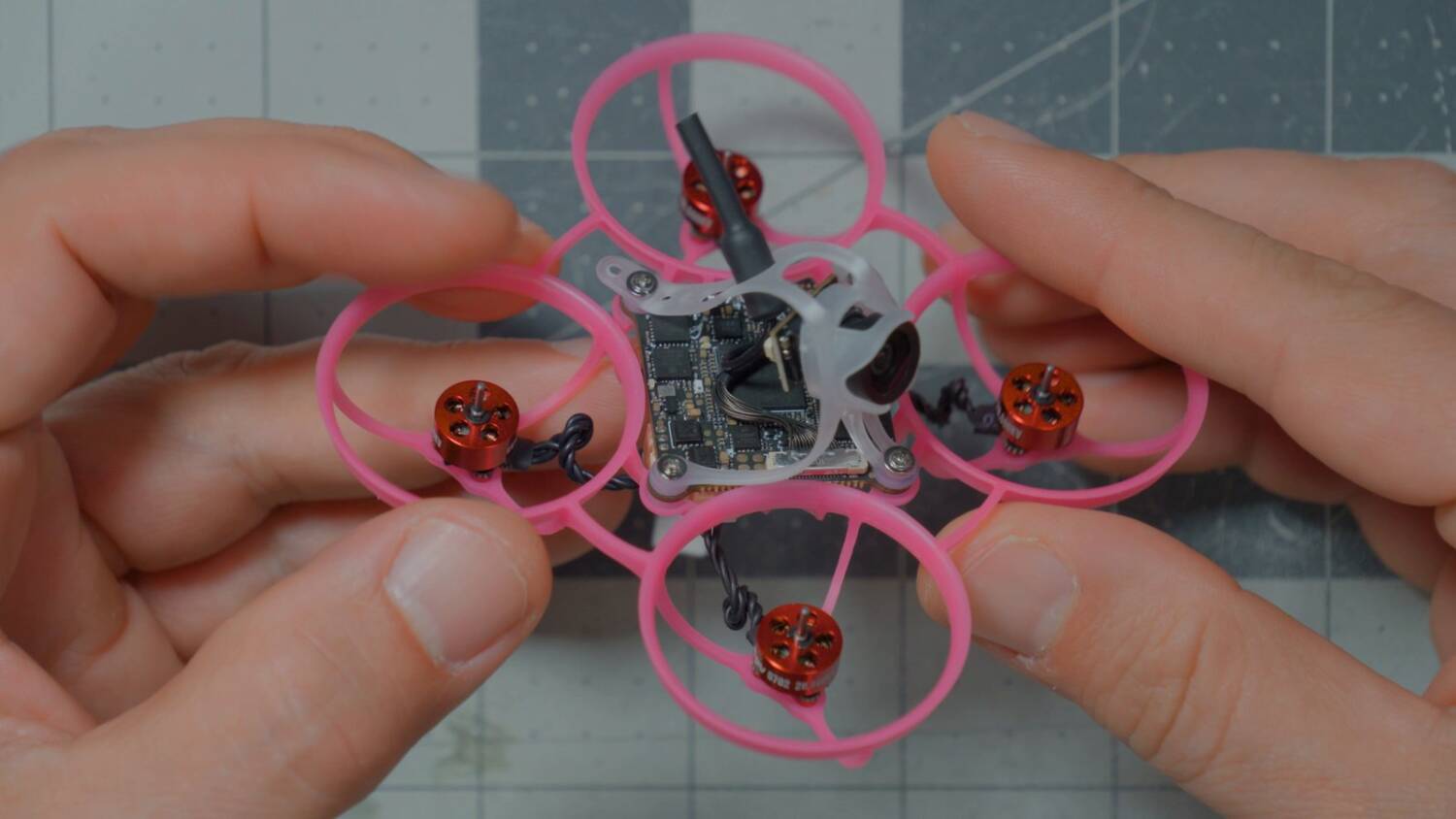
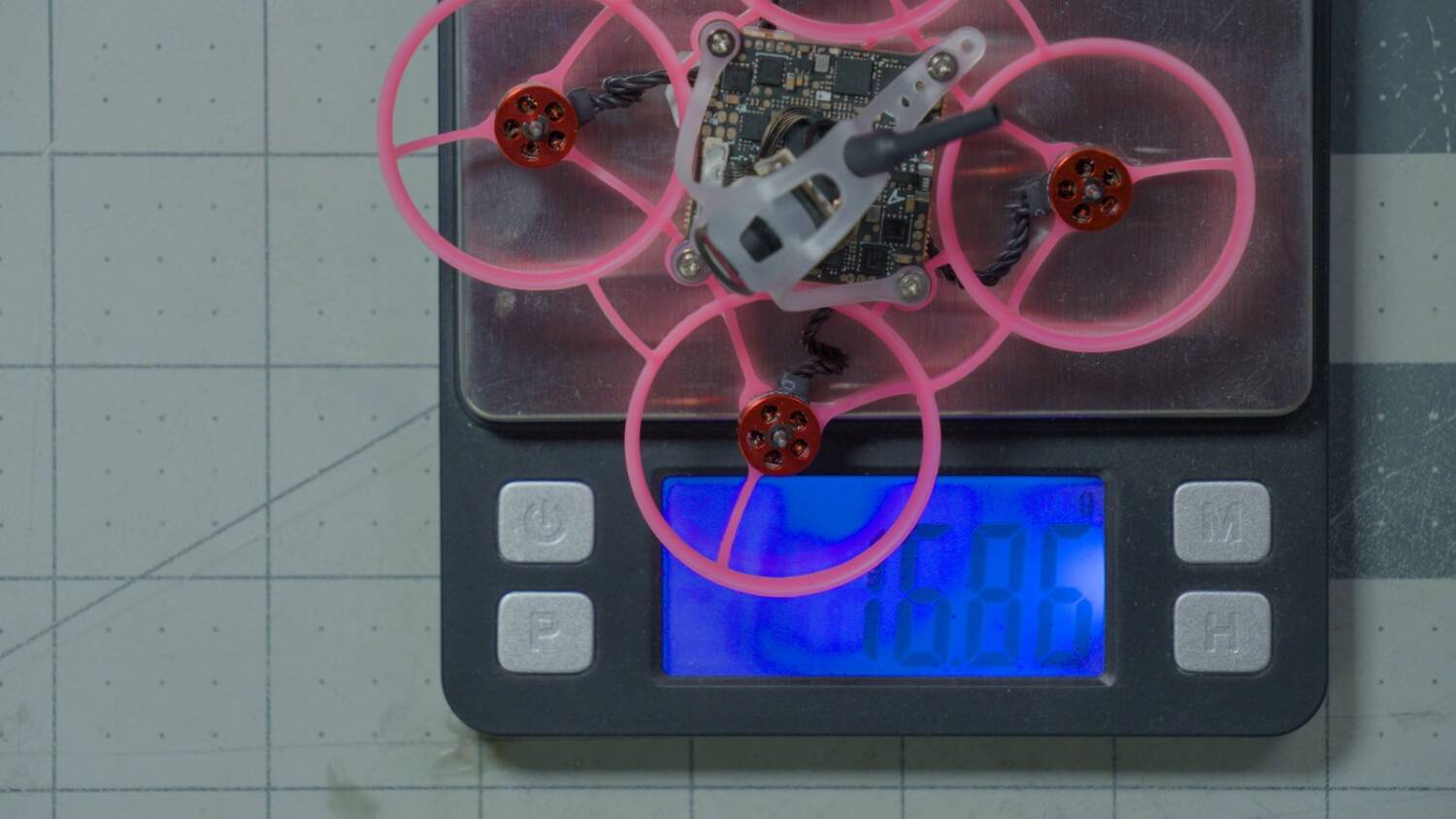
I have a video where I built this exact Whoop from scratch, from parts. BetaFPV didn’t send me a pre-build, so I had to do it myself, and I’m a lazy prima donna who just wants everything done for me. Look at that: it weighs under 17 grams, ready to go. That’s pretty freaking amazing for a digital, don’t you think? I’m pretty impressed.
Price
You probably want to know how much these things cost. The goggles are $199, technically under $200. The vRX Pro is $100. The Nano is $75, but that’s beta pricing, and I think it’s going to be more when it goes into final production. And I can’t find pricing for the flight controller, because I can’t find a product listing for it. It doesn’t seem to exist yet.
So, not bad. Pretty comparable to an analog system. But how does it actually perform in the air?
Flight test with the vRX ground station
We start with the standalone vRX. One interesting thing when I plugged in: the camera was upside down again. It looks like that setting is stored in the ground station, not in the air unit.
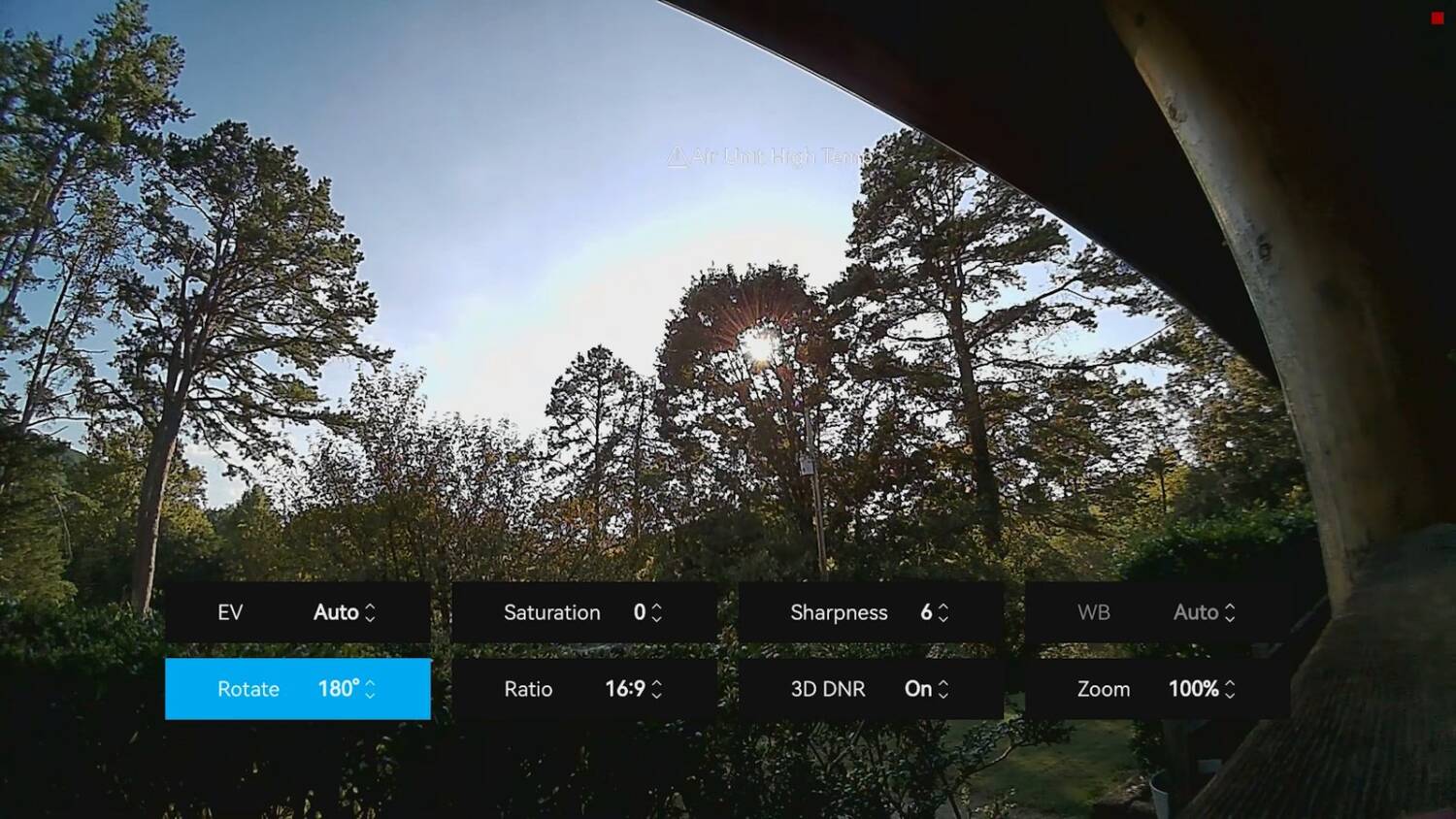
You may be wondering how I’m recording the menus. The DVR doesn’t record the menus or the on-screen display. But I’m using the HDZero goggles, which can record their HDMI input, so you can see everything I see without relying on the DVR. I still turned on auto recording, so it also records in the DVR, with the record time at the maximum.
TX power is set to High. I don’t know what milliwatt that is, but it’s probably something like 200 or 400mW. Bit rate is set to maximum. Mode is Standard versus Race, and that only affects what channel we’re on, so it doesn’t affect the performance.
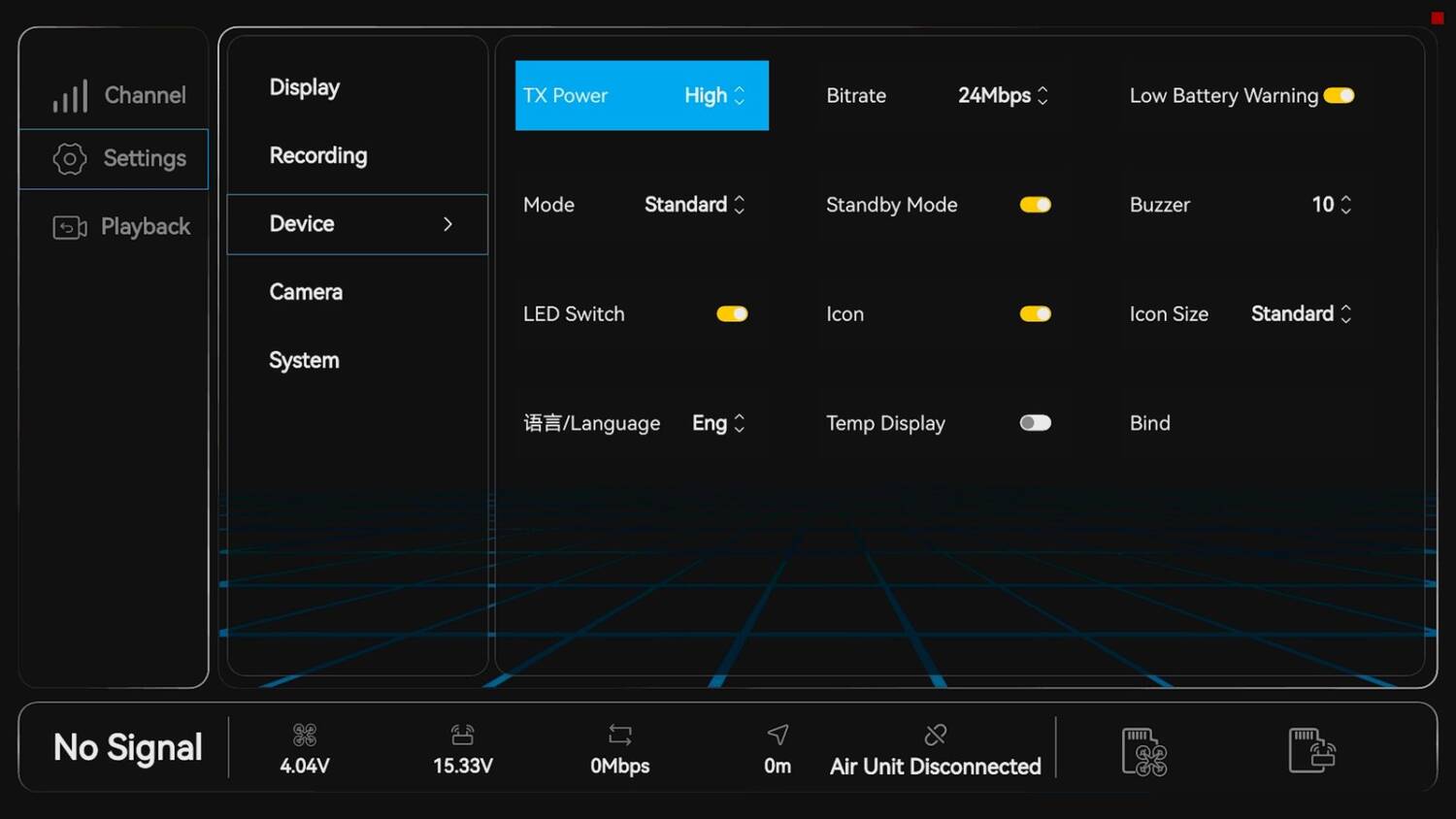
And I’ve got to say, it looks good. Does it look as good as DJI? I don’t know if it looks quite as good as DJI. But considering the price, it’s good. This flight was on the all-in-one, so I don’t know its price, but you can get a video transmitter and camera with this performance for basically 40 bucks. I bet a lot of people will consider that a pretty good deal.
Range and penetration test
Then some range testing. (Don’t worry about the RSSI low warning. That’s ExpressLRS, and for some reason it was only at 10mW. I’ll have to look into that.) I always try to fly behind the building and see if I can get away with it. And boy, I sure could. It held in real good, and this is with an omni antenna. This is shockingly good.
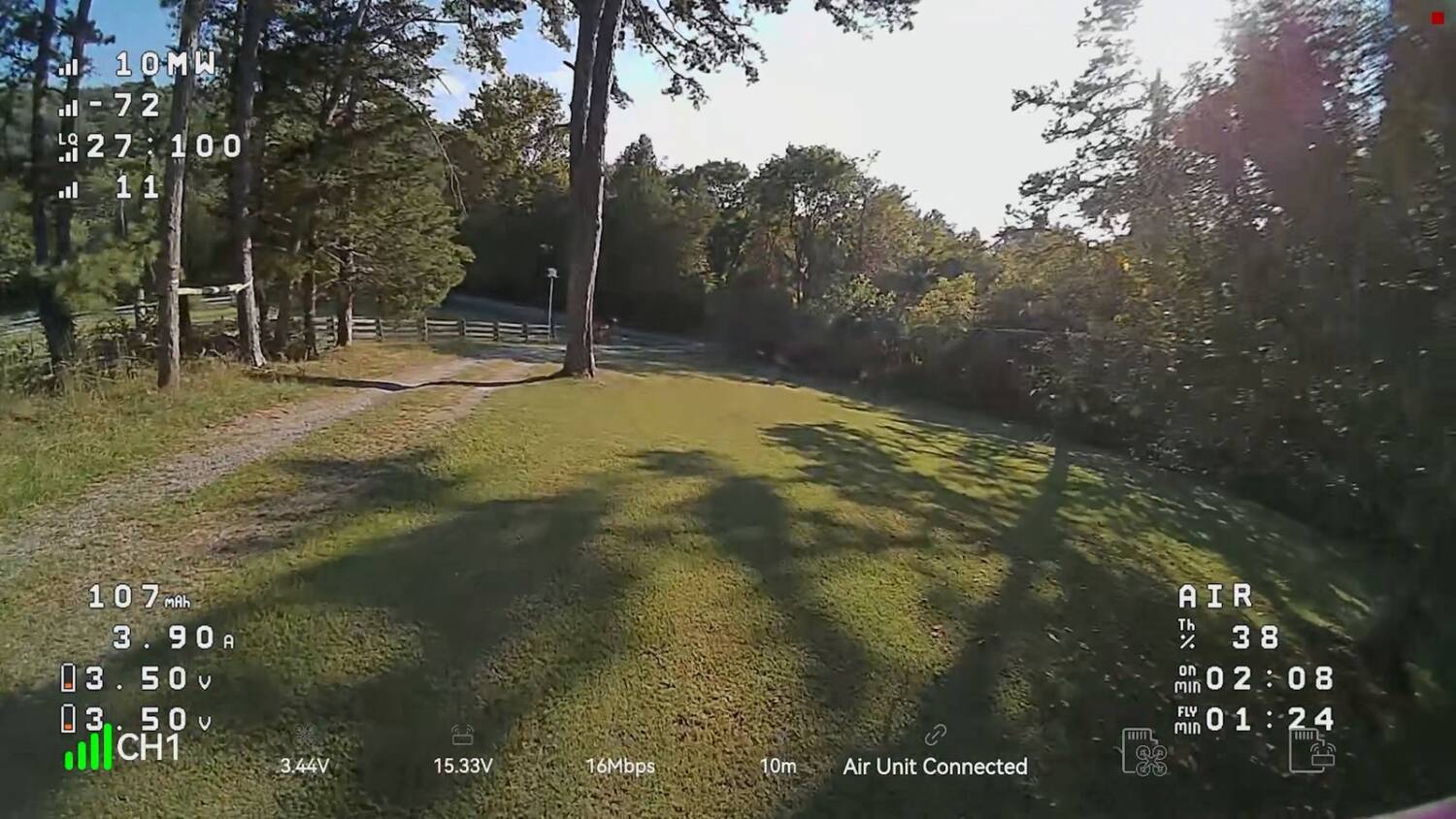
I could see the bit rate suffering. It got blocky, but it didn’t feel like it was stuttering. I would rather have a smooth signal that gets blocky than a sharp signal that gets stuttery.
I tried flying something that requires any amount of precision, where stuttering or weird latency would mess me up. I lost it right when the video dropped a little bit. But overall, it hung in there pretty good, considering we were just behind the building. A lot of times stuff will break up behind that building.
Then the battery killed it at 2.7 volts. Not great flight time. I had to go walk and retrieve it, which I specifically didn’t want to do.
The screen is basically useless
Next, the other devices. Unfortunately, the monitor doesn’t have any HDMI output, which is a real misstep, because I don’t want to fly off that tiny screen. And the system doesn’t have a spectator mode (I’m 99% sure), so you can’t use the screen to spectate. It doesn’t have an HDMI input either. So the only thing the screen is good for is flying off it as your primary screen, and I think a lot of people won’t want to do that.
It needs an HDMI output, so it can run into goggles and be used as a supplemental screen. Or it needs an HDMI input. That would be less useful, since it would only work if you had the HDZero goggles. So an HDMI output is, I think, mandatory.
Nano module: bad SD card placement
I noticed something about the Nano module that will annoy people who put it in their goggles: the SD card. In the goggles, the SD card is inside, and you have to take the module out of the bay to change it. How often are you going to change the SD card? I don’t know. There’s a USB port on the front, so you can read the DVR off it without taking it out. But firmware updates require you to take it out, and I feel like that’s a misstep. Every time I pop a module in or out of my goggles, I feel like I’m going to break the damn things, so I’d rather do that as little as possible.
Flight test with the Nano module
I didn’t put the module in my goggles, because I don’t have a set it fits into easily. I do have a set of Skyzones, but I’ve opened them up for reasons that aren’t important right now, so they’re not usable.
To check whether we get comparable range: oh no, it’s worse. It’s worse for sure. That could be the antennas. I could swap on the other two, but they’re omni antennas as well, even though they look higher quality. And the module’s antennas are so close together that I don’t think two of them would make much difference. So we have to stipulate that in real life you’d probably have different antennas on the module, but we’re not doing that here.
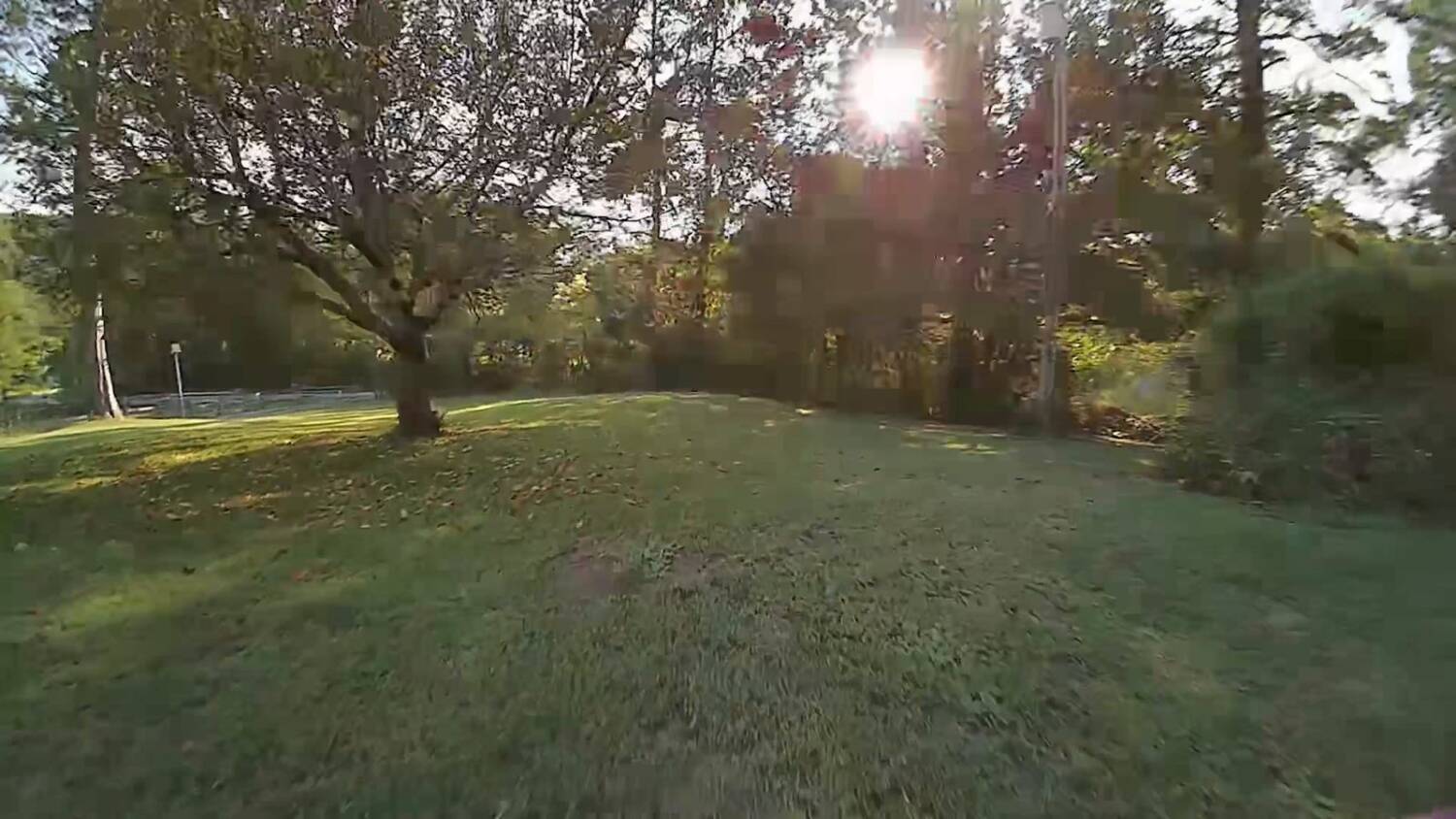
More precise flying to test the latency feel
This is okay. I’ve got to tell you, I’m a mediocre pilot, and I’m a better pilot when I have lower latency. But I dare say the effect of latency on a mediocre pilot is less noticeable, both to the pilot and to any spectators, because the mediocre pilot isn’t trying to do things that are as aggressive.
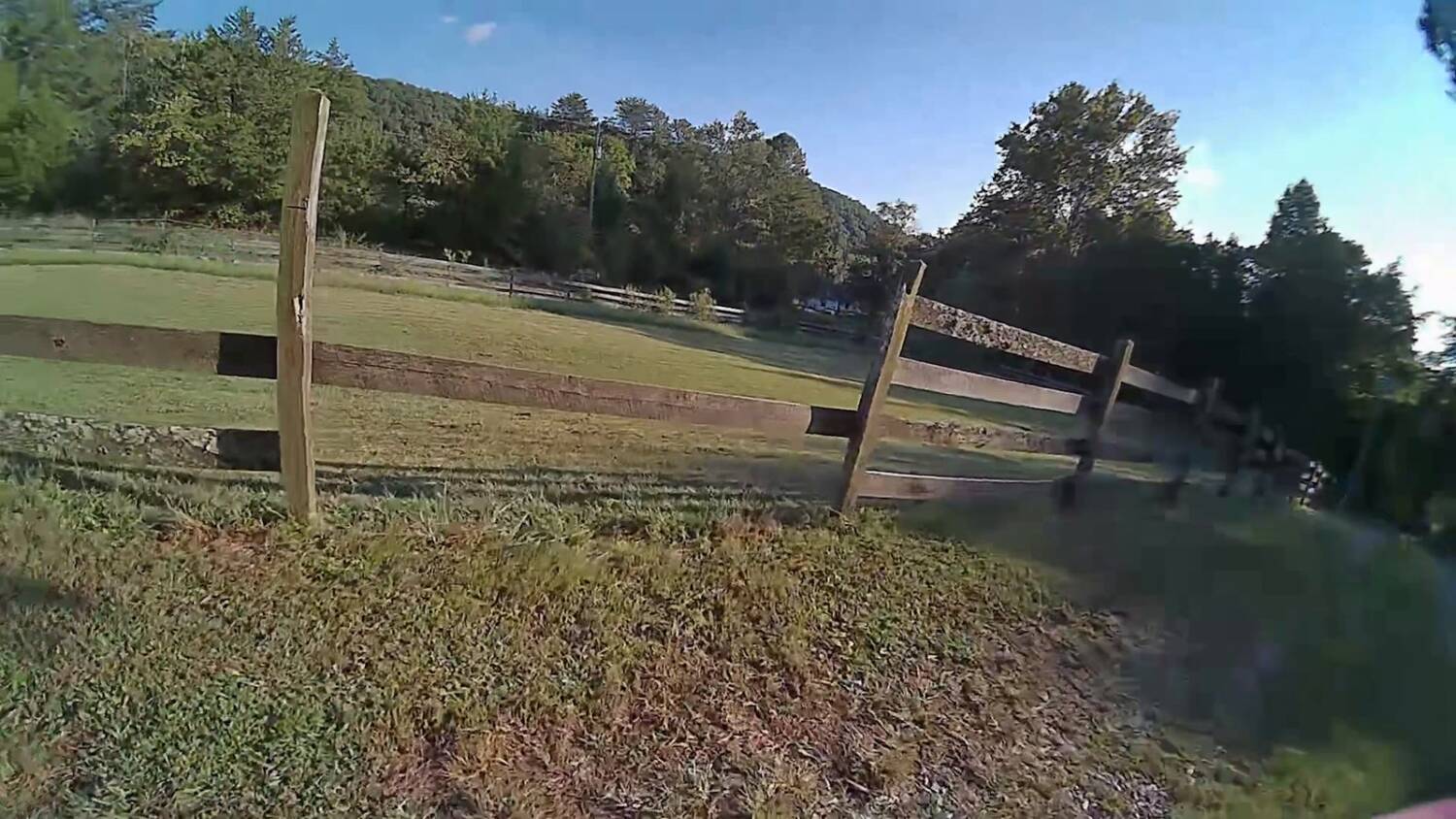
Every time I fly HDZero at 90fps, with 4 milliseconds of latency, I do become a better pilot. I feel like it, and I am. But every time I fly HDZero and go behind any obstacle, I immediately remember: it just breaks up. (This flight isn’t a great example, because the module seemed to have worse performance, whether because of the module or the antennas, I’m not sure.)
If I’m racing and I’m not going to fly behind an obstacle anyway, then fine, give me the lowest possible latency. But any time I’m doing fun flying, I always feel like the improved image quality, range and penetration of even a mediocre digital system like this win out. Maybe I shouldn’t call it mediocre. If you count cost in the equation, it’s doing pretty freaking good.
And these WeBleed motors recover from a crash real nice. This thing flies great.
Latency
One of the major downsides of the P1 video system is its latency. It’s pretty bad. You may be thinking, “Bardwell, we know digital systems like DJI and Walksnail have worse latency than analog or HDZero. That’s nothing new.” But the P1 is worse even than them.
For perspective, the best-case latency of the DJI and Walksnail systems in their normal flying mode is about 25 or 30 milliseconds. I say best case because when the drone is close to the goggles and the signal is strong, latency is low, and as the drone gets further away and the signal gets weaker, latency goes up. That’s just the way these systems work. Both DJI and Walksnail have a racing mode that tweaks the link and gets latency down closer to 20 milliseconds, with some trade-offs. Walksnail, for example, goes down to 540p.
For the P1, I measured the latency of the monitor, and of the standard vRX and the Nano vRX going into the HDMI input on my HDZero goggles. They came out about the same, which speaks well for the HDZero goggles’ HDMI input, since it had almost the same latency as a screen with a built-in display. That’s how it should be: the HDZero goggles were designed to have minimum latency on the HDMI input. The number for first-pixel latency was about 65 milliseconds.
I have to acknowledge some issues with the way I ran the test. My high-speed camera only goes up to 240 frames per second, so it captures at best one frame every 4 milliseconds, and the average precision of my testing is 8 milliseconds. I could be off by a fair whack just from that. Frankly, you should go watch Mad’s Tech’s testing, because he has a 1,000 frames per second camera and can do even more precise testing. I just felt like doing the math, because I vibe-coded an app to test it and thought it would be fun.
That number is what it is, but it’s not unexpected. We expect the latency to be higher, because the hardware the P1 system uses is less sophisticated than what DJI and Walksnail Avatar use. (Walksnail also has the Ascent system, which is more similar to the P1. That’s a separate issue.) I’m kind of surprised at how well I was able to fly it with 65 milliseconds of latency, and it makes me wonder if something’s up with that number. I wouldn’t expect to fly like I did on latency that high, but I was able to, and I don’t think it’s because I’m an exceptionally good pilot. But the numbers are what they are, and I’m just reporting them to you.
Is P1 compatible with other vendors?
The P1 video system isn’t the end of the hardware you have access to if you buy into this ecosystem. BetaFPV’s P1 system is part of the Artlink ecosystem. They all come from the same branch of hardware, made by a company called Artosyn, and there’s hardware from Skyzone and from HGLRC that’s all cross-compatible.
That means if you look at BetaFPV’s hardware and say, “Where’s the high-powered video transmitter? Where’s the 2 watt video transmitter?” BetaFPV doesn’t make that, but HGLRC does. And if you look at HGLRC and say, “Where’s the video transmitter for Whoop-class drones?” HGLRC doesn’t make that, but BetaFPV does. The idea is that BetaFPV, Skyzone and HGLRC together fill in different parts of the ecosystem, and you as the customer pick and choose what you want.
That’s a good thing in principle, and I support it. But the reality is that the firmware they released to make it all cross-compatible has problems. People have reported all kinds of problems with it, and frankly, a lot of people I’ve talked to consider it basically not functional. I’ve had no issues with the BetaFPV stuff I’ve been using, all on the same firmware. But I don’t know if that firmware is actually compatible with the rest of the Artlink stuff, or, even if it’s nominally compatible, whether it will actually work. The takeaway: don’t count on being able to mix vendors if you buy into the system today. Hopefully that improves over time.
Conclusion
The BetaFPV P1 ecosystem today is closer and closer to being a fully mature FPV system that you could buy into and use as your daily driver. I’m honestly pretty impressed with the performance of the hardware. When BetaFPV kept saying “This is beta, this is just beta,” I honestly assumed they knew it was going to suck. And it didn’t. It doesn’t.
If anything, it’s better than when I first flew it. The very first P1 drone I flew, I don’t know whether it was the goggles or the drone or the firmware, but as soon as I started going fast anywhere tight, like an interior space, the latency made it really hard to fly. I didn’t feel that way about this one. I felt pretty in control. Not the best ever, but better than it was.
If this were a fully mature hardware ecosystem, and I knew I could get all the hardware I wanted, from high-powered video transmitters all the way down to Whoop-class stuff, I’d be kind of on the fence. I wouldn’t be happy about the latency. But gosh, the low price. Would I rather have a crappy analog feed that breaks up all the time but at least has nice low latency? Or this, which honestly looks pretty good for the output power of the video transmitter, with pretty good range, pretty good penetration and decent image detail? I’m not sure that would be easy for me to answer, and I’m not going to presume to answer it for you, because I don’t know where your priorities lie.
If you’re very latency-sensitive, don’t even think about buying this. But if you’re doing stuff that isn’t as latency-sensitive (you’re not flying that fast, you’re doing more cruising, or maybe you’re flying fixed wing up in the sky), this seems viable. Except they’ve got to get the cross-compatibility, because I don’t want to be limited to a little 200mW video transmitter and not be able to use the high-powered HGLRC one. So there are still issues to solve before I’d dive into this wholeheartedly. But if I just flew micros, I would probably do this, latency and all.
You’ve got to decide. I can’t decide for you on this one. But I do think this is semi-viable, especially at the price. And if it’s not viable for you today, I hope it’s only going to get better. They’ve made a lot of progress with the maturity of the hardware ecosystem.
But to be honest with you, if I were going to buy one of these systems today, it wouldn’t be the P1. As good as everything they’ve done is, the lack of compatibility with high-powered video transmitters means it’s not a complete ecosystem. What is a complete ecosystem, or at least closer to it, is the Walksnail Ascent system. Ascent is based on similar hardware to the P1, but it’s not cross-compatible, and Walksnail has its own spin on it. I think it has even better performance, it’s certainly more mature and more stable, and there’s a wider variety of hardware, like a high-powered video transmitter, all within the Ascent ecosystem.
I just did a review of Walksnail Ascent hardware (the Ascent vTX Lite+ and vRX Pro), and you absolutely owe it to yourself to check it out before you decide to spend money on the BetaFPV P1. You’re not fully informed if you don’t.
The P1 and Ascent gear is on the HD FPV Drones and Parts page of the Ultimate FPV Shopping List.
The full review, with the flight and range tests, is on my YouTube channel.