
Basically, all of the links on this page are affiliate links. I receive a commission (at no extra cost to you) if you make a purchase after clicking one of the affiliate links below. Read our Affiliate Link Policy for more information.
Parts I used
- Buy the BetaFPV Pavo20 Pro II at BetaFPV
- Buy the BetaFPV Pavo20 Pro II at GetFPV
- Buy the BetaFPV Pavo20 Pro II at RaceDayQuads
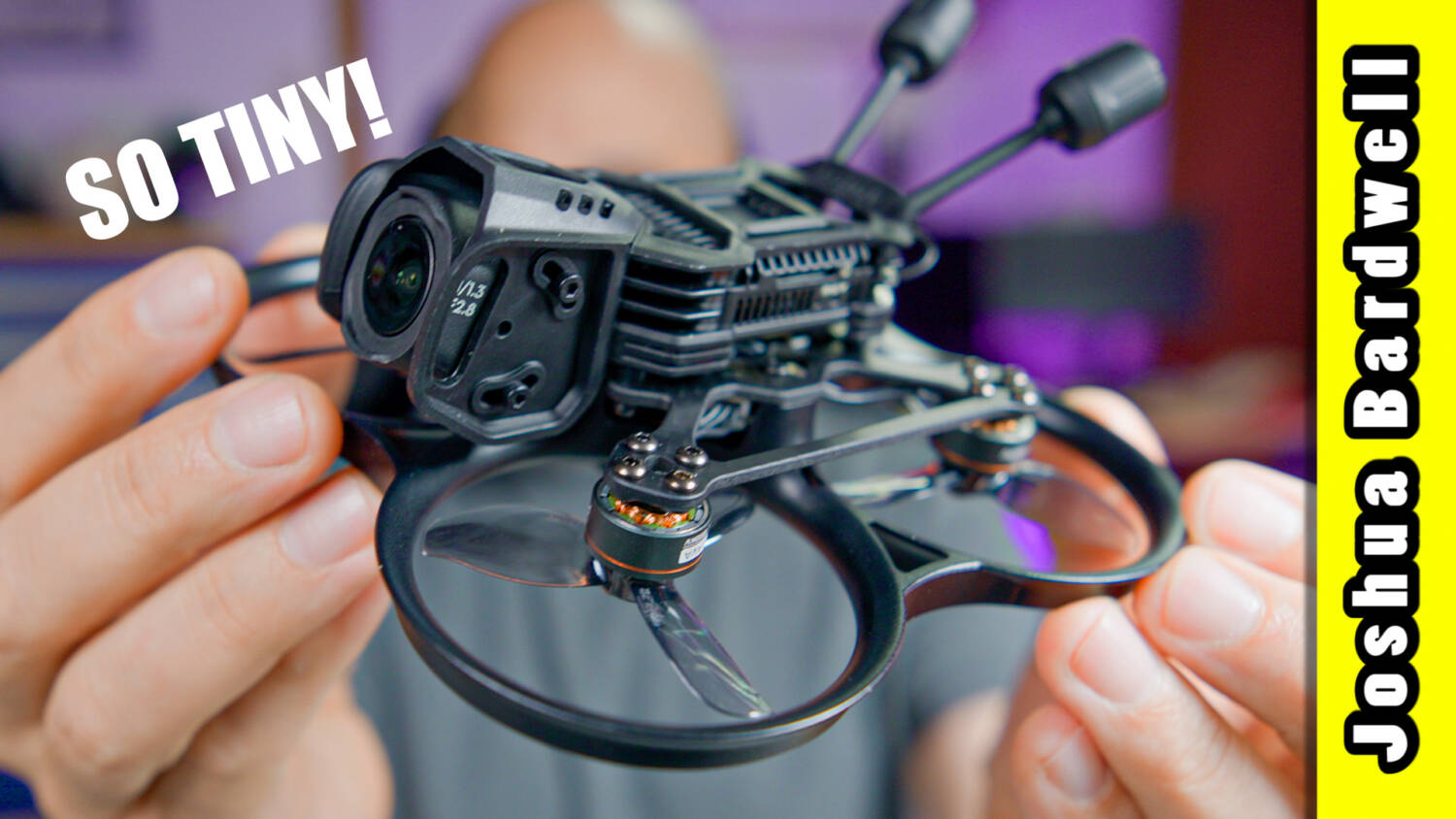
BetaFPV has updated the Pavo20. The BetaFPV Pavo20 Pro II answers a question: what’s the smallest drone you can put a DJI O4 Air Unit Pro on and actually have it fly worth a damn?
Whenever somebody gives me a new micro with the DJI O4 Air Unit on it, the first thing I always wonder is how the thing is going to fly. Everybody loves the O4 Air Unit for its fantastic image quality, range and penetration. Pretty much everything except the latency and the weight. And that weight really comes into play as you get down to smaller sizes like this one, on 2-inch props.

So the question isn’t whether it can get into the air. We know it can. Even smaller drones, like BetaFPV’s Pavo Pico, get into the air with an O4 Pro on them. But frankly, I think the 75mm drones like the Pavo Pico fly like crap. Not everybody agrees — some people love them. A 2-inch drone like this is usually the smallest I enjoy flying with the O4 Pro.
So first I’ll look at the design on the bench, then check the Betaflight configuration for gotchas, and then take it out and fly it.
Updated soft-mounted cage for the vTX and camera
The Pavo20 Pro II is an updated version of BetaFPV’s Pavo20 frame, and it keeps many of the features we liked on the original. There are soft-mounting dampers at the corners. The entire top cage, carrying the O4 Air Unit and the camera, is soft mounted. Pull on it and you can see the dampers stretch a little.
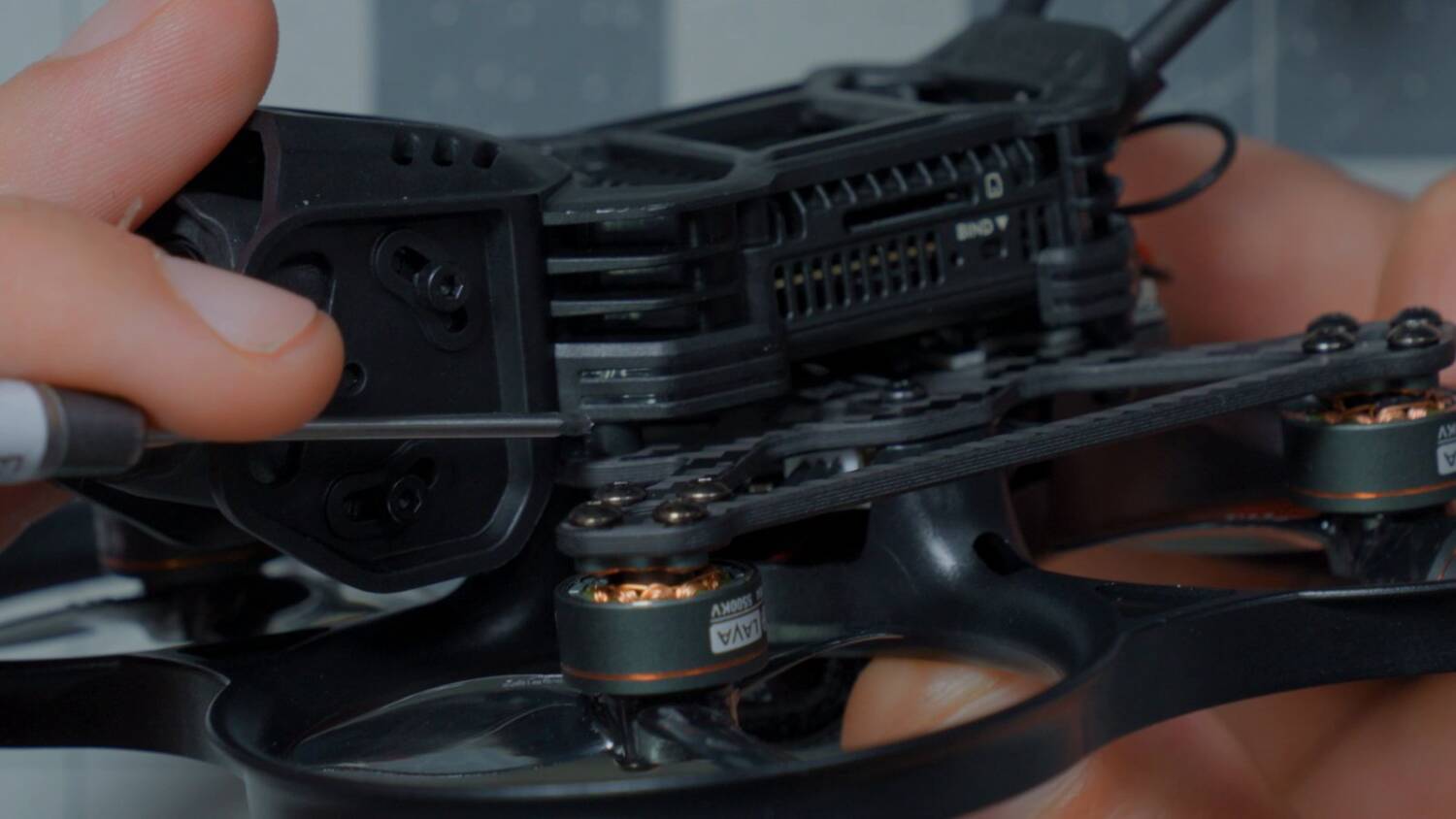
I really like this approach to soft mounting. GEPRC uses rubber bobbins that just stick through a hole, and in a crash they rip out and tear. I really think BetaFPV’s way is better. There are screws going down, with a damper on each screw.
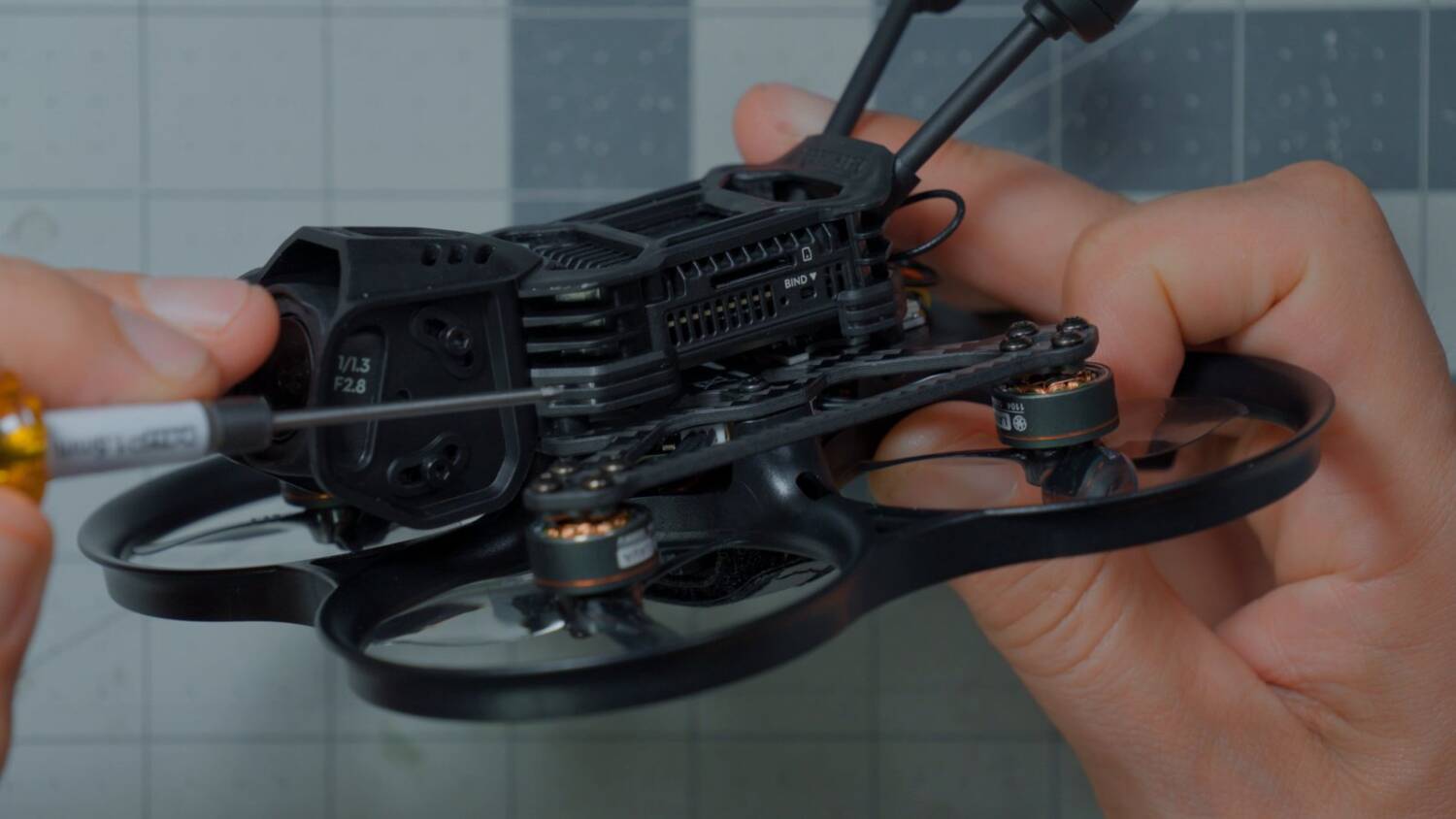
And here’s one of the improvements on the new frame: there’s no nut on the other side of the screw. There’s a captive nut inside the frame. To take it apart, you just remove the four screws from the underside, and the whole cage lifts right off. You could move it between drones or replace whatever you need to.
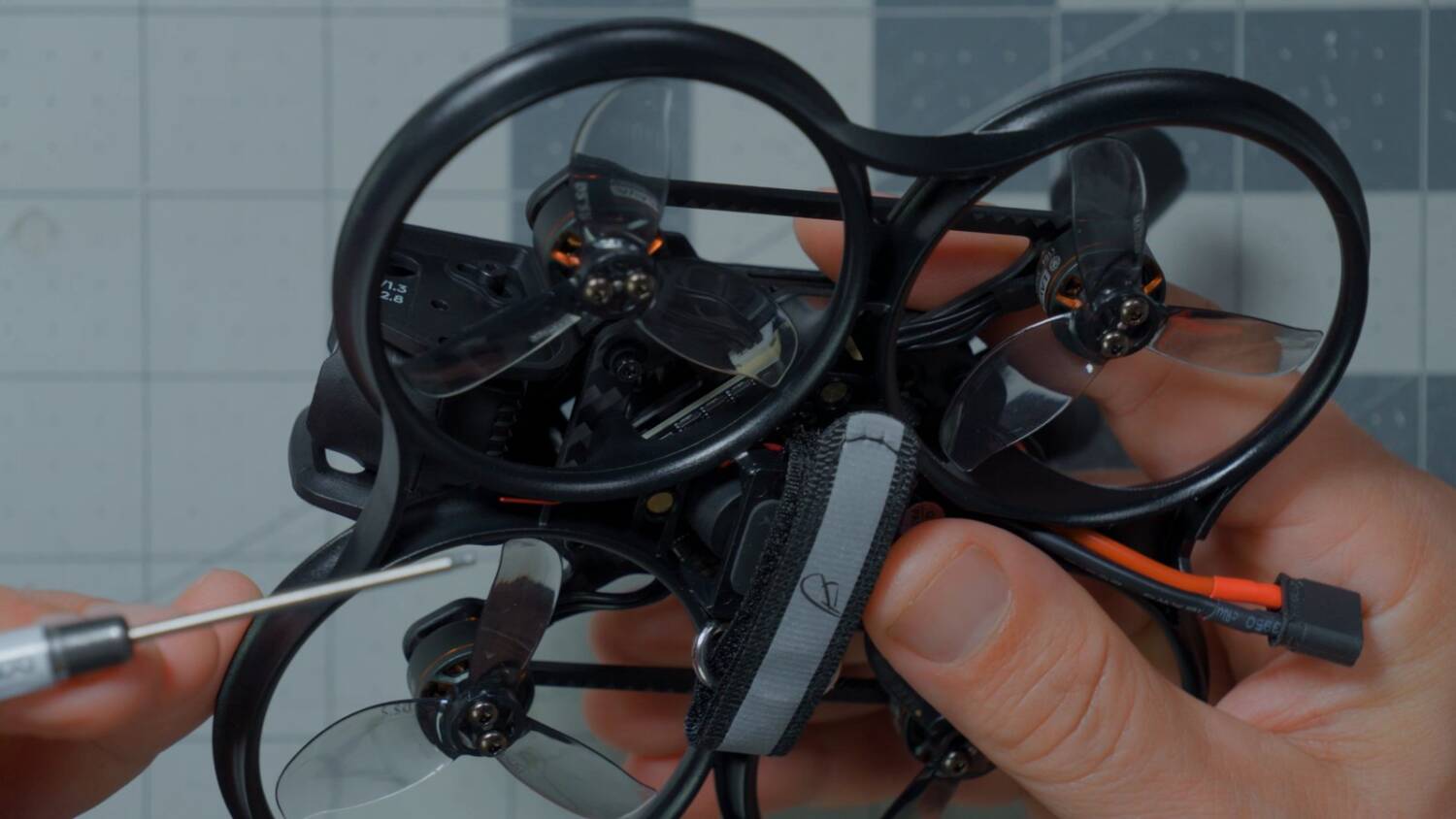
To me, this style of soft mounting is better because it holds up better in crashes. A screw goes through the plates into a nut, and it’s held down. You could argue it gives worse vibration isolation than rubber bobbins, because a physical screw connects the plates and vibration can travel through it. But it doesn’t matter how good the soft mounting is if it rips out when I crash and I can’t fly again. I’ll test it in the air and see how the stabilization does.
In case you weren’t clear on why soft mounting matters: what does a video transmitter care about vibration? Number one, you can see the vibrations in the camera when they get really bad. But more importantly, any kind of stabilization needs good gyro data. That goes for the O4 Pro’s built-in RockSteady stabilization, and for Gyroflow, software that runs on your PC and uses the gyro data from the O4 Air Unit to stabilize the footage. However you stabilize it, if that gyro data is garbage, you won’t get good results.
New frame design: easy to take apart
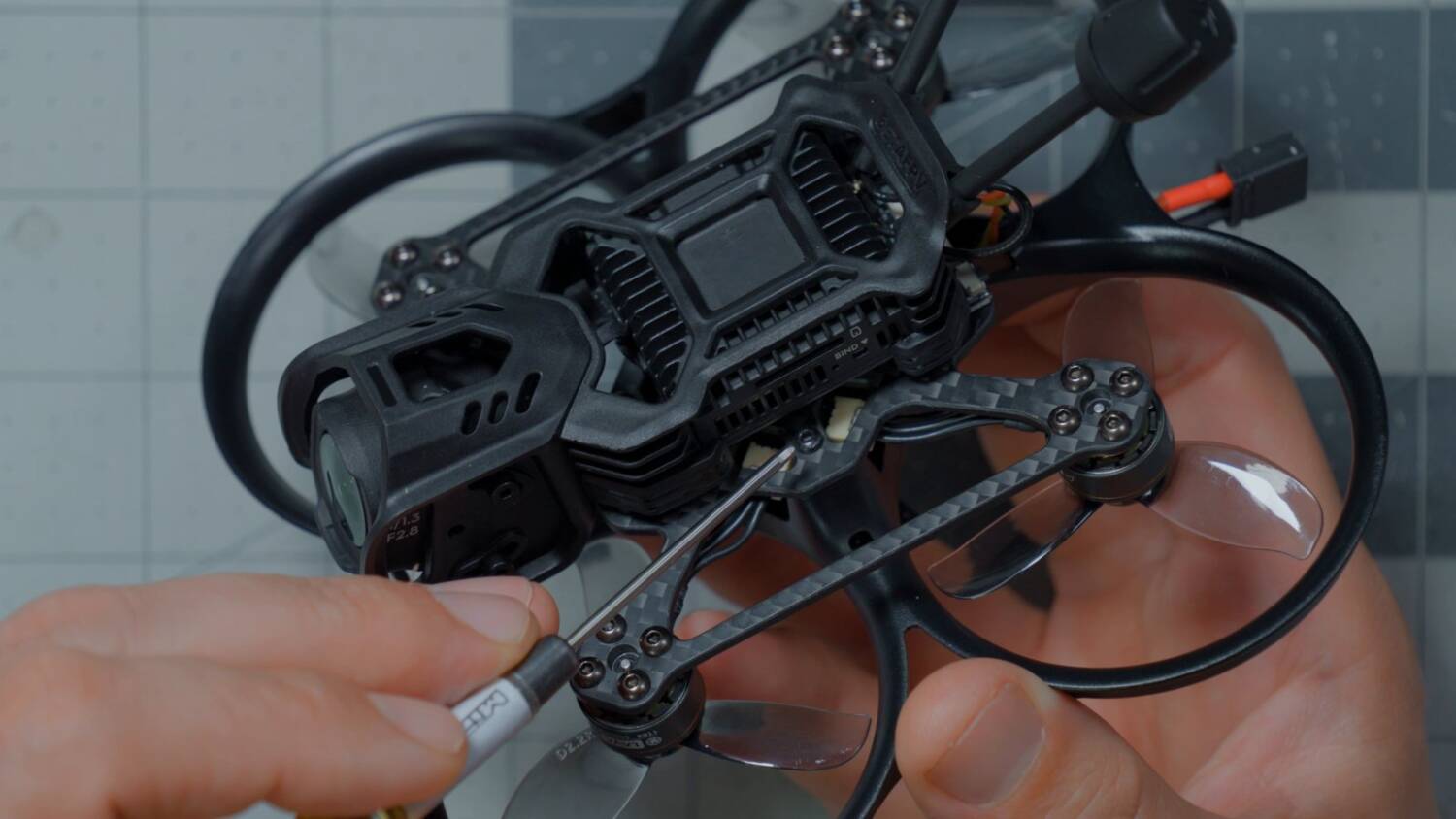
The captive nuts continue through this version of the frame. Four screws hold the carbon fiber plate to the plastic prop guard. So you can break the frame down into its three main parts: the prop guard, the frame that carries the motors and flight controller, and the cage that carries the vTX and camera. That’s eight screws. No nuts to lose. Take the screws out and it all separates, which makes maintenance easier. I like that.
Battery strap instead of cage
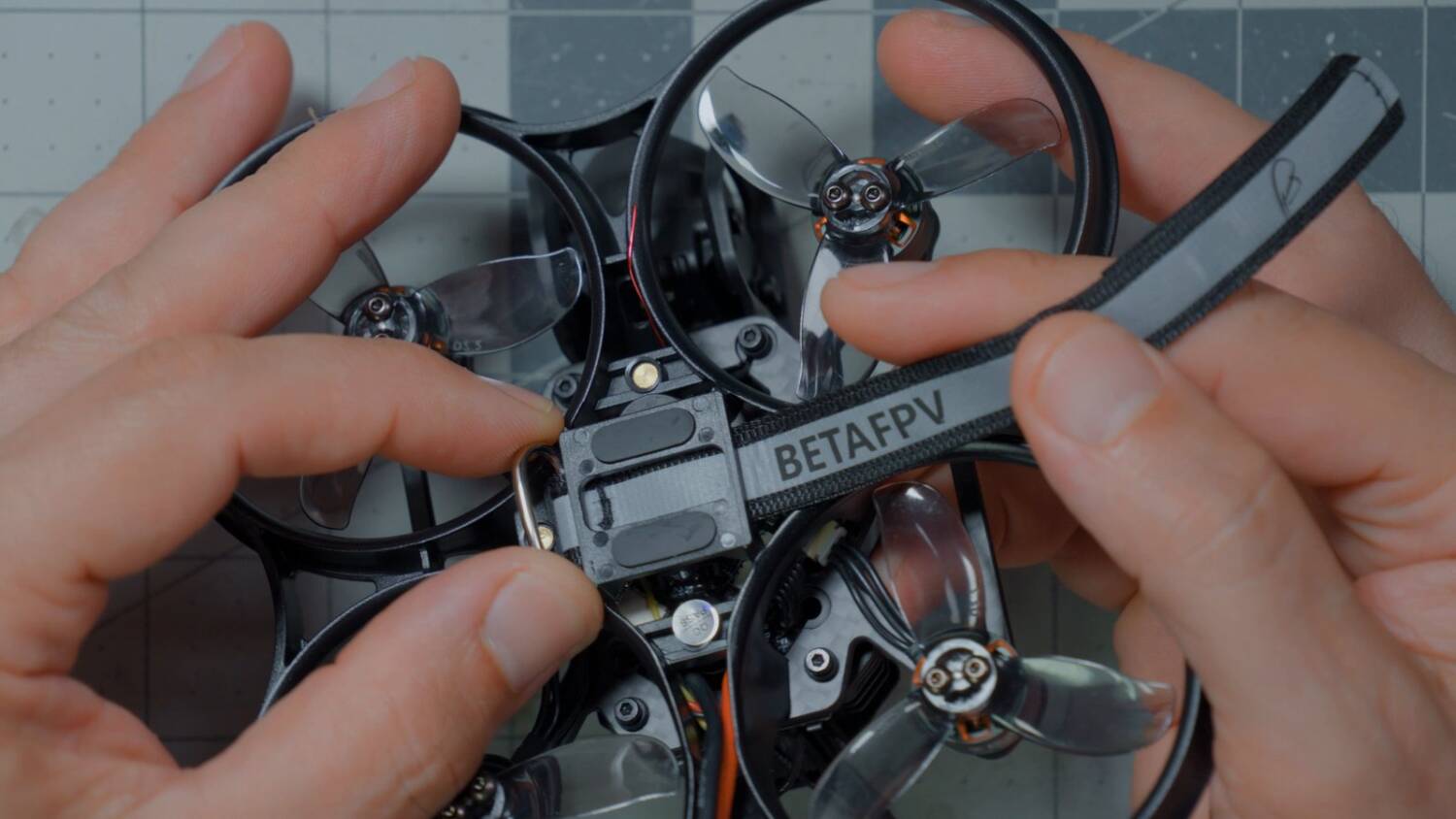
The previous version of the frame had a plastic cage for the battery. The downside was that if your battery wasn’t a very specific size, it wouldn’t fit. Here they’ve gone to a more traditional, more flexible strap, so you can use whatever battery you see fit.
4S and 3S versions
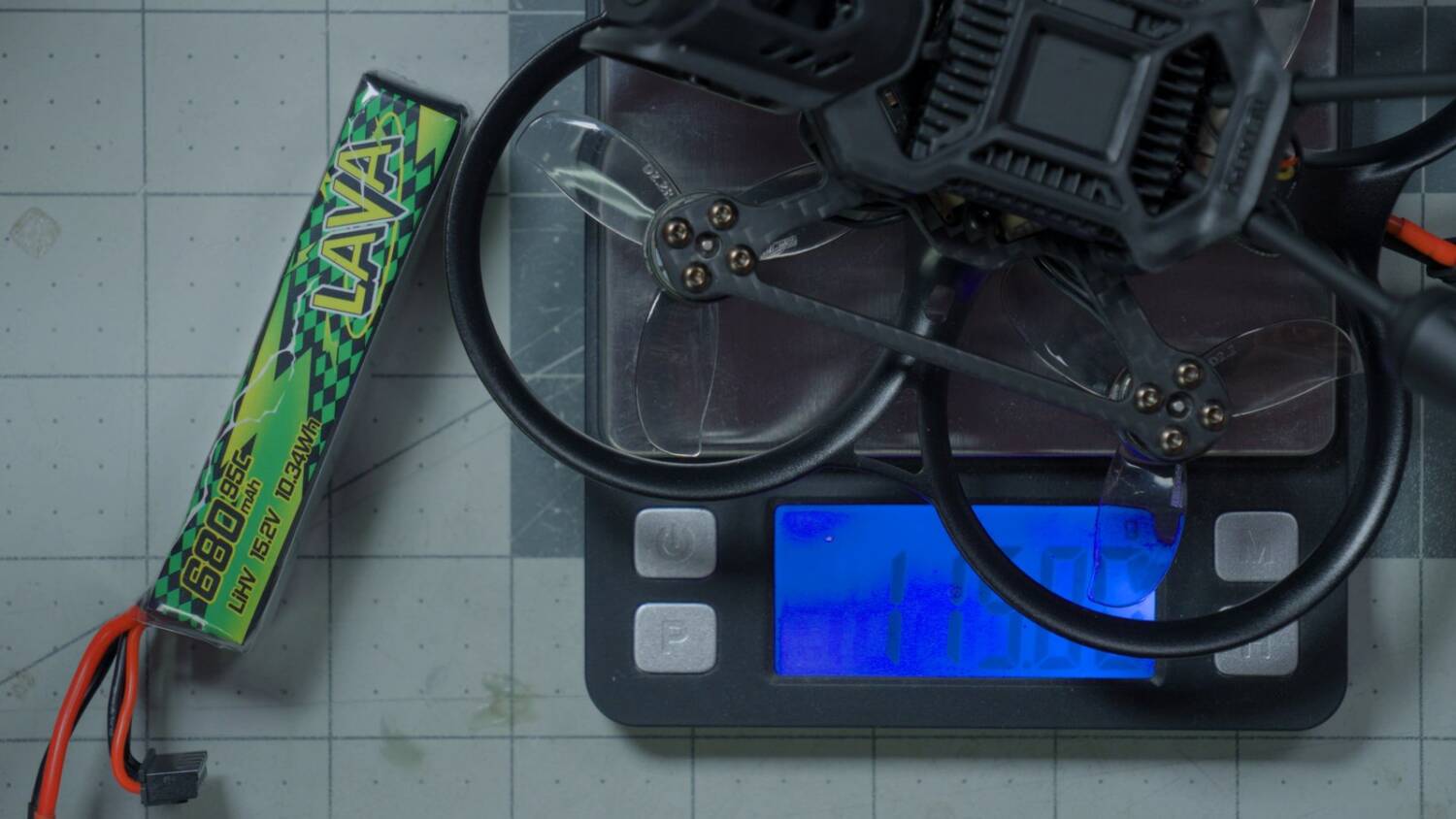
The battery I’m using is a 680mAh HV 4S. And we need to call out that this drone comes in two versions. BetaFPV advertises the 4S version for longer flight time, but by their numbers it’s only about a minute longer: something like 10 and a half minutes versus 9. We’ll see what flight time we actually get.
I think the real advantage of the 4S is going to be more power. I’m very interested to see how it freestyles. A 2-inch drone with a 4S battery and an O4 Pro could be a dream, if it flies good and holds up in crashes. I’m only flying the 4S version. I’m not testing the 3S version because they didn’t send it to me, and that’s fine.
Weight
The drone by itself weighs 116g. With this battery on it, call it 180g. That’s well under the 250g limit, if that’s something that concerns you. Is that a good number or a bad number? It’s hard to say.
Built-in ELRS receiver
On the back you can see the O4 Air Unit antennas. What you don’t see is an antenna for the ExpressLRS receiver. The drone comes with 2.4GHz ExpressLRS built into the flight controller. It’s a 3-in-1: flight controller, ESC and ExpressLRS receiver all in one.
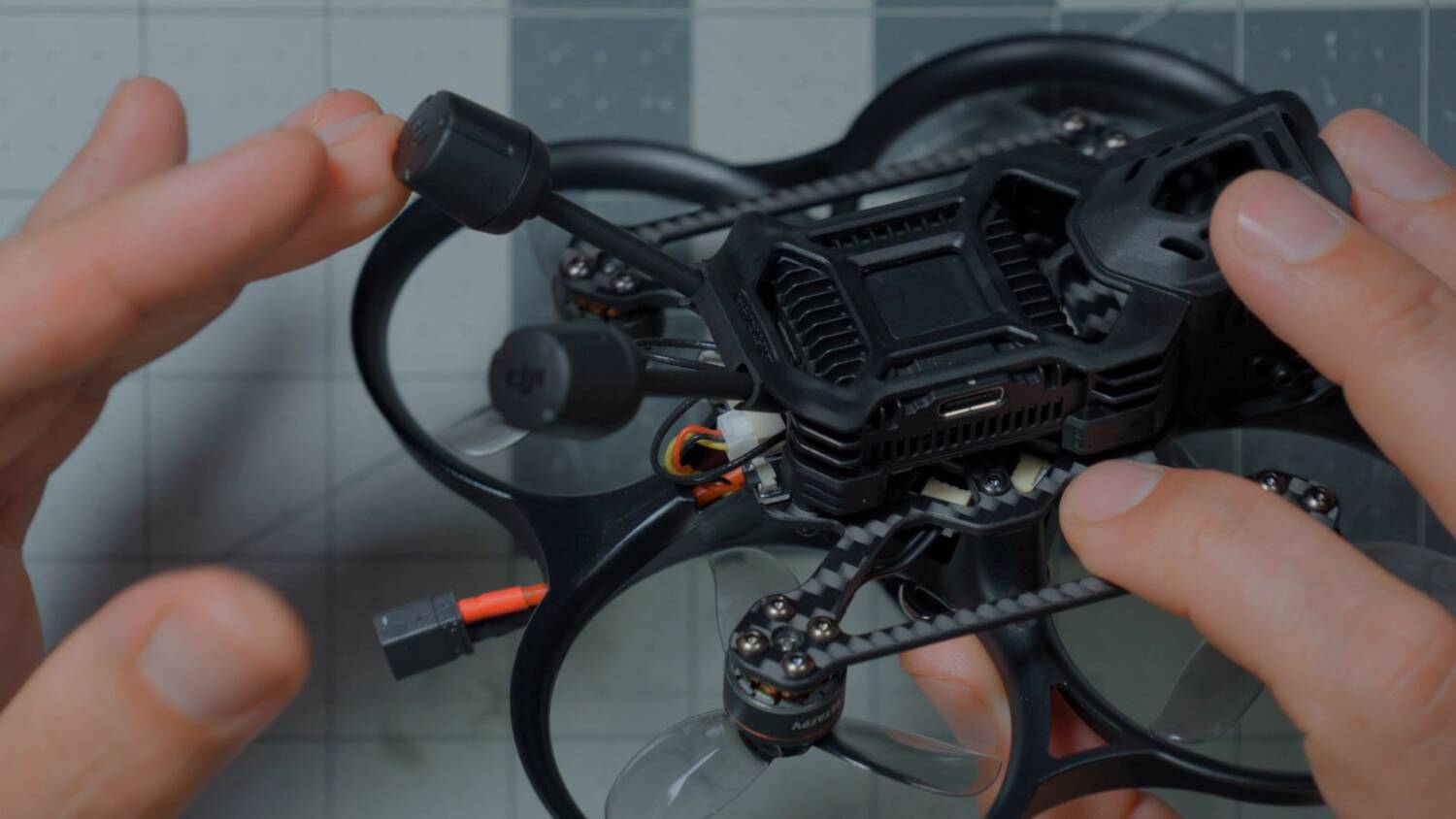
The receiver’s antenna is just a little red piece of enamel wire. That means you’ll probably get a little worse range than with an actual external receiver.
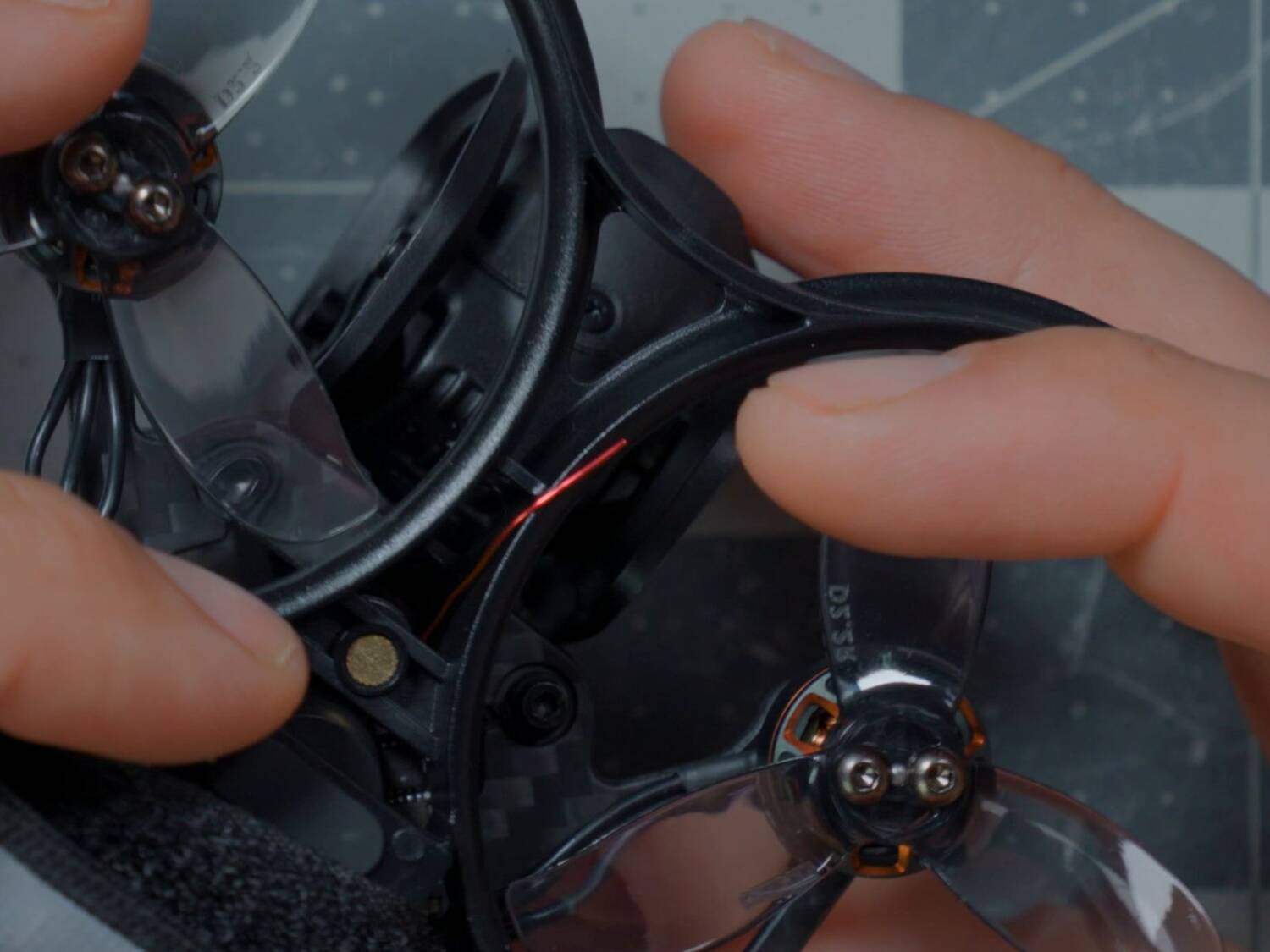
Being enamel wire, it’s almost certainly soldered directly onto the board. I haven’t pulled the board apart to check, but I’m guessing there’s no U.FL connector, so attaching an external antenna would be a non-trivial thing to do. The range is probably okay. ExpressLRS has pretty good range even when it’s hamstrung by an antenna like this. The big downside, I think, is that if you damage it, it’s going to be a pain in the ass to replace. It’ll take soldering.
An actual beeper!
I’m really happy to see they’ve included a full beeper on this drone. Is it loud? Is it annoying? You’re damn right. That’s how you’re going to find your drone when you crash this little thing in the grass and can’t track it down.
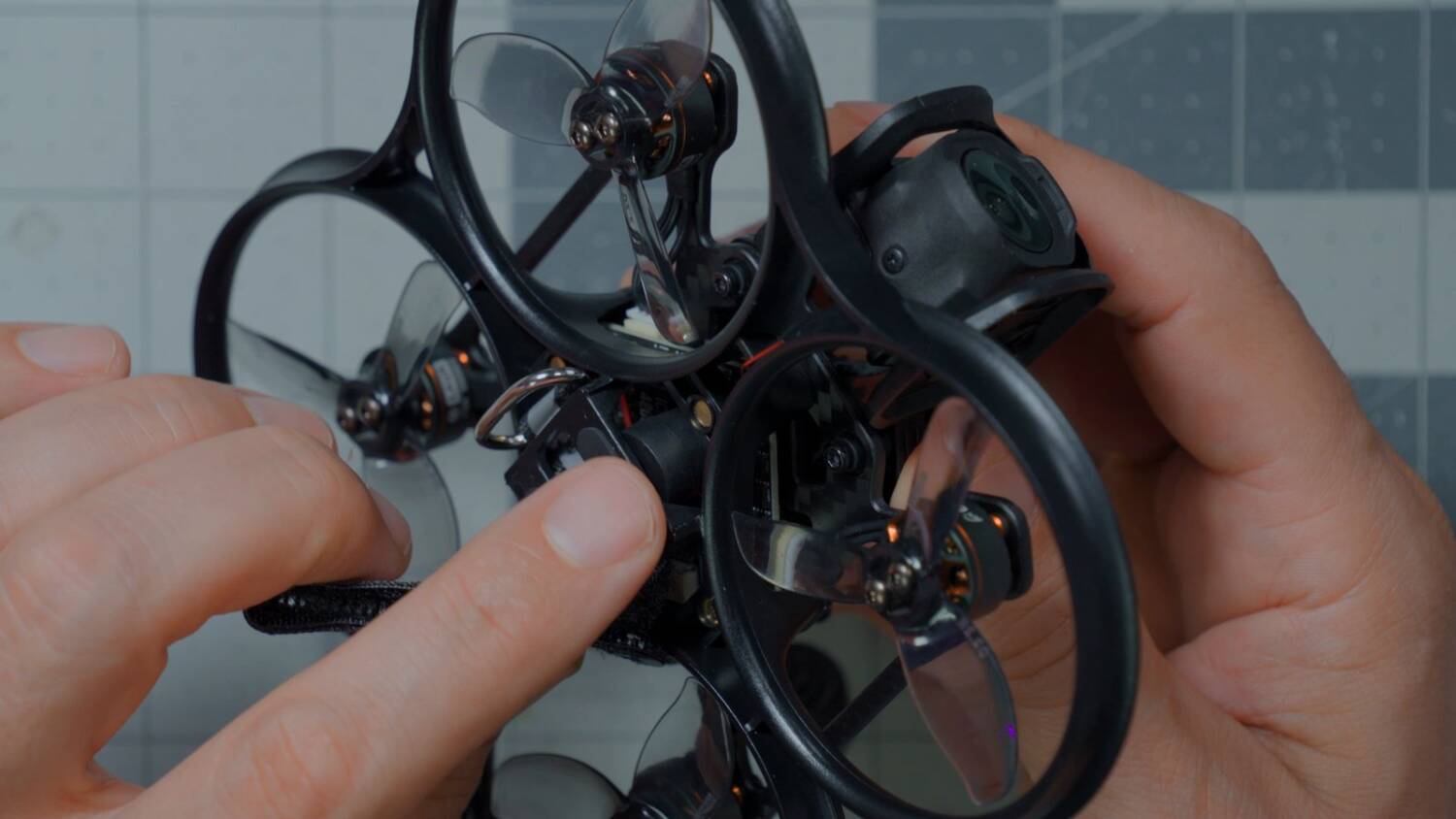
Most drones this size don’t include a beeper. They rely on the motors to beep, and those motor beeps just aren’t very loud, especially with tiny motors like these. I love it. It’s a couple grams of extra weight, and I think it’s weight well spent.
GPS mounting adapter
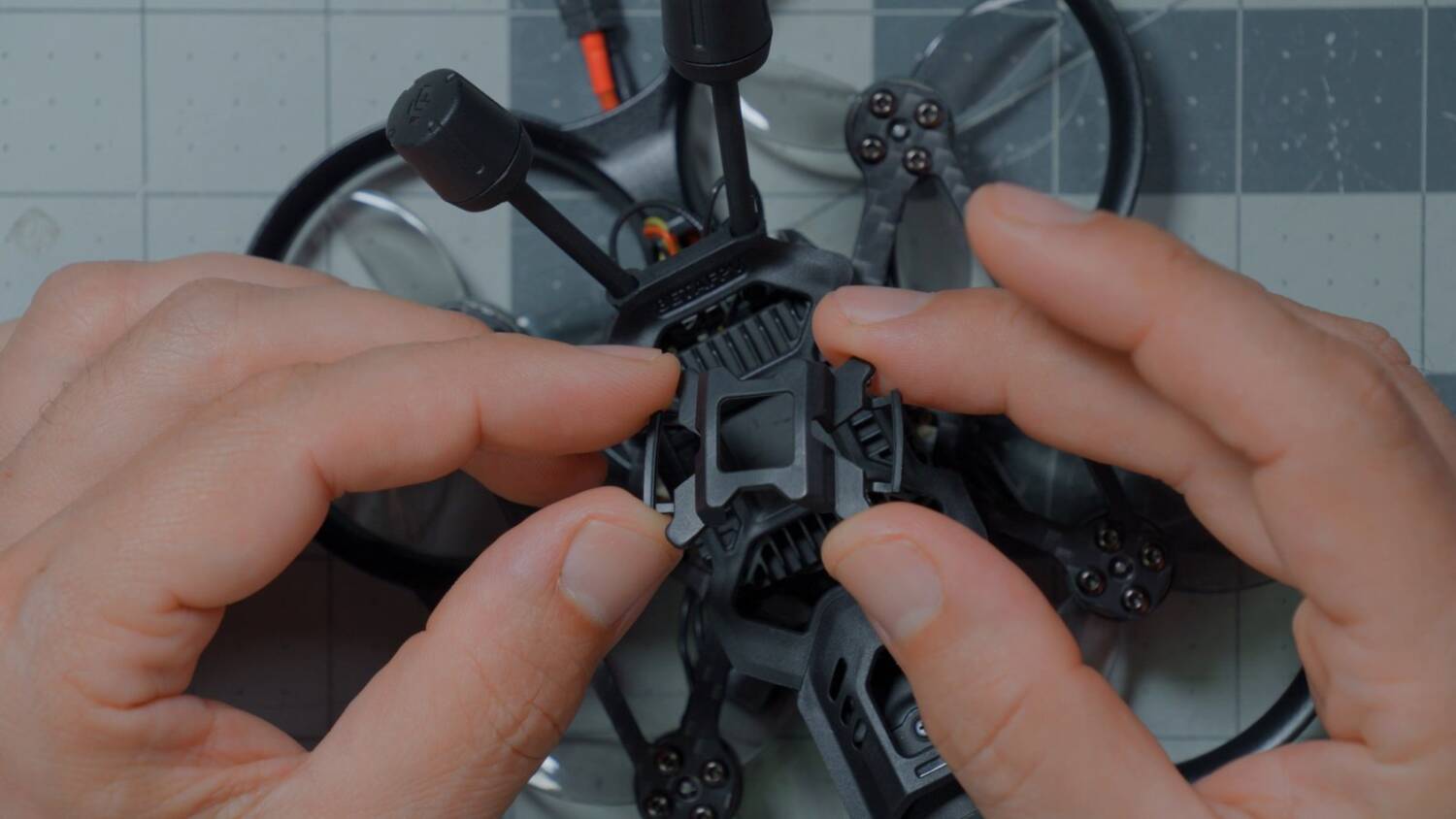
Speaking of finding your lost drone, what’s this little doohickey on top? It’s a GPS mount. You can take a standard micro-sized GPS, mount it on top and strap it down with the little plastic piece. Theoretically you could have return to home, altitude hold and position hold. And you’d know where your drone crashed from the GPS coordinates, if you were, god forbid, to lose it.
The Betaflight configuration is very good
Next I plugged it into the computer to look for surprises in the Betaflight configuration. Long story short, everything really seems pretty good. It shipped with Betaflight 2025.12.2. That isn’t the latest version: 2026.6 just came out. But I don’t blame BetaFPV for not shipping on something that just came out. Sometimes there are problems. Sometimes there are surprises.
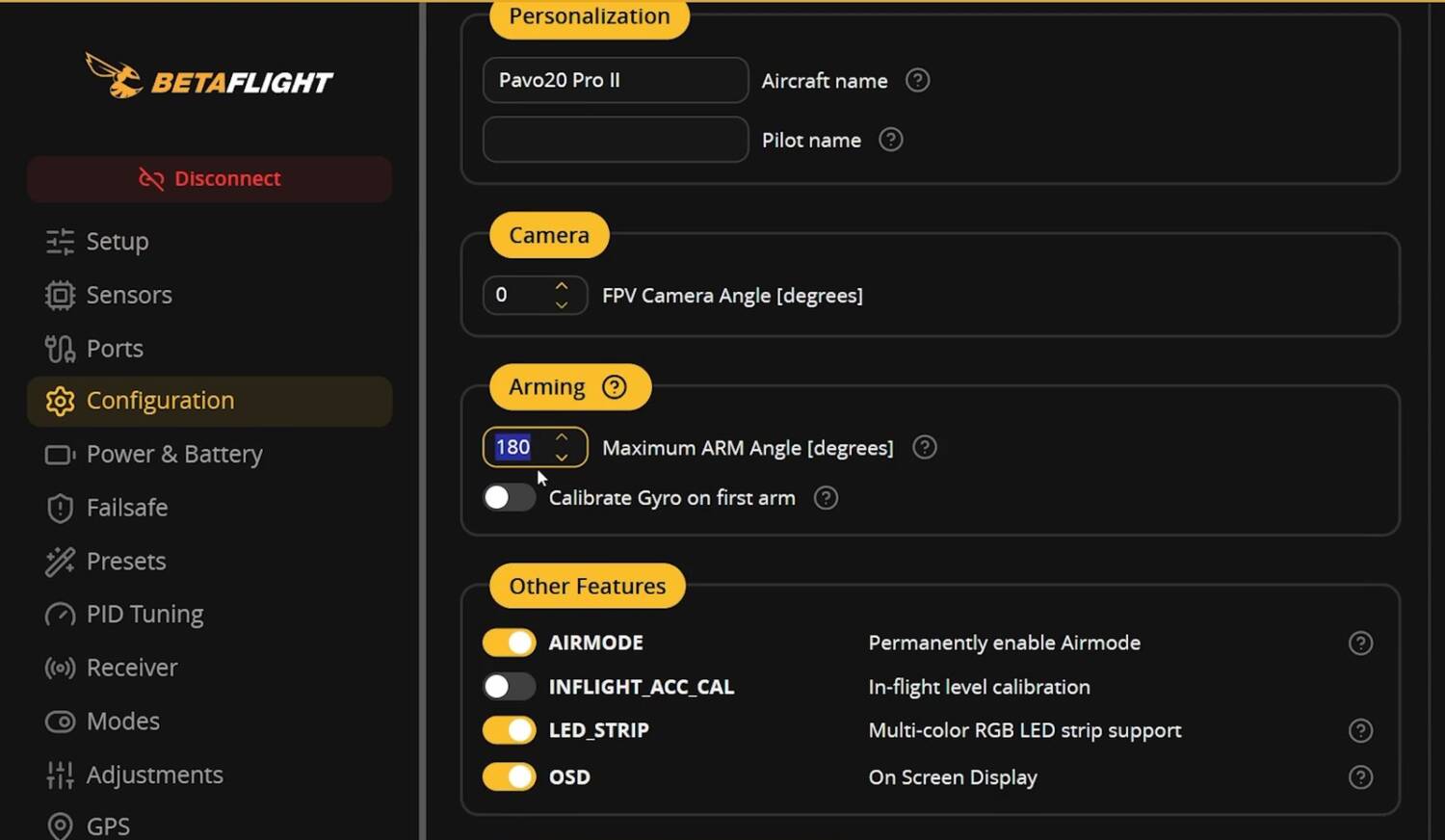
On the Configuration tab, maximum arm angle is set to 180 degrees. That lets the drone arm even if it isn’t perfectly flat and level. Especially on a small drone like this, I don’t think there’s really any downside to turning off that so-called safety feature. I do it on all my drones.
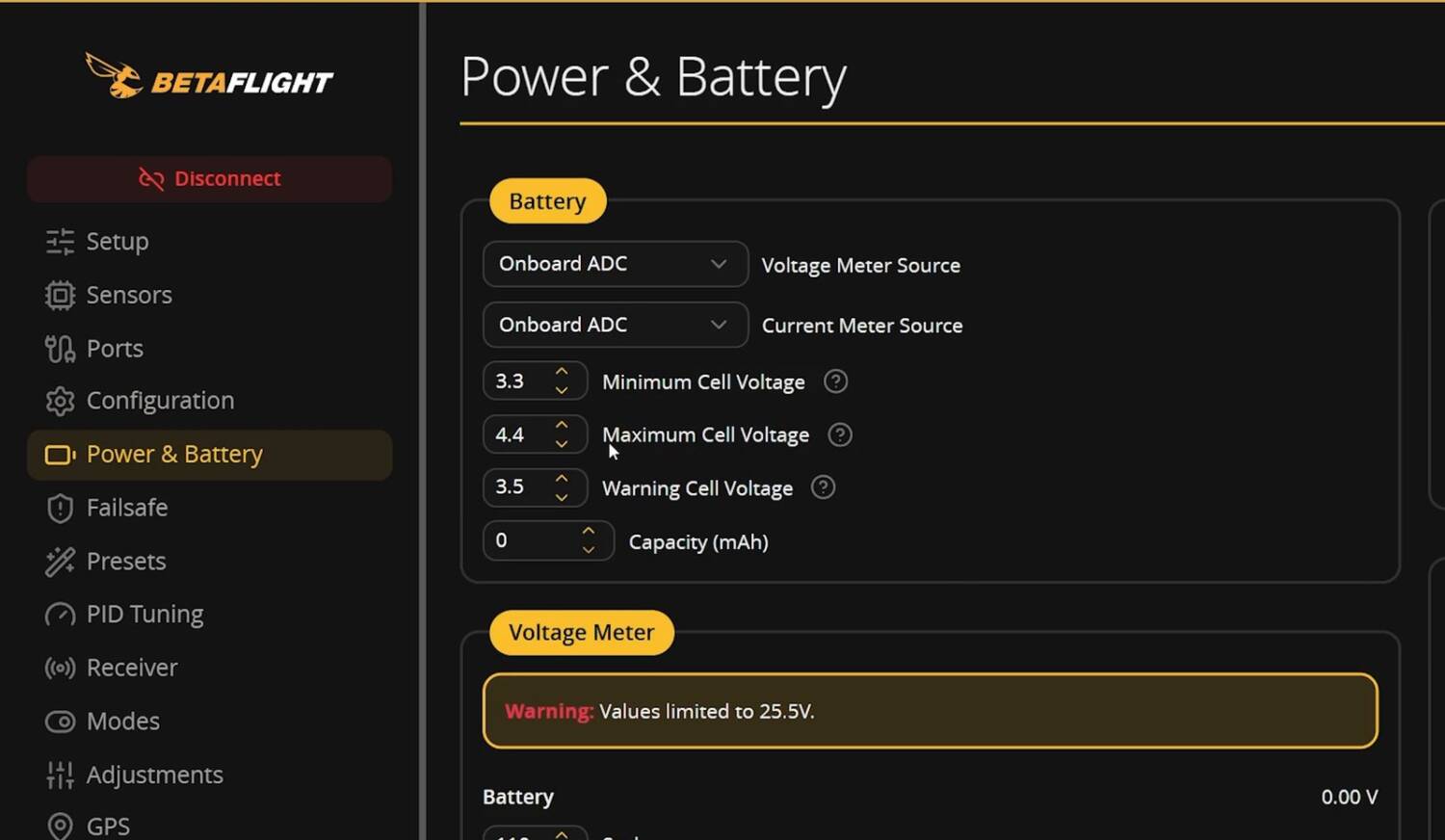
On the Power & Battery tab, they’ve set the maximum cell voltage to 4.4 volts. That’s because we’re using HV batteries, which go up to 4.35 volts. A lot of drones leave this at the default of 4.2 or 4.25, and when you plug in an HV battery, Betaflight gets confused. It might misread your cell count, or think your battery is over voltage. This is the correct setting for the batteries this drone is meant to use. Well done, BetaFPV.
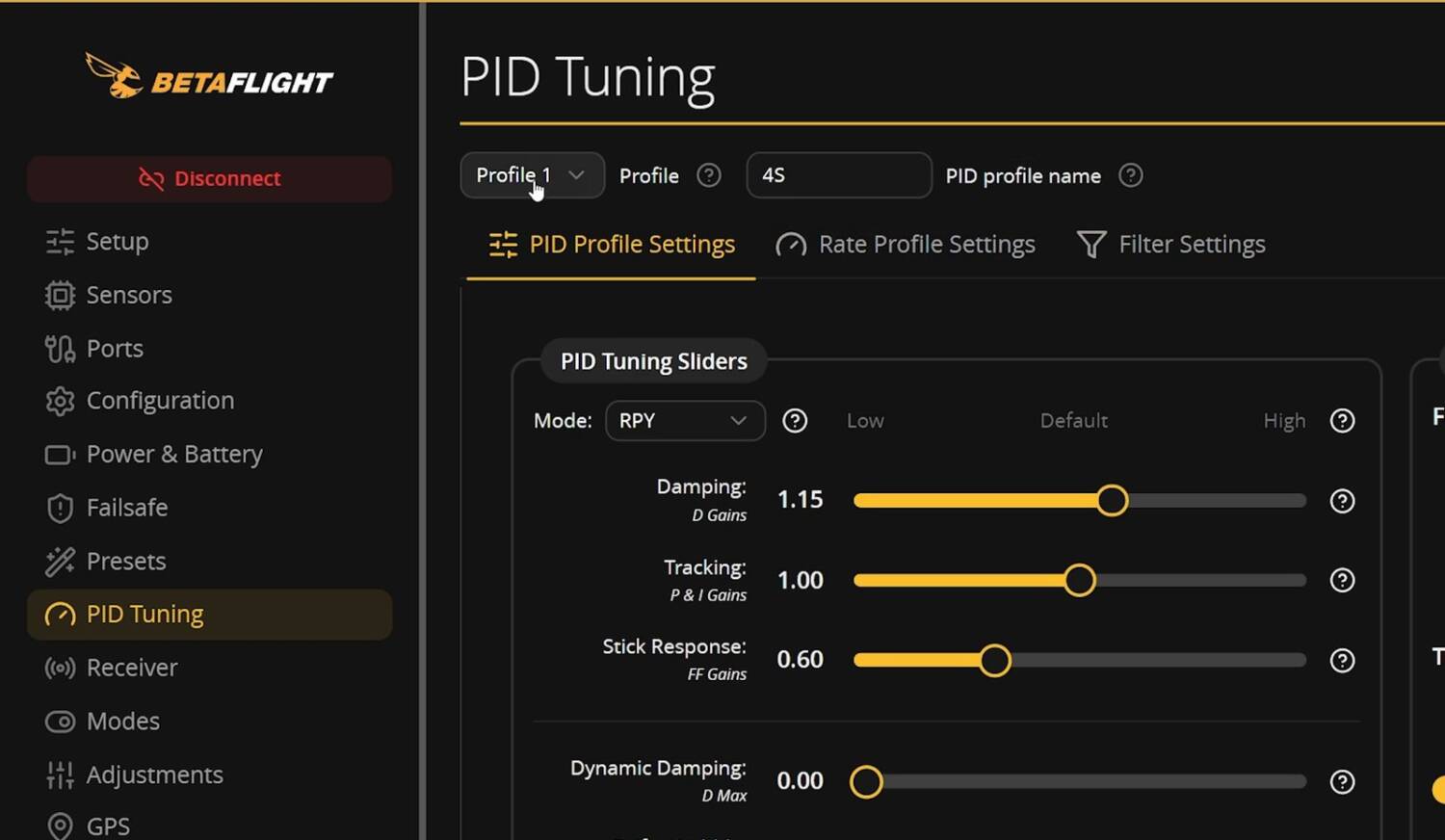
I kept looking for things they’d screwed up, so I could say, “Aha, you should have done it this way.” I just didn’t find any. There are two PID profiles: one tune for a 4S battery and one for 3S. And they even named them. When you switch between them, instead of seeing profile 1 and profile 2 and not knowing what each was meant for, you can see that profile 2 is for 3S and profile 1 is for 4S. And it shipped with the right one loaded. Does the 3S version ship with the 4S profile loaded too? I don’t know. But at least mine came with the right damn thing loaded.
These are all small things that many, many vendors overlook. BetaFPV just got them all right. I’m amazed — not because I expected worse from BetaFPV, but because my bar is so low for everything in this industry. I’m really pleased.
On the Receiver tab, I can see that the ExpressLRS receiver is serial-based, not SPI-based. A long, long time ago I made a video about why SPI-based ExpressLRS receivers are the worst. These days we’ve mostly moved away from them, but you still sometimes find flight controllers with integrated receivers doing SPI.
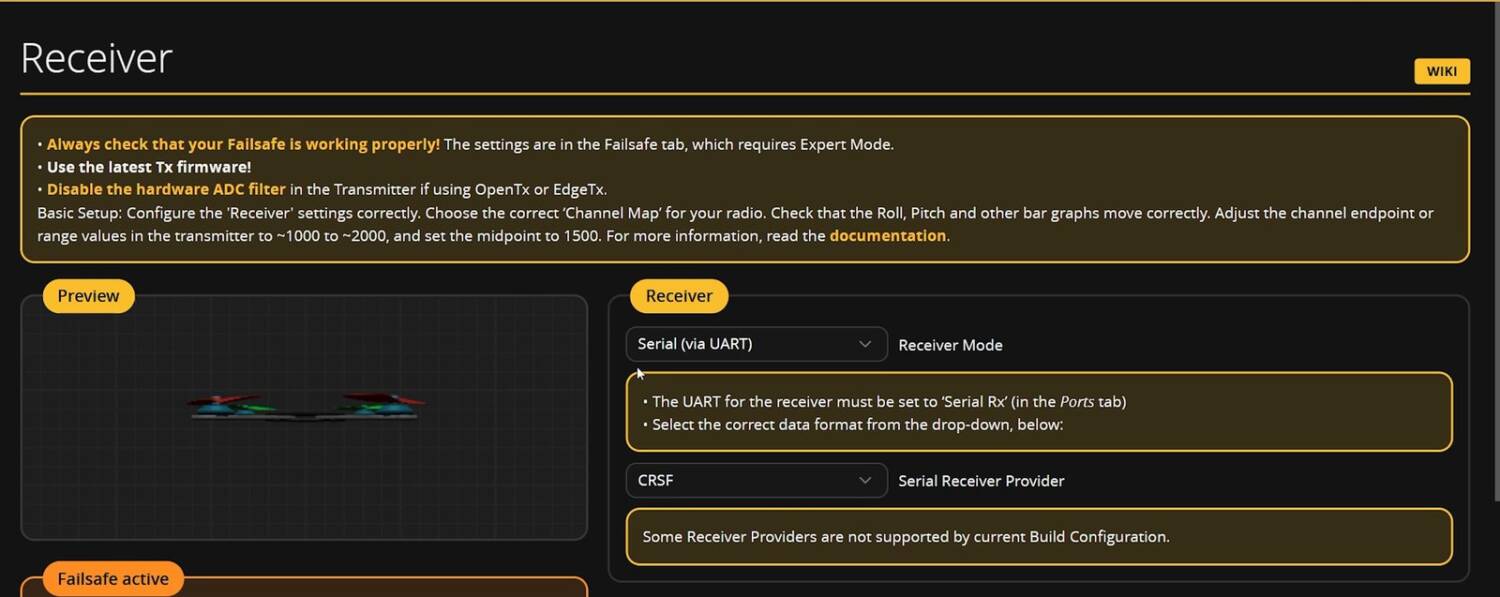
The advantage of a serial receiver is that I can easily flash it to ExpressLRS 4.0. I’ve moved all my ExpressLRS gear to 4.0, and it isn’t backwards compatible with 3.x. So I’ll be able to bind this to all my radios just by flashing it, which I couldn’t do with an SPI receiver. I’d be stuck with whatever firmware version it had. There might be an SPI version of 4.0 available now, but there might not. I’m not sure. With serial, I know I can do it.
Ah, here’s something I can finally complain about: it ships with Horizon mode enabled. Don’t use Horizon mode. Horizon mode is dumb. Horizon mode is lame. Use Acro mode for acro, or Angle mode for angle. Get rid of Horizon.
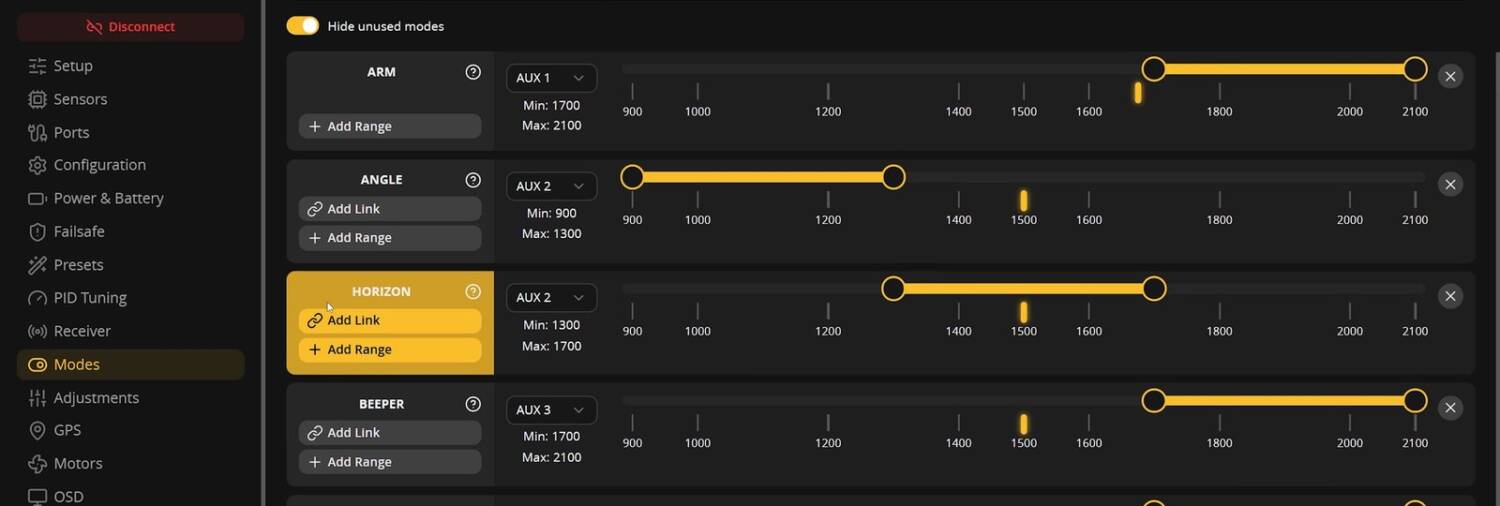
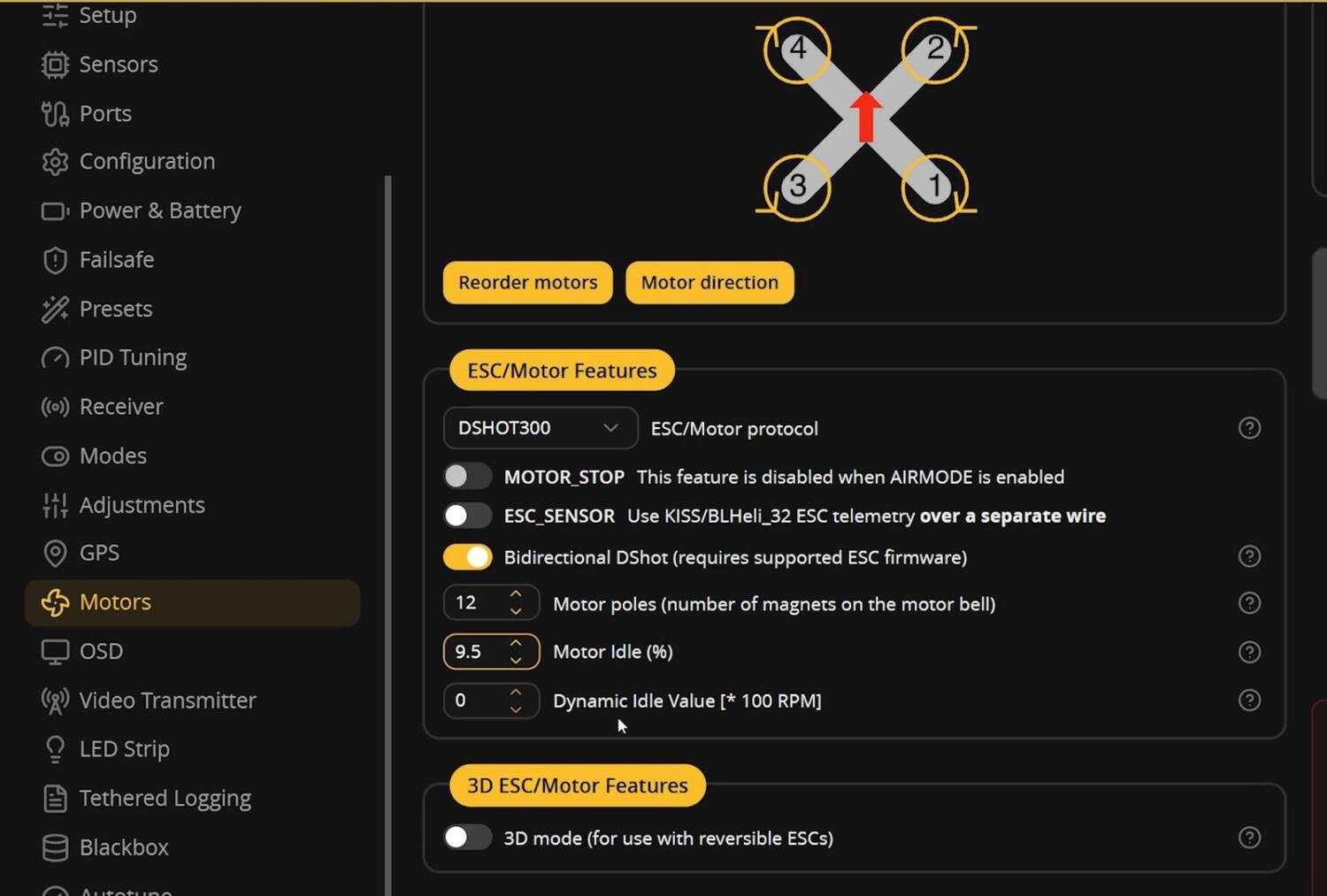
Otherwise, no complaints. Bidirectional DShot is enabled. Motor idle is turned up from the default, which these small motors often need. BetaFPV has really gone through this thing with a fine-tooth comb.
Test flight: slow, smooth “cinematic” flying (stabilization on)
I flew three flights with this drone. The first was slow, smooth, so-called cinematic flying, with RockSteady stabilization turned on in the air unit itself. The main thing this tells us is whether this particular air unit is affected by the O4 gyro bug.
The gyro chip used on some newer O4 Air Units has a problem: it gives bad gyro data to the stabilization algorithm, and the stabilization freaks out. You can’t see that in the goggles, because you don’t see stabilization in the goggles. In the footage, it looks like the drone is jerking and shaking. If you don’t see that, great. Then you have an idea of what stabilized footage from this drone looks like.
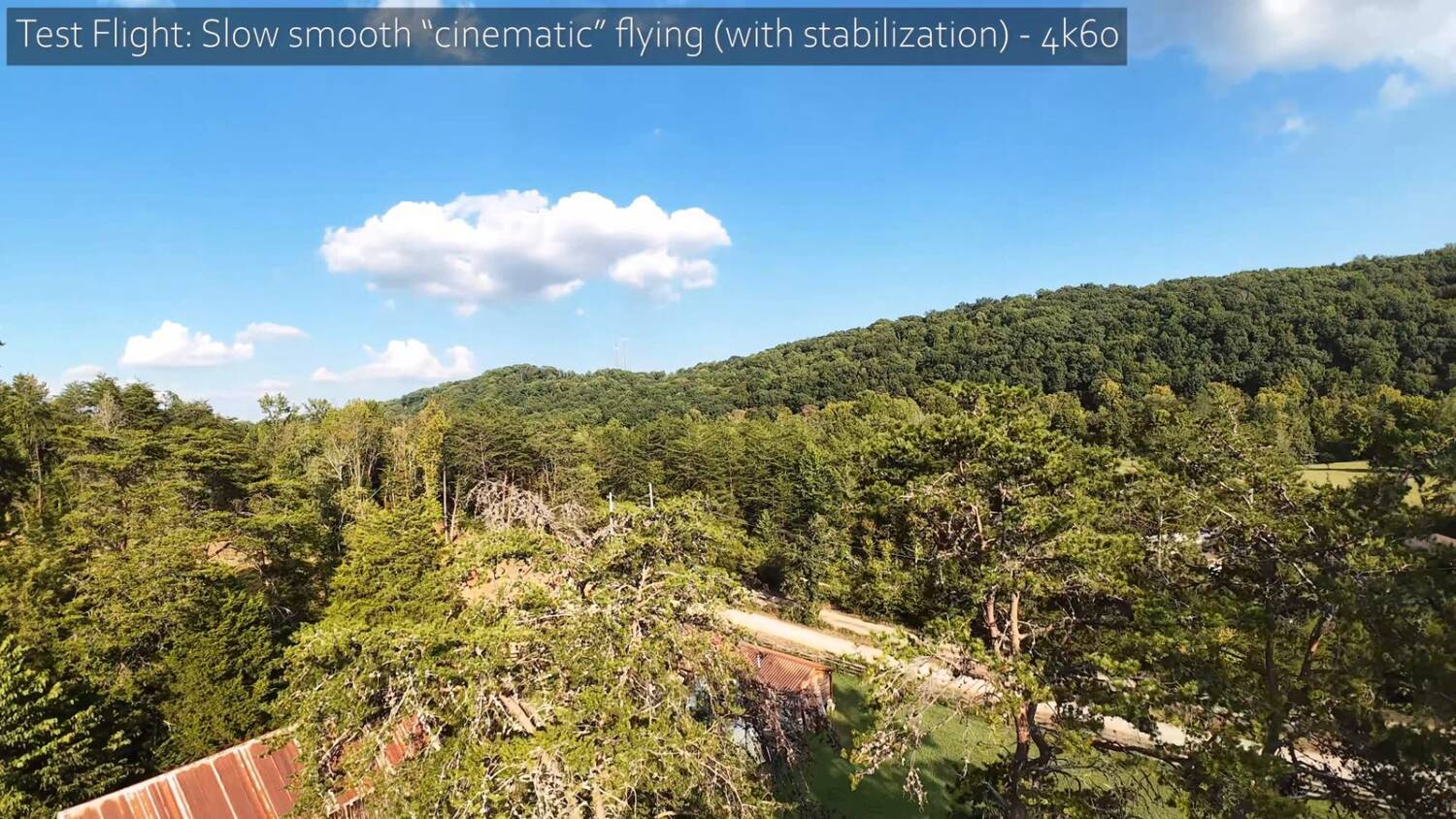
I was also paying attention to how it handles coming down in a dive. Does it freak out, or does it stay steady? It seemed to do pretty good. One little jerk was me hitting a tree. The motors weren’t freaking out.
Coming out of a dive, it felt a little like it was having trouble pulling out. I won’t quite say it was. I was trying to be smooth on the throttle, so maybe I was just reluctant to raise it. It felt like there was a little delay. That could be because I was recording 4K 60, which is one of the higher-latency settings the air unit has. It’s annoyingly high, to be honest, but it’s what somebody doing cinematic stuff would be looking for.
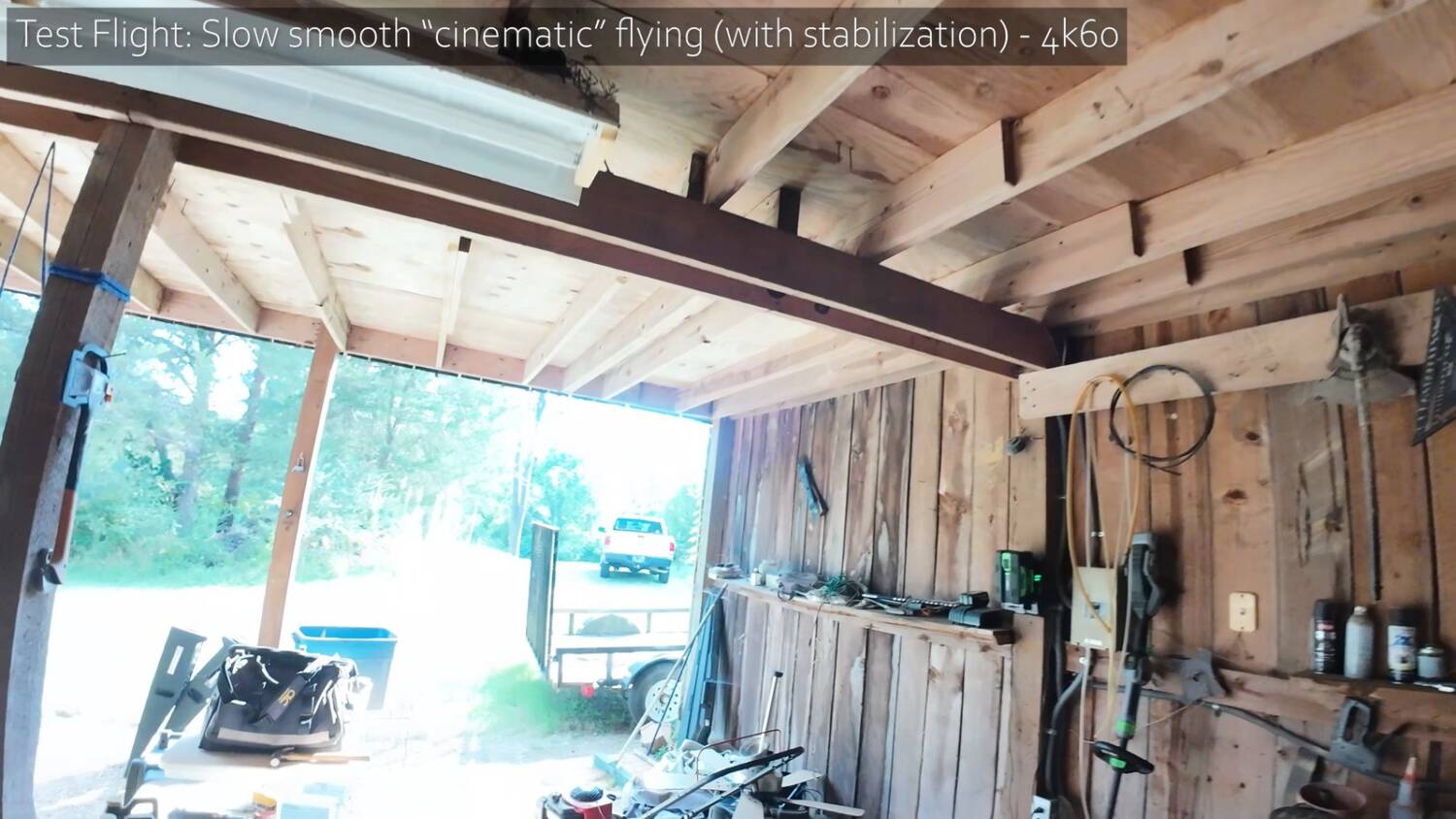
Then I flew up into the barn. I like to fly there to get a sense of how a drone flies somewhere tighter. It’s not exactly interior, but there’s more to crash into, and it forces you to be a little more honest about your positioning than when you’re outside. It did okay. It wasn’t freaking out, getting sucked into the wall, or blowing out the turns super bad. If I were doing a real estate fly-through, moving around the inside of a house smoothly and precisely, it would look like this — probably with less sawdust. That’s pretty nice. I’m not mad at it.
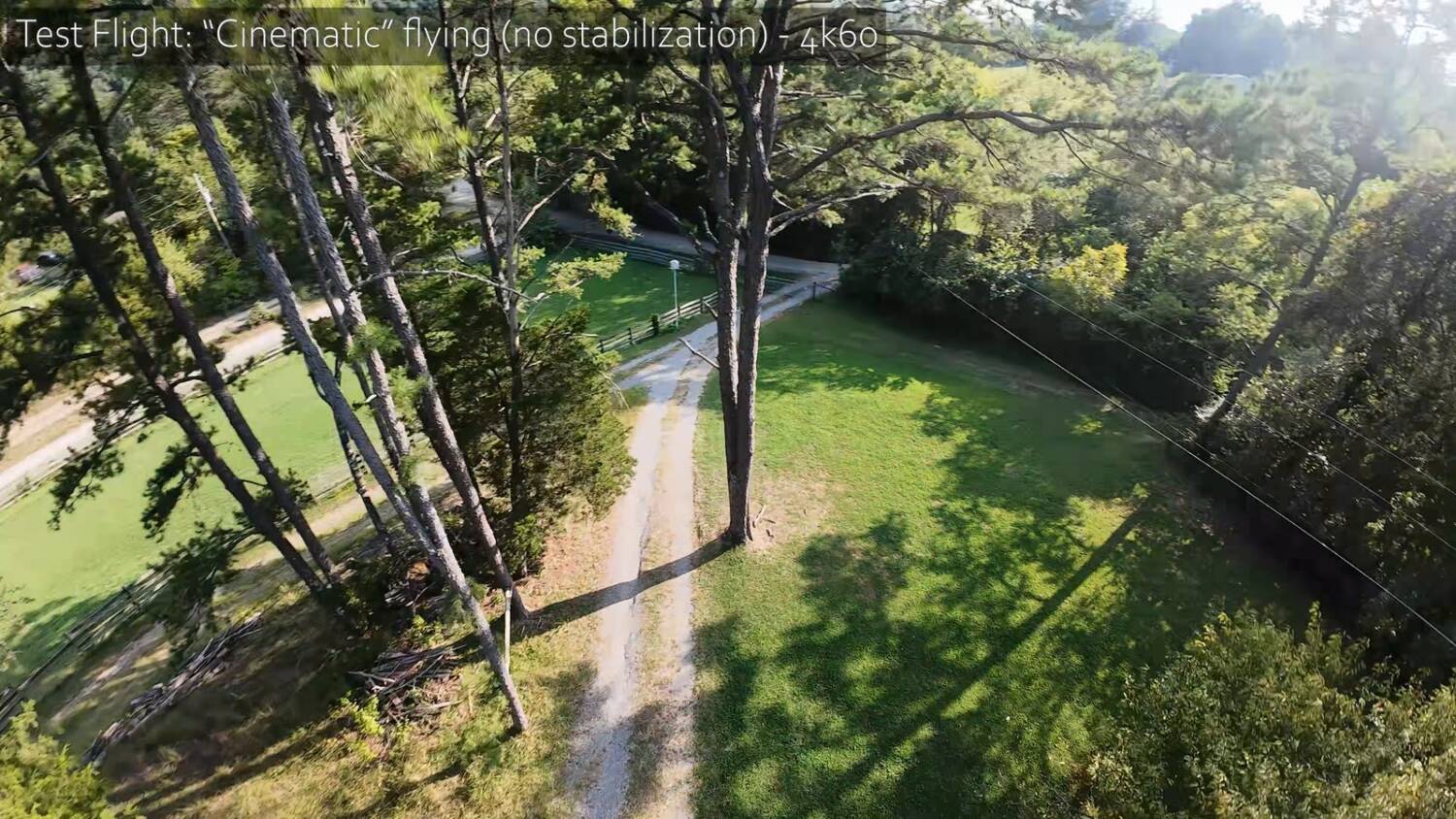
Test flight: “cinematic” flying, stabilization off
Next I turned stabilization off, so you can see what the footage actually looks like coming out of the air unit. Same kind of flying, but now you see what the drone is actually doing, versus what the stabilization was hiding. How does it really fly?
I was intentionally doing climbs and descents, because that really brings out any instability, especially a dive. I definitely felt the motors accelerate some in the dives, which made throttle management on descents a little tricky. That wasn’t me raising the throttle. That was the PID loop overreacting. It stayed relatively stable, and I didn’t see a lot of jerking. But predicting the throttle coming out of those dives is a little tricky, because the motors accelerate on their own.
Flight time
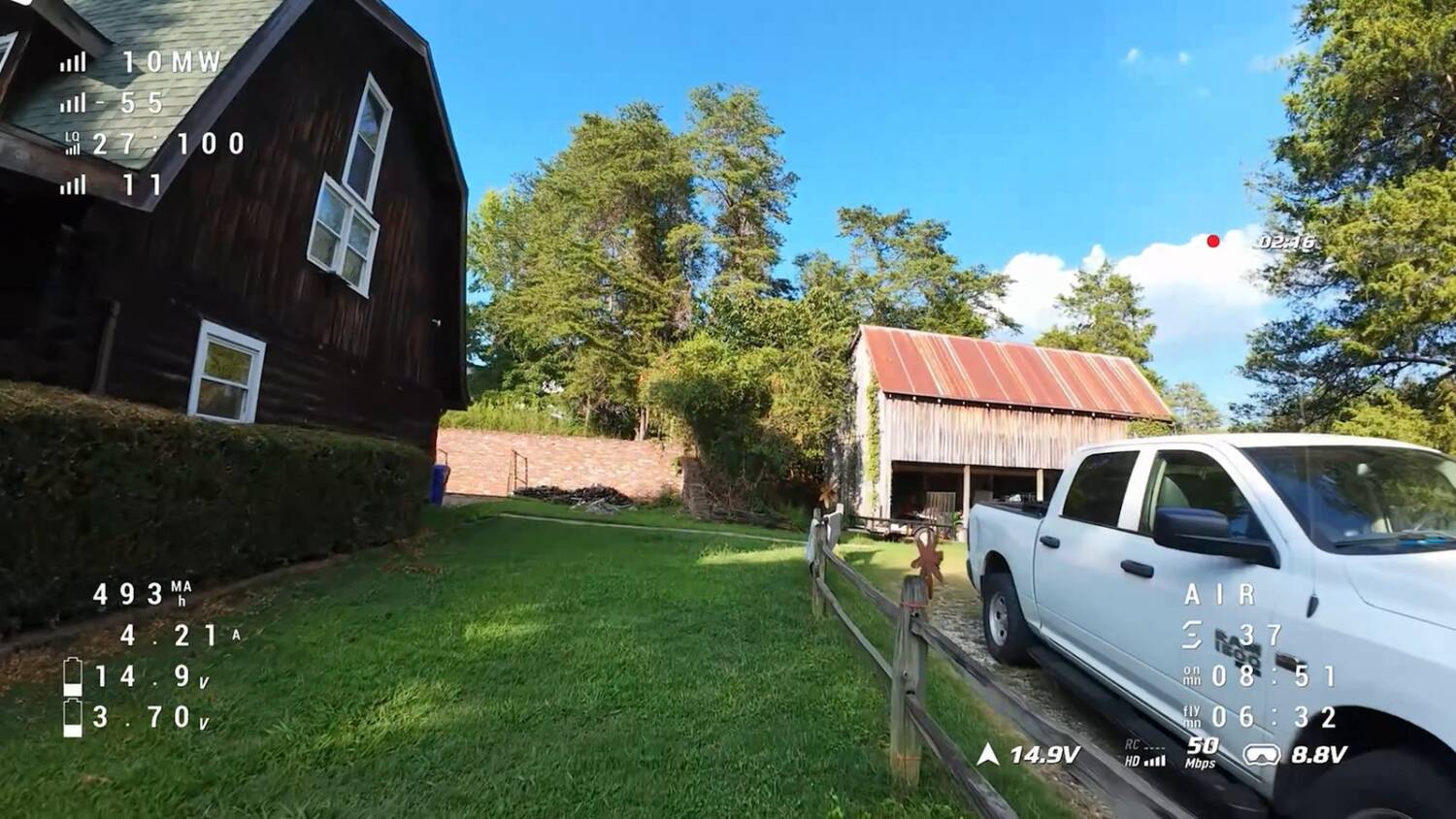
At 6 minutes 30 seconds, the battery was at only 3.7 volts. I definitely wasn’t pushing it very hard, so this pack gives the longest flight time, compared to the more aggressive flight next. At 9 minutes it was at 3.5 volts, and I called it. I could have gone a little further, but that’s your slow, smooth cinematic pack.
Test flight: freestyle
This isn’t intended first and foremost as a freestyle monster, and I wouldn’t guess that it is. Right away there was a big bobble. When I cut throttle, it got stupid. It wobbles like crazy when I get off the throttle. It’s not stable. It’s small, but you can definitely see it.
It’s heavy. It’s not super sloppy through the turns, but I’m definitely having to push it with the throttle. It’s manageable, though. My single biggest complaint is that when I move the throttle, it jerks the nose all over the place. And when I drop throttle, there’s a little prop wash. That’s kind of to be expected. Anytime I do any sort of aggressive move, the nose just whacks itself out.
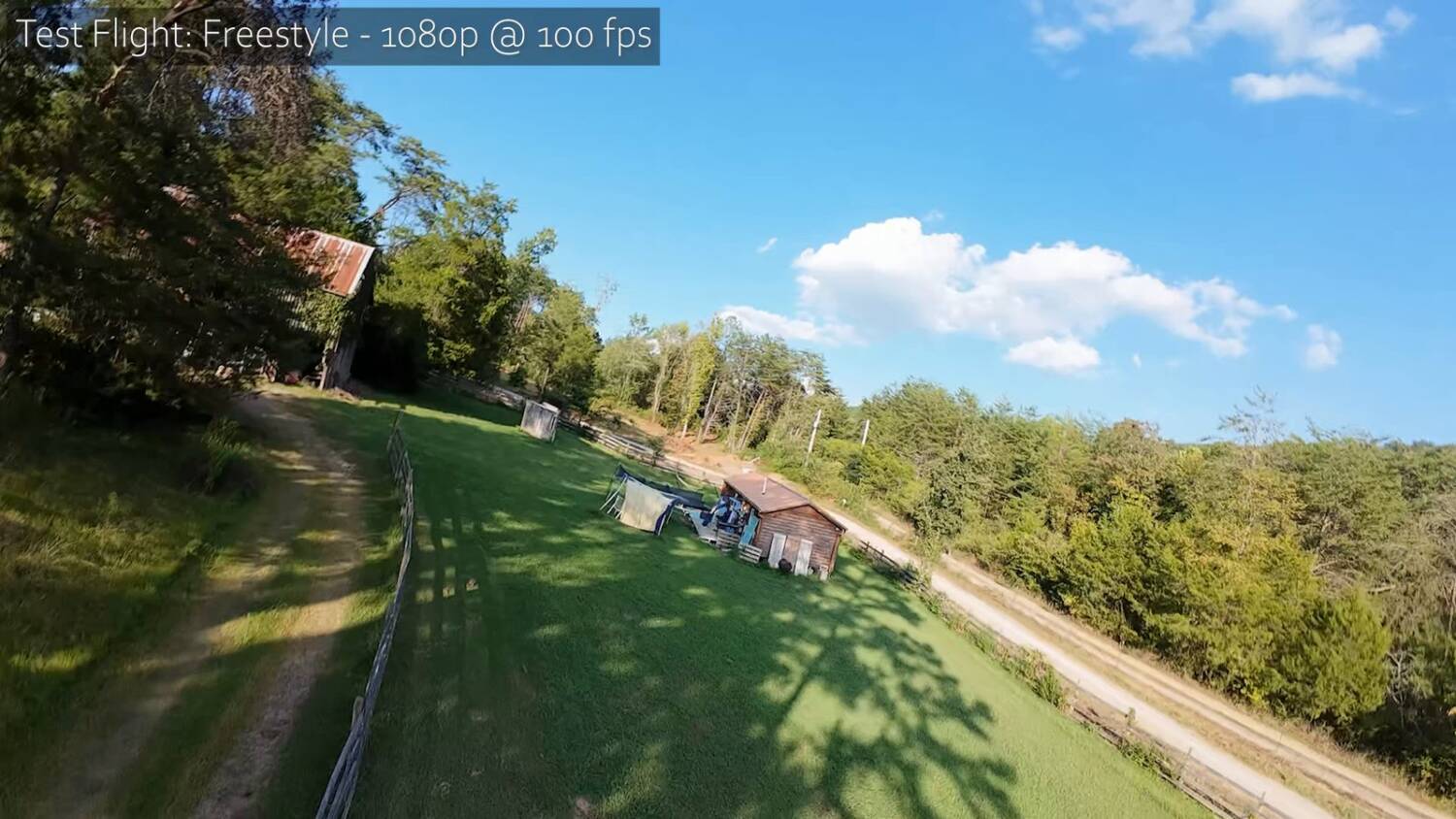
You can do moderate stuff. I can push it a little, and that’s fine. As soon as I get aggressive with the throttle, though, that’s when it falls apart. It does not like it if I stab the throttle.
It’s okay given what it has to work with. It’s not a 5-inch racing drone. It’s not a 3-inch ultralight freestyle toothpick. It’s heavy, and the limitations have to be acknowledged. I’m having a good time, but I’m paying a lot of attention to how the drone flies, just trying to stay ahead of it. If it were a little more capable, I could lose myself and just focus on flying and having fun.
Conclusion
I think what we’ve got here is an evolution of the formula that made the original so successful. It hasn’t changed that formula fundamentally. It’s still first and foremost a whoop-style drone for more cinematic, smooth, slow flying. And at that, it delivers pretty well.
With more aggressive flying, it does okay right up to a point. A faster chase of a bicyclist, a motorcyclist, maybe even a car, as long as the car isn’t going too fast — that’s okay. But as soon as you start jerking the throttle around and whipping it around, it really shows its limitations. That’s okay. That’s not what it’s for. You can’t be great at everything, and it’s decent at what it’s designed to do.
If you want something more for freestyle, I think you’d be better off looking at something much lighter, like Flywoo’s 2-inch Firefly, which I think is open prop. Those have a much better power-to-weight ratio and much better handling for pure freestyle. They can do cinematic stuff too, but they don’t have prop guards, and they don’t have the vibration isolation for stabilization. But this isn’t about them.
Two more videos to check out from here. First, my review of the Pavo Pico II, the even smaller version: how much smaller could it get, and how well could it possibly fly? Second, an alternative: a Flywoo open-prop micro, 2-inch or maybe even 1.6-inch, still carrying a DJI air unit but much more capable of aggressive freestyle (SHOCKING performance from a tiny FPV drone!).
The full review, with flight footage, is on my YouTube channel.